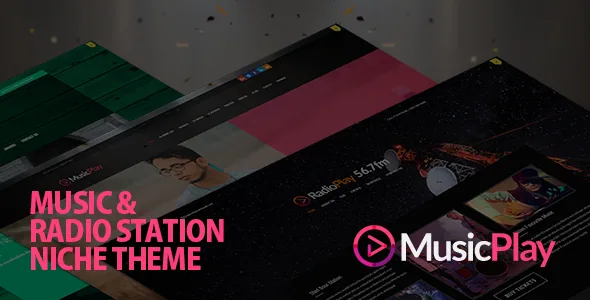
A shortcode theme that was rebuilt as an Elementor theme
The vendor's own update notice for version 16.0 is blunt: the release is described as an architectural overhaul that replaces the theme's legacy shortcodes with 52 or more new Elementor modules. If you have seen older reviews of MusicPlay describing a shortcode-driven setup, that description no longer matches the direction of the product.
Two consequences come with the rewrite. The theme works alongside a separate "Musicplay Widgets" plugin, and the vendor states the new theme will not function correctly with the old plugin version, so theme and plugin need to move together. The notice also warns child-theme users who overrode templates such as single.php, header.php or the custom post type layouts to review those overrides, because the core templates were rewritten for Elementor. Existing sites need a backup and a template audit before updating; a fresh install simply skips that history.
Music content is stored as records, not as pages
The theme ships custom post types for Albums, Artists, DJ Mixes, Radio, Video, Gallery, Sliders and Testimonials, and adds taxonomies for album labels and genres. That is the design decision that separates a music theme from a general one: an album is an entry with tracks attached, an artist is an entry that owns albums, and a genre archive is generated by the taxonomy rather than hand-assembled.
The vendor also describes advanced linking, meaning you can tie an artist to their albums and tracks across the site. Whether that suits your project depends on whether your content really has that shape. A working DJ with mixes and a release list fits the model closely. A one-page producer portfolio with a contact form and three links may find the record types more structure than the site needs.
The practical test is how you would add the twentieth album. With this model you fill in a post type; you do not duplicate a layout.
What the 52+ modules put on a page
The module library is grouped by what it displays. Music modules cover album grids, album tracks with interactive playlists, DJ mix lists, artist grids and a live radio player. Media and event modules cover music video grids, masonry photo galleries, event lists and single event details. A third group handles dynamic post elements — post title, post content, album meta, artist meta and dynamic navigation — and a fourth covers the theme's own slider, AJAX search with filters, header navigation menus and blog carousels.
For an editor, the useful part is the split between grids and dynamic elements. A grid places a list of records on a page you design. The dynamic elements pull a single record's title and meta onto its own template, which is what allows one album layout to serve every album.
The remaining modules are ordinary site furniture — testimonials, staff profiles, progress bars, lightboxes, Google Maps, callout boxes and social links. They matter if you want one builder handling everything instead of mixing plugin widgets with theme widgets, and less if you already have plugin equivalents you trust.
Continuous playback, and the switch to turn it off
MusicPlay offers AJAX navigation that keeps audio playing while a visitor moves between pages — the behaviour you want on a site where someone starts a track and then browses the gig list. The vendor notes it can be disabled with a single click in the theme options panel, recommended for sites running heavily scripted third-party plugins.
That toggle is worth knowing about before launch rather than after. A site with a booking calendar, a shop or a consent-management script layered on top is exactly the situation the switch is for, and losing playback continuity is a smaller cost than a broken visitors' page.
The mobile player is a separate matter. The vendor states that autoplay, the volume bar and the visual playlist are automatically hidden or disabled on mobile devices, citing browser policies and data saving. This is not a user preference you can flip back on; it is how the theme's mobile player is designed to behave. If a persistent mobile playlist is central to your pitch, treat it as a constraint rather than a setting.
Beyond the player: headers, colour and fonts
Layout options are modest and specific: two header styles, sidebar on the left, right or not at all, and full-width page layouts. Custom backgrounds and subheader images can be set per page or post.
Skinning works from a single primary colour chosen in the options panel, which the vendor presents as the quick route to a branded site, with unlimited colours and 500+ Google web fonts available beyond that starting point. The options panel also supports import and export of settings, useful when moving a configuration between a staging copy and the live site.
Localisation is handled in two layers. WordPress translation files cover the theme, and the vendor says text strings and weekday labels can be changed from the options panel itself. WPML appears among the compatible plugins on the listing; the vendor does not state how much of the interface is translated out of the box.
One vendor claim worth reading precisely: the theme is described as SEO optimised because the main content block is placed before the sidebar in the code. That is a statement about markup order, not about titles, schema or sitemaps.
Declared compatibility, observed 4 November 2026
The marketplace listing puts the current version at 16.1 and names Elementor, Elementor Pro and WPML as compatible tools. Declared WordPress support runs from 6.0.x through 7.0.x, browsers are listed as Firefox, Safari, Opera, Chrome and Edge, and the package is described as including PHP, HTML, CSS and JS files plus a layered PSD. Documentation is marked as well documented, and the vendor mentions written documentation alongside video tutorials.
Gutenberg Optimized is marked No on the listing. That describes where the theme was designed to be edited — in Elementor — and does not remove the block editor from WordPress.
All of the above are vendor and marketplace declarations recorded on that date, not the result of an install on a particular server, PHP build or plugin set. A theme that declares Elementor support also implies Elementor is the editing route for its modules, and the radio, playlist and AJAX filter modules are the ones to exercise on your own content before committing.
Questions & answers
Do I need Elementor to use MusicPlay?
The 52+ MusicPlay modules are Elementor widgets, and the vendor describes the theme as fully integrated with the builder, so album grids, playlists, event lists and the radio player are placed in Elementor. Elementor appears among the listed compatible plugins. If you plan to build pages with the block editor or another builder, the theme's distinctive parts would be out of reach.
Will updating an existing MusicPlay site break anything?
The version 16 notice says the core templates were rewritten and that the Musicplay Widgets plugin must be updated with the theme. Sites using a child theme with overridden templates such as single.php or header.php are told to review those files. Take a backup of files and database before updating, and check custom templates against the new theme.
Why does the mobile player hide the volume bar and playlist?
The vendor attributes it to mobile browser policies and data saving. Autoplay, the volume control and the visual playlist are hidden or disabled below the mobile breakpoint by design, so plan a mobile layout that does not depend on a visible playlist.
What is the layered PSD in the package for?
The listing includes a layered PSD alongside PHP, HTML, CSS and JS files. A PSD is a design source file, typically for banners or artwork used in the preview, not something you install in WordPress. Check the vendor's documentation for which assets it covers.


