RTL is part of the brief, not a footnote
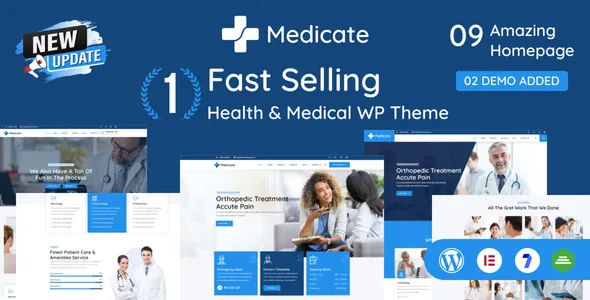
Peacefulqode puts "+ RTL Ready" in the item title, so a right-to-left build is presented as part of what the theme is for rather than a bullet buried in a feature list. The vendor says RTL support is there so you can build Arabic, Hebrew and other right-to-left medical sites easily, and the changelog traces it back to version 2.1 in August 2022, when RTL compatibility was added alongside new Elementor widgets and a theme options UI update.
What the supplied description does not tell you is how far the mirrored build goes. There is no statement about which templates were reviewed right-to-left, whether third-party blocks inside the demos flip with the direction, or how the typography handles Arabic or Hebrew glyphs. If your site is primarily right-to-left, treat layout direction as something to inspect on a staging copy with your own content, not as a settled property of the theme.
Demos named by medical discipline
Most multi-demo themes name their homepages by number or by mood. Medicate's list runs dental, optics, cardiology, pregnancy, surgery and psychiatry, and the changelog shows that set arriving together in version 2.0, when pre-built demos for five or more new categories were added alongside the specialty pages. That naming changes the first decision you make: a clinic picks the demo closest to its own practice, then replaces content, instead of choosing a home layout and bending it toward a specialty.
The vendor counts 15+ unique homepages and mentions more demos coming soon. The count and the promise of additions are vendor claims made at the time of writing, and the changelog shows the number has grown over releases rather than arriving at once — Home 9 and Home 10 were added in version 2.2. A specialty you need may exist as inner pages without a dedicated homepage, so match the demo list against your own practice before committing.
What the front desk can show patients
The vendor describes a cost calculator that helps patients estimate treatment costs and send a detailed request, plus ready-made sections for a doctor timetable, departments, pricing tables and FAQs. Read as a group, those are the pieces of a clinic page that answer cost and availability questions before anyone calls.
The cost calculator is the item worth testing first, because its usefulness depends on how much control you get over inputs and formulas — and the supplied feature list does not describe the calculation logic, whether it is an Elementor widget, or how the resulting request reaches you. Contact Form 7 is listed as compatible for appointment, contact and inquiry forms, so the form side can be assembled with a plugin you may already run. Gravity Forms and WPForms also appear in the compatibility attributes, giving you more than one route to the same enquiry.
Where the layout is edited
Elementor is the page-building tool here, and the vendor frames customisation as drag-and-drop control over sections, colours, typography and layouts without code. Beneath that sit Redux theme options for sitewide settings, a Bootstrap 5.x front end, custom widgets and shortcodes (progress bar, countdown, counter, portfolio slider), unlimited colour options with Google Fonts, and header and footer variations including a sticky header.
The practical split matters when you plan the work. Page composition happens in Elementor; global choices such as colours, typography, header and footer sit in the theme options panel. Gutenberg Optimized is recorded as No in the marketplace attributes observed on 4 November 2026, which describes the theme's own layouts as not built for block-first editing — it does not remove the block editor from your site.
Demo import, and the photographs that stay behind
One-click demo import is how the theme is meant to get you from an empty install to something that resembles the live preview, with demo files supplied as XML and a child theme supported for template changes.
The vendor adds a note that is easy to skim past: preview images used in the live demo are for demonstration purposes only and are not included in the download package. So the import gives you structure, styling and sample text, while the clinical photography you see in the preview has to be sourced and licensed separately. Budget for that before you promise anyone a launch date.
Declared compatibility, as recorded
The marketplace attributes observed on 4 November 2026 list Elementor, Elementor Pro, Contact Form 7, Gravity Forms, WPForms and WooCommerce 5.x.x through 10.x.x, with WordPress 4.9.x through 7.0.x and support for Chrome, Firefox, Safari, Opera, Edge and IE11. The package file list names PHP, HTML, CSS and JavaScript files, and the theme is marked widget ready and well documented.
These are declarations carried by the listing, not records of testing against your stack. The version 3.2 entry in the changelog, dated 14 October 2025, describes improved customisation options, a modernised design, a performance fix and a widget fix, which tells you what the most recent release addressed but not how the theme behaves with a specific plugin combination on your host. Your own staging install remains the only real check.
Questions & answers
Does Medicate work with WooCommerce for selling products?
WooCommerce is declared compatible across versions 5.x.x to 10.x.x in the attributes observed on 4 November 2026. That is a template-support declaration from the listing, not a record of a tested shop on your setup, so verify the cart and product templates if you plan to sell online.
Can I use the demo photographs on my clinic site?
No — the vendor states that preview images used in the live demo are for demonstration purposes only and are not included in the download package. You need to source and license your own images.
Is the block editor unavailable because Gutenberg Optimized is set to No?
No. That attribute describes whether the theme's own layouts were built for block-first editing. It does not remove the block editor, but the design work the vendor describes happens in Elementor rather than in block templates.