Two images claims in one vendor record
The older product description is blunt: none of the images used in the demo are included, placeholder images are imported instead, and links to each original sit in the documentation. The current marketing copy says the opposite — that the imagery used throughout the demos comes with the imported content, so pages arrive close to the live preview.
That single point decides how much work an import saves. Included photography means a demo you can publish after copy edits. Placeholders mean a design skeleton plus a separate sourcing job before anything resembles the showcase. Both statements sit in the same vendor record, so settle it against the live preview rather than picking the claim that suits your deadline.
The page inventory is dental, not general-purpose
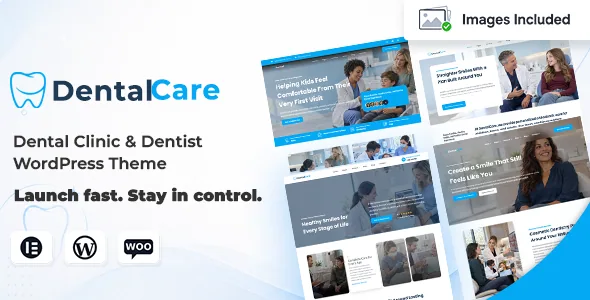
Services and service-detail pages, dentist and team profiles, testimonials, FAQs, pricing, contact and appointment-focused sections are all named in the vendor description. Two pieces are specific to dentistry: Before & After layouts for showing treatment results, and opening hours handled as content rather than typed into a footer.
The demos are organised by discipline — Family Dental Clinic, Cosmetic Dentistry, Pediatric Dentist and Orthodontics — and each carries two homepage approaches, a Home Slider version and a Home Image version. Key inner pages appear in alternative designs, which is what makes four demos usable for several practices without identical structure. Custom dental icons are listed alongside.
The source contradicts itself on the count: a headline reads "2 Complete Modern Dental Demos" while the body itemises four. Plan around the four actually listed and confirm the ones you rely on.
Which builder you would actually edit in
The current copy is Elementor-led. Layouts are edited visually, and the theme adds widgets for services, team members, testimonials, pricing and calls to action. The vendor states Elementor Pro is not required to reproduce the core demo experience, which matters if you want to avoid a second licence.
The feature list and changelog describe a different centre of gravity: WPBakery Page Builder, Ultimate Addons for WPBakery Page Builder and Revolution Slider are named as included, and recent changelog entries are dominated by version bumps to those three. The marketplace compatibility field names Elementor, WPBakery and WPML together, so both are declared paths rather than one being a leftover.
If your team already works in one builder, that is the decision to make early, and the practical question is which demos are assembled in which. Header and footer have Elementor widget areas, so the frame can be replaced without editing theme files. Gutenberg Optimized is marked No and the framework field names Underscores, which fits a classic theme rather than a block-first build.
Page headers and the three operating modes
Version 21.6 added five page-header designs with layout, positioning and background options, plus standard, fixed and parallax background modes. For a clinic, fixed keeps a phone number or booking link in view down a long treatment page; parallax and standard are per-page visual choices.
The same release introduced Compatibility, Balanced and Performance operating modes, and the changelog notes improved widget registration, dependency handling and frontend asset loading alongside them. A mode is a trade between what the page does and how much it ships to the browser. Set it before the layout is final, because changing it later can shift what renders.
Declared platform range
Observed on 5 November 2026, the marketplace fields declare WordPress 4.9.x through 7.0.x and WooCommerce 6.x through 10.x, with WPML, Contact Form 7 and the theme's own translation files named elsewhere in the description. RTL support arrived in version 19.3.
These are vendor and marketplace declarations, not results from running the theme on a particular server. They give you a range to check against your hosting stack; they do not promise that your combination of PHP version and plugins behaves. The changelog does show regular WooCommerce template refreshes, which is the maintenance signal that matters if a shop is part of the plan.
Shop use is narrow by design. The vendor positions WooCommerce for practices selling oral-care products alongside appointments, and describes it as something to use when needed and leave alone otherwise. Nothing in the record suggests the rest of the theme depends on it.
Questions & answers
Do I need Elementor Pro to build a Dental Care site?
The vendor states the core demo experience works without Elementor Pro because the theme supplies its own widgets for services, team members, testimonials and pricing. Elementor is the builder named in the current description.
Are the demo photos included in the import?
The vendor record contradicts itself. The older description says placeholder images are imported and demo images are not included; the current copy says demo imagery ships with the imported content. Check the live preview and documentation before planning visual work around either answer.
How many demos does the theme include?
The description itemises four discipline-based demos — Family Dental Clinic, Cosmetic Dentistry, Pediatric Dentist and Orthodontics — while a headline elsewhere claims two. Four is the number actually listed.
Is the theme built for the block editor?
Gutenberg Optimized is marked No and the framework field names Underscores, so it is a classic build. Editing happens in Elementor or WPBakery rather than through block patterns.