The reservation record is the product, not the homepage
ThimPress describes LuxStay around what a guest can book rather than what a page can show. The vendor's booking paragraph names the pieces it treats as the core: a booking and availability checking form, pricing plans based on days of the week, additional amenities and services, and coupons. Those are the objects you configure before any visual choice matters.
That ordering tells you who the theme is built for. A property that rents one flat at one nightly rate needs very little of this. A guesthouse with weekend premiums, a resort that sells breakfast or parking on top of the room, or a small group of apartments with seasonal coupon campaigns is exactly the shape this data model assumes.
Room listings sit underneath the same system. The vendor's at-a-glance list describes rooms that carry reviews and comments, a gallery with mixed effects, and a pricing plan for each day.
What guests can add to a booking, and how they pay
Two details in the vendor list change the practical scope of a booking site. The first is additional packages — the text gives wifi and car park as examples — which means a stay can be sold with extras attached rather than as a single room line. The second is payment: PayPal, Offline and Stripe are named as the available methods.
Offline payment is the one small operators tend to need and large themes sometimes forget. It covers the guest who books online and settles on arrival, and it keeps the booking record inside the same system rather than in an inbox. Stripe and PayPal are the card and account routes the vendor says are wired in.
These are vendor claims from the listing, observed on 4 November 2026. Nothing here confirms how a specific payment flow behaves on your install, so treat the gateway list as what to verify in a staged copy rather than a guarantee. Coupons and day-of-week pricing belong to the same booking layer and are worth testing together, since a discount and a weekend rate can interact.
Demonstration of the booking flow, five minutes, and other vendor promises
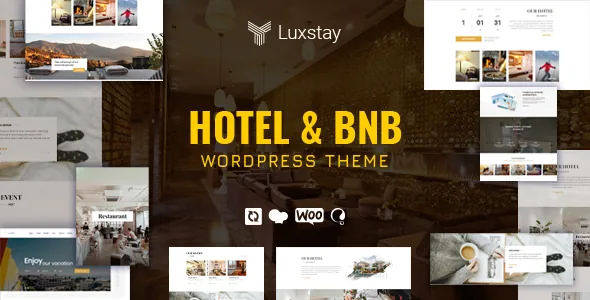
The listing says setup is a one-click process that gets a hotel running in under five minutes, and that the demo set numbers 3+ premium layouts. Treat the timing as marketing arithmetic: the one-click installer reproduces demo content, but your rooms, rates, seasonal rules and coupons are data you enter.
What the demos are useful for is the guest-facing journey — how a room page presents the gallery and per-day rate, and where the availability form sits relative to the booking button. If those three elements do not sit naturally in the demo, the theme will not magically arrange them for you.
The demo also shows the surrounding marketing furniture the vendor lists: Slider Revolution, Instagram feed, events with countdowns, testimonials, Contact Form 7 readiness, MailChimp support, a sticky menu and blog layouts in two or three columns with left, right or full sidebar. None of that is unusual; the booking flow is the part worth judging closely.
Visual Composer in the copy, Elementor and blocks in the attributes
The description describes the page layer as Visual Composer, integrated with the WordPress Customizer so changes preview live in the Customizer window. The marketplace attributes, read separately on 4 November 2026, list Elementor and Elementor Pro as compatible and mark Gutenberg Optimized as Yes.
Those statements are not identical. One says pages are built with WPBakery/Visual Composer, the other says the theme works with Elementor and is optimised for the block editor. Most likely the theme has been updated toward newer editors while the older marketing text stayed in place, but the listing does not state which builder the shipped demos use.
That is the decision to settle before you plan an editing handover. If you or a client edit in the block editor, confirm on a staging copy which pages actually contain blocks. Elementor being named as compatible does not mean the demo layouts were built in Elementor, and a compatibility attribute is not proof of how any given template was assembled.
ThimCore, the plugin shortlist and update management
ThimPress bundles its own management plugin, ThimCore, and describes it as the place where you see which recommended plugins to install and which to skip, read documentation, request support, activate the theme, import demo data and update it later. The vendor also credits it with speed optimisation and structured markup for search results.
A single panel for plugin recommendations is a real convenience on a booking site, because the add-on list tends to grow: booking plugin, payment gateways, slider, forms, translation. Having the theme tell you what it expects is less error-prone than guessing.
The performance and SEO benefits are vendor descriptions, not measurements, and should be checked on your own install with your own plugin load. The included files are listed as PHP, CSS and JS, and the theme is declared widget ready and high resolution, so styling work happens in theme files and widgets rather than through a SCSS source workflow.
Declared compatibility and the Sailing lineage
The listing positions LuxStay as version 2.0 of Sailing, an earlier hotel theme from the same developer. If you have worked with Sailing, the booking logic will feel familiar rather than new.
Declared support, observed on 4 November 2026, spans WordPress 5.7.x through 7.0.x and WooCommerce 5.x through 9.x.x, with WPML and Bootstrap 4.x and 5.x named. The marketplace item stands at version 2.2.8 with the vendor's last recorded update on 23 September 2026. Those are claims recorded from the listing, not results from installing the theme against your PHP version, caching setup or payment extensions.
WooCommerce support matters here only if you plan to sell non-room items alongside bookings; the booking engine itself is the separate TP Hotel Booking plugin the vendor names throughout. WPML inclusion is the route to a translated booking site, and how well that holds up across room names, rate labels and coupon text is something to test rather than assume.
Questions & answers
Can LuxStay take a booking and check availability on the same page?
The vendor lists a booking and availability checking form as part of the booking system, alongside day-of-week pricing plans. That is the described behaviour; how the form is placed and what it returns should be checked in the demo or on a staging install before you rely on it.
Does LuxStay need WooCommerce to sell rooms?
The vendor presents room bookings as the job of the TP Hotel Booking plugin, and lists WooCommerce separately as supported. That suggests WooCommerce is for other products rather than the room reservation flow, but the listing does not spell out the division, so confirm it against your planned setup.
Which page builder should I expect inside the theme?
The description says Visual Composer, while the marketplace attributes list Elementor and Elementor Pro as compatible and mark Gutenberg Optimized as Yes. The listing does not say which builder the demo pages use, so check the demo or a staging copy before committing to an editing workflow.