The crypto, event and donation elements are where Lumi differs
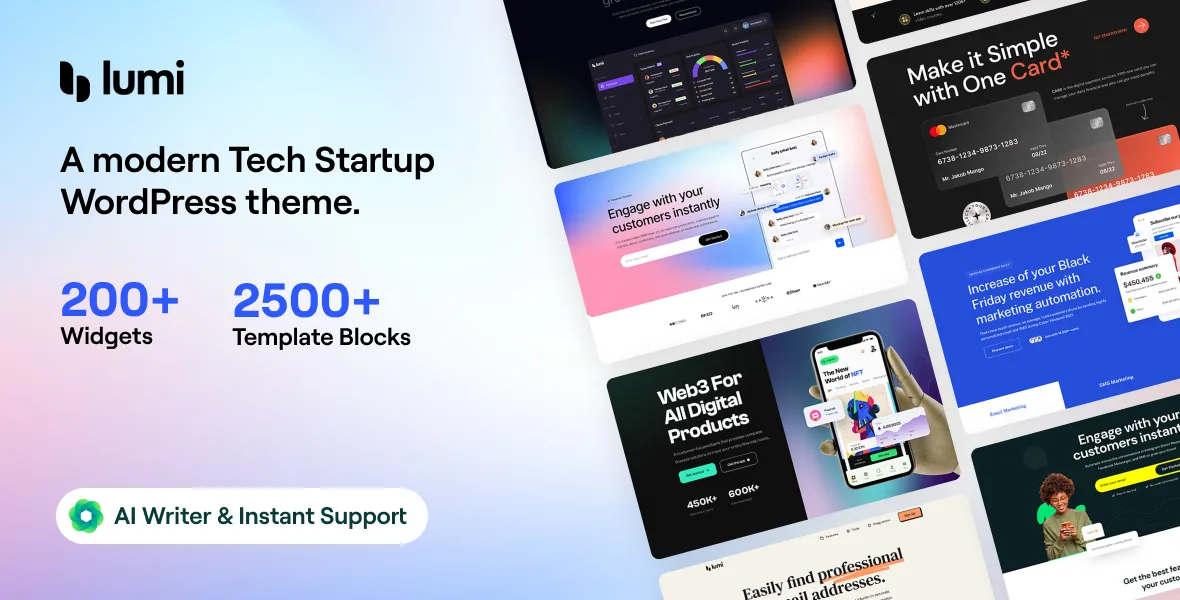
Startup themes usually ship a set of landing pages and call it done. UiCore's description of Lumi sells the widget layer instead, and the names it lists are unusually specific. Crypto Currency Card and Crypto Currency Table handle market-style blocks. Event Grid, Event List, Event Carousel and Event Calendar Countdown cover a company that publishes a calendar. Give Form, Give Donation History, Give Goal and Give Donor Wall put fundraising layouts in the same editor as the marketing pages.
Alongside those sit a 360° Product Viewer, an Image compare slider, Lottie image and icon-box elements, a Device Slider, a Timeline, Charts, a QR Code element and a Cookie Consent widget. Taken together, the vendor's stated total is 200+ elements, all placed inside Elementor.
That claim is a description of what ships, not a guarantee that each element suits your build. Several of the specialised widgets also lean on other plugins for data, which the last section covers.
Brand settings live in the theme panel and reach into Elementor
Lumi keeps design decisions in a theme options panel rather than scattering them across individual pages. UiCore states the panel holds seven global colours linked to every colour field in the theme options, and that both colours and global fonts are integrated with the Elementor Design System. Fonts can come from Google or the system list, with 990+ Google Fonts named.
If that connection behaves as described, the handover is short: change a brand colour once and base Elementor styles follow, instead of hunting through each widget. The panel also has per-device controls for desktop, tablet and mobile, full typography fields (family, style, transform, size, line height, letter spacing, colour), solid, gradient and image backgrounds, a Theme Style area for buttons and type, live settings search and a Dark Mode switch.
The Preset Manager is the piece worth knowing if you build more than one site on Lumi. It saves and loads settings per category and can import the presets that come with the demos, so alternative configurations can be swapped in and judged rather than rebuilt by hand.
Page options let one install carry several kinds of page
A tech company's site rarely looks uniform. The home page wants a transparent header over a hero image, a legal page wants a plain title bar, and a campaign page may want no footer at all. Lumi handles this with page-level options that override the theme settings for a single page without custom code: page title on or off with its background, overlay and colour, breadcrumbs, boxed or full-width layout, body background, header on or off, transparent header, height change on scroll, top banner, footer, copyright, and custom CSS and JS fields.
The blog side repeats the pattern at a different level. UiCore lists four base layouts, grid controls for columns, spacing, hover effect, image ratio and border radius, toggles for author, date, category and excerpt, sidebar assignment with normal or sticky positioning, a narrow post width, typography settings kept separate for post content, and a reading progress bar under the header. A UiCore Post Grid element lets you drop a blog grid onto any page, so the archive layout is not tied to one template.
What the demo importer actually lets you choose
Despite the one-click label, UiCore describes the import as a selection rather than a wholesale copy. You pick the demo, then pick content types: pages, posts, widgets, navigation menu items, media and theme options are separate choices. Required plugins are installed during the run, and failures are reported in an Error Log in the theme panel rather than disappearing.
That flexibility is the practical part. You can take pages and theme options from a demo while leaving its posts and media library behind, so the site starts with your content structure instead of the vendor's sample articles.
Separately from the demos, the UiCore Template Library offers what the vendor counts as 500+ pre-designed sections and pages. The 26 shape dividers listed under the Elementor features belong to the same assembly workflow.
Plugin dependencies and declared compatibility
The element list mixes standalone widgets with widgets that display another plugin's data. The Give elements need Give active. The WooCommerce elements — Products, Mini Cart, Cart Page, Checkout Page, Add to Cart, Carousel, Categories, Tracking Form — need WooCommerce. The Event elements read from an events plugin, and the listing's compatibility columns name Events Calendar and Events Calendar Pro, alongside Elementor, Elementor Pro, Gravity Forms and WPML. Forms elements appear for Contact Form 7, WP Forms, Ninja Forms, Fluent Form, Formidable Forms, Everest Form, QuForm and Caldera Form, so you fit the widget to whichever form plugin you already use.
The declared WordPress version is 6.7.x, as shown on the marketplace listing on 4 November 2026. That is the vendor's statement, not a result on your server. The ThemeForest file list names PHP, CSS and JS files, and the listing marks the theme responsive, widget ready and high resolution.
The Gutenberg Optimized column reads No. Read that as an indication of where the vendor invested, matching a description that builds everything around Elementor and its own elements. It does not mean the block editor is disabled, and posts written in blocks would still inherit the theme's typography and container settings.
For documentation, UiCore points to its help centre, a Lumi knowledge base and a feedback board, and the listing marks the theme well documented. The live demo is the quickest way to see whether the specific elements your project needs — pricing, events, donations, shop pages — render the way you expect before you commit.
Questions & answers
Do the seven global colours and the global fonts apply to Elementor widgets too?
UiCore states they are linked to the theme's colour and typography options and integrated with the Elementor Design System. That is the vendor's description rather than a tested result, so the practical check is to change a global colour in the panel and watch whether existing Elementor sections follow it.
Can I import part of a demo instead of all of it?
According to the description, yes. The importer lets you choose the demo and then select which content types to install, with pages, posts, widgets, navigation menu items, media and theme options listed separately. An Error Log in the theme panel records imports that fail or finish partially.
Are all 200+ elements usable without extra plugins?
The vendor presents them all as available in Elementor, but some display data owned by another plugin: the Give elements relate to Give, the WooCommerce elements to WooCommerce, and the Event Calendar elements to an events plugin. Expect the widget to exist either way, with its content depending on whether the related plugin is active.