A theme whose selling point is a settings hierarchy
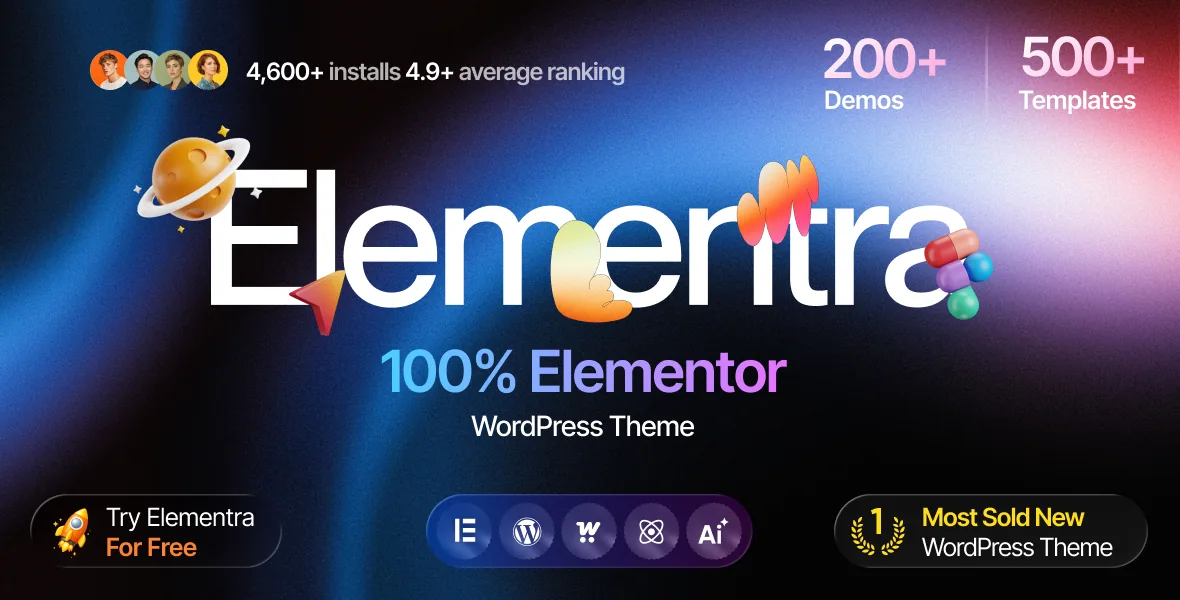
Plenty of themes advertise Elementor support; Elementra's vendor description spends more words on the framework underneath it. ThemeREX lists a "Setting Inheritance and Override System" as a headline item under "Powerful Theme Framework", next to 750+ Customizer options and a custom theme options panel. The theme's own WordPress metadata makes the same claim: an inheritance and override system that lets you set individual parameters for different sections of the site and for supported plugins.
Read that as a decision about where configuration lives. Instead of one global style that every page inherits and that you then contradict with per-page Elementor settings, the theme describes a layered model: a base value passes down, and a section or page can override it without touching the rest. If you have maintained a site where a colour change in one template quietly broke two others, that hierarchy is the feature worth evaluating first.
What the description does not settle is how far each layer reaches. Inheritance depth, which settings actually participate, and how a header override interacts with an Elementor template are questions for the vendor's documentation and a trial install; ThemeREX offers a free trial before purchase, which is the place to confirm them.
Skins, not a single fixed design
ThemeREX calls Elementra a "multi-purpose multi-skin" theme and describes it as "a set of stylish & trendy skins for almost any corporate business website or business blog". The audience list runs broad: law firms, creative and marketing agencies, consultants, UX/UI studios, plus retail and service pages for sports, beauty, handyman work, medical treatment, kids, education and music.
That breadth only makes sense if the skins are starting points rather than separate products. A one-click demo install is listed among the key features, and layout options include boxed and fullwidth page layouts, so the practical workflow is to import the demo closest to your sector and restyle it through the options system rather than building from an empty canvas. The demo you pick decides the tone more than any single setting does, since a consultancy and a beauty studio can run the same theme and look nothing alike.
Elementor edits more than the page body
The layout features list two Elementor claims that matter together: support for modifying "any page content", and the ability to "Customize Header and Footer Layouts in Elementor Page Builder". The second changes your day-to-day editing surface. Headers and footers sit outside the content area in most themes, so a banner, a call-to-action strip or a footer contact block usually means a widget area or a theme options screen. Here the vendor places them in the same editor as the pages.
The vendor changelog adds a newer layer. Version 2.0.0, dated 1 June 2026, records "Full compatibility with the Elementor V4 builder", support for Elementor V4 Atomic widgets, a new "Atomic" demo built entirely from those widgets, and Atomic templates added to the ThemeREX Template Library. Later 2.x entries build on it: 2.1.0 adds export and import handling for self-hosted videos in Atomic widgets, and checks so Atomic V4 classes are not loaded on older Elementor installs.
Those are changelog statements from the vendor, not results from a build here. Confirm your Elementor version sits inside the supported band before planning around Atomic widgets. Note the numbering too: the marketplace listing records latest version 1.0.6 while the changelog discusses 2.x releases, so treat those entries as a description of capabilities added over time rather than as a version you can assume you have.
The blog side is packaged separately
Under "Advanced Blog Settings" ThemeREX lists a distinct toolkit: multiple blog styles, flexible layout options, 20+ post animations, a blog feed you can narrow to chosen post types or categories, post views, likes and sharing buttons, and a related posts section. An interactive Ajax search is listed separately among the key features.
For a corporate site with an insights section, the feed control is the useful part. Choosing which post types or categories appear means a homepage block can show only case studies or only news, rather than everything published. Views, likes and sharing are presentation layers you can take or leave; on a B2B site many teams drop likes and keep sharing.
The 20+ post animations are a style decision rather than a switch to enable wholesale. Entrance animation on a listing grows tiring by the fifth visit and interacts with any script optimisation you add later, so try one or two on a single listing page first.
WooCommerce work sits in a companion extension
Marketplace attributes declare compatibility with WooCommerce 7.x through 10.x, which puts store features in scope without saying much about them. The changelog is more specific, and it points at a companion plugin. Release 2.0.2 extended swatch output from trx-wcext into product feeds and the Quick View popup, and added a recommendation to install that plugin on Elementra-based themes when WooCommerce is active. Version 2.0.1 moved all of the extension's page templates onto a custom 'woo-template' post type, and added item filtering and scrollable attribute lists to the WooCommerce Product Filter widget once a list passes 15 items.
If your shop's look depends on those templates or swatches, plan for ThemeREX WooCommerce Extension as part of the stack rather than an optional extra. Separate 2.1.0 entries describe faster auto-detected filters in the WooCommerce Search widget, including sorting attribute names and skipping attributes marked as not for filtering. The note about stores with more than 20,000 products is a vendor performance claim, so benchmark it against your own catalogue and hosting if filter speed decides anything.
The parts that are declarations
Marketplace attributes observed on 3 November 2026 declare WordPress 4.9.x through 7.0.x, WooCommerce 7.x through 10.x, and compatibility with Elementor, Elementor Pro and WPML, with Firefox, Safari, Opera, Chrome and Edge as browsers. Gutenberg Optimized is recorded as Yes, the layout as responsive with 4+ columns, and the files as PHP, CSS and JS.
That declaration list differs from the plugin list in the vendor description, which also names TutorLMS, Events Calendar, Events Tickets, GiveWP, Loco Translate, WP Rocket, MetForm, Yoast SEO, ThemeREX Addons and ThemeREX Updater as supported. A listed integration is not a guarantee that every demo needs it, and the reverse holds for plugins appearing in only one of the two lists.
ThemeREX Addons is the piece most builds will carry regardless, since the theme's own widgets, template library and AI Helper features live there. The 2.1.0 changelog shows that layer moving its assistant chats to the OpenAI Responses API and updating the image model list, capabilities that depend on a third-party service and your own API arrangement rather than on the theme alone. The vendor text also labels the project "GDPR 2.0 Friendly" and calls it SEO- and Retina-ready; those are descriptions of intent, and what a compliance reviewer or a performance test concludes about a finished site depends on the plugins and content you add.
Questions & answers
Does Elementra require Elementor to work?
The theme is built around the builder: page content, header layouts and footer layouts are described as editable in Elementor, and the vendor changelog tracks Elementor V3 and V4 support including Atomic widgets. The marketplace records Gutenberg Optimized as Yes, so the block editor is not excluded, but the demo and template workflow ThemeREX describes is Elementor-based.
What does the inheritance and override system change in practice?
It describes a layered settings model: base values pass down from the theme options, and individual sections or pages can override them without changing the rest of the site, so one page's redesign stays local. How deep that hierarchy goes and which settings participate are covered by the vendor's documentation rather than the listing.
Do the WooCommerce swatches need a separate plugin?
The changelog ties swatch output in product feeds and the Quick View popup to the ThemeREX WooCommerce Extension (trx-wcext), and release 2.0.1 moved that extension's page templates onto a custom post type. If you want that shop presentation, budget for the companion plugin alongside WooCommerce itself.