Donation controls, and what each one changes for your organisation
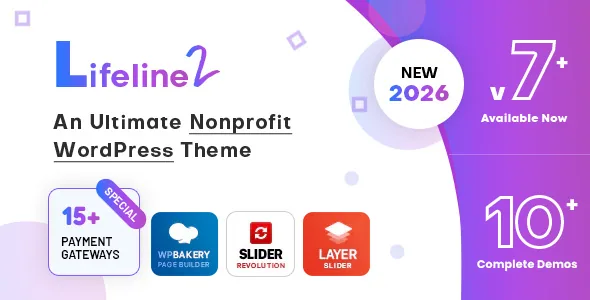
Most charity themes stop at a donate button. According to the vendor's feature list, Lifeline 2 splits giving into recurring and one-time options, with the schedule settable to daily, weekly, monthly, yearly or a time period of your choosing. Donation amount and currency are configurable, and the header can carry a donation button so the ask sits in the persistent navigation rather than only on a campaign page.
Two entries in that list are less common and worth pausing on. A self-donation system lets the organisation record donations it makes itself, which matters if you track internal transfers, matched giving or offline gifts in the same place as online ones. Front-end donation reporting means contributions can be viewed from the public side rather than only inside wp-admin — useful for transparency pages, provided you are comfortable with what is exposed.
These are vendor descriptions of the theme's donation module, not results of a test run. Whether the reporting suits a publicly visible ledger, or whether it is better kept for staff, is a decision your own demo build will settle.
The gateway list is long, but the vendor attaches a caveat
Webinane names more than fifteen payment routes: PayPal, 2Checkout, Braintree, Authorize.net, Stripe with iDeal, Yandex, Paymaster, Cardcom, Bluepay, Conekta, Paystack, PayuMoney, Quickpay, Bank Transfer and Amazon Pay. Bank transfer is included, so you are not forced into card processing for every gift.
The vendor's own sentence is the important one: payment methods vary for each payment gateway. A gateway appearing in the list does not mean every card, wallet or local method works through it, and the same sentence claims coverage in almost all countries — a claim rather than a verified matrix. Before committing, check the handful of gateways your donors actually use, in your own currency and region, on the vendor's demo. Nonprofit donations also bring receipting and tax questions that sit outside the theme's scope.
Volunteers are a separate record, not a contact form
Charity sites usually collect volunteers through a Contact Form 7 form and then manage them in email. Lifeline 2's listed Volunteer Management System has three parts: a subscription form built through a form builder, backend management of volunteers, and detailed volunteer pages.
The distinction that matters is the last one. Individual volunteer pages imply each volunteer is a stored record with a page of its own, rather than a row in a form-submission export. That changes how you plan the site: volunteer data lives inside WordPress, so backups, privacy policy and who has access to the admin all become part of the project.
Nothing in the supplied material describes email automation, scheduling, hour tracking or integration with an external CRM. If your volunteer programme depends on those, treat them as open questions rather than assumed features.
Causes, Projects, Events and Stories each get their own post type
The feature list includes separate customisation settings for Projects, Causes, Stories, Team, Events, Galleries and Services custom post types, plus per-page settings for posts, archives, search, author pages and product pages.
That structure is the difference between a site that grows and one that needs rebuilding. A campaign is a Cause with its own archive and single template; an event sits in its own list instead of being a blog post tagged "events"; team members are records that can be reused on multiple pages. Editing a shared detail happens once at the source rather than in every page that mentions it.
It also means the theme expects that structure from the start. If you plan to publish everything as flat pages, you will be working against the theme's grain and the demo's organisation.
Where the editing work actually happens
Lifeline 2 lists WPBakery Page Builder (also named as Visual Composer in the compatibility list) for content and the Redux Framework for the options panel — the vendor's phrase is complete control on the backend through Redux. Around that sit boxed or wide layouts, a colour scheme you set yourself, seven header styles with a header builder, unlimited sidebars, and typography chosen from 500+ Google Fonts.
The marketplace attribute marks Gutenberg Optimized as Yes, while the vendor's own description builds pages with WPBakery. Both can be true, but they point at different editing routes, so decide per page type which one you will use and avoid mixing them within a template. The vendor lists eight widgets of its own as well, including a donation banner for promoting a cause, an upcoming events list and a video promotion block — the sort of thing that fills a sidebar without writing markup.
What the changelog says about upkeep
The release notes are a more useful signal than the feature marketing. Version 7.2 (July 2026) records fixes for demo import issues, the Lifeline 2 core plugin failing to install, and a fatal error when installing Lifeline Donation Pro. Version 7.1 updated WooCommerce templates and fixed responsive problems. Version 7.0 updated WPBakery and Slider Revolution to address vulnerability issues, fixed a theme vulnerability and corrected the responsive header across demos.
Read the pattern rather than the individual entries. Demo import and the bundled donation plugin have needed repeated attention, and plugin-level security updates have landed through the theme release. That is normal for a theme shipping bundled plugins; it also means the theme version you run matters, because those fixes arrive with it.
Declared compatibility, as observed on 3 November 2026
The marketplace listing declares compatibility with WordPress 5.1.x through 7.0.x, WPBakery, Visual Composer, WooCommerce 8.x, 9.x and 10.x, WPML, bbPress 2.6.x, Contact Form 7 and Bootstrap 5.x. That is a vendor declaration, not a tested pairing with your plugin stack.
WooCommerce is worth thinking about separately: the theme is described as compatible for selling products to raise funds, and the changelog shows WooCommerce templates being updated, so a shop is a supported path rather than an afterthought. The latest marketplace version is 7.2; confirm what you are installing against your own WordPress and PHP versions before you build on it.
Questions & answers
Can Lifeline 2 take recurring donations as well as one-time gifts?
The vendor's feature list includes both recurring and one-time donation options, with the recurring schedule settable to daily, weekly, monthly, yearly or a custom time period. Donation amount and currency are configurable. How a recurring donation is stored and renewed depends on the gateway you route it through, so verify the behaviour on the demo before launch.
Does the theme include a donor or volunteer database?
Volunteers are covered by a listed management system: a subscription form built with a form builder, backend management of volunteers, and detailed volunteer pages. Donations have front-end reporting and a self-donation option. Neither is described as integrating with an external CRM, and no email automation is mentioned, so plan those as separate decisions.
Is WPBakery required to build pages, or can I use the block editor?
The vendor describes WPBakery Page Builder as the tool for content, while the marketplace attribute marks Gutenberg Optimized as Yes. The two statements do not cancel each other out, but they describe different editing routes. Choose one per page type and keep templates consistent rather than mixing builders on the same layout.