Services and attorney profiles are records, not page layouts
The vendor description of Law Business spends its details on content structure. A Custom Services post type is described as the way to present a gallery of legal services, and the theme also ships an attorney profile post type for showcasing the people in an office. For a firm with, say, six practice areas and four lawyers, that is the difference between building one services page by hand and maintaining a set of entries that each carry their own detail.
Where the theme stops short is the connecting tissue. Nothing in the vendor description claims that a service entry is automatically linked to the attorney who handles it, or that a profile page lists the practice areas that person covers. If cross-linking between the two matters to your site, plan for it as configuration work rather than assuming it comes assembled.
The template builder reaches beyond the page body
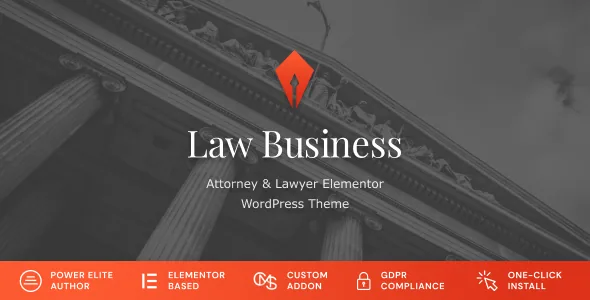
Most Elementor themes put the builder inside pages and leave headers, archive pages and entry layouts to theme options. The marketplace description for Law Business lists ready content templates that include headers, single post types, entries and category archives, alongside an ability to build templates for any layout with the template builder.
That matters most for a site where the structure repeats: a practice-area archive, a blog list, an attorney detail page. You set those once as templates instead of restyling each instance. The vendor does not state that editing a template rewrites pages already built in Elementor, so treat a template as the starting point for new content and check an existing page after a template change.
Global colour and font settings, and the CMSMasters addon
The vendor describes adjusting colours and fonts for the whole website in a few clicks through global settings. This is the detail that separates a firm identity refresh from an afternoon of page-by-page edits: change the palette and type once, and pages that inherit those settings follow.
The custom premium CMSMasters Elementor addon is included according to the vendor, described as a wide collection of widgets for building law-office content. The marketplace records Gutenberg Optimized as No, which describes the vendor's declared optimisation target; it does not establish that the block editor is unavailable in WordPress. If your team writes posts in the block editor and builds pages in Elementor, expect two editing surfaces rather than one unified canvas.
What the vendor says ships with the demo and sliders
The marketplace description states that all icons and images are included in the demo content, and that a one-click demo importer brings the site to the appearance of the vendor's demo. That is useful when you want a working structure to strip back rather than a blank canvas, but imported demo assets are sample content, not licensed photography chosen for your firm.
The same description says Slider Revolution and LayerSlider are included free as premium plugins. Treat both that statement and the addon bundle as the vendor's account of the marketplace product. The marketplace file attributes for this item record PHP, CSS and JS files, so confirm what your own package contains before you count on a particular plugin being inside it. The marketplace listing recorded version 2.2.2 with a vendor update dated 20 October 2026 at the time of writing; that is the listing's version, not a statement about any other copy.
WooCommerce, WPML and the declared version bands
WooCommerce support arrived in version 2.0.0, so selling consultations, documents or branded material from the same site sits within the theme's stated scope rather than being bolted onto a legal brochure theme. WPML appears in the compatible-plugins list, which matters if the practice serves clients in more than one language.
The attributes observed on 3 November 2026 name WooCommerce 10.x.x and 9.x.x, WordPress 6.8.x through 7.0.x, Elementor and Elementor Pro, WPML, and the five major browsers. They do not say how much of a storefront the theme styles beyond what WooCommerce itself provides, and the vendor description gives commerce only a single sentence.
A separate vendor note is easy to miss: owners of version 1.6.6 and below are told to read a dedicated article before updating. An established site moving onto a current release therefore has a migration question that a new install does not.
Sizing the theme against an actual firm
Law Business is a reasonable fit when your content genuinely divides into practice areas and named attorneys, and when you want those entries to inherit shared templates and a global palette. The value compounds as the list of services and people grows.
A single-lawyer site with one services page and an about page uses only a slice of that structure. You would still get Elementor editing, global styling and the demo import, but the Services and Profiles post types would sit largely unused, and simpler options exist for that shape of site. The honest test is whether you can describe your site as records of services and records of lawyers. If you cannot, the content model is not the reason to pick this theme.
Questions & answers
Can I use Law Business without Elementor Pro?
The marketplace lists Elementor and Elementor Pro as compatible plugins, and the vendor describes a custom CMSMasters Elementor addon included with the theme. A Pro licence is not stated as a requirement in the supplied description, but the descriptions do not spell out which template-builder features depend on which Elementor tier. Confirm the widget and template features you need before committing to the free plugin alone.
Does the theme include the demo images and icons?
The vendor states that all icons and images are included in the demo content, and that a one-click demo importer reproduces the demo site's appearance. Those assets are sample content, so check their licensing if you intend to keep any of them on a live firm site rather than replacing them with your own photography.
Is the Services post type connected to the attorney profiles?
The supplied vendor description presents the two post types separately and does not describe an automatic relationship between a service entry and a lawyer profile. Any cross-linking between them should be treated as work you configure, not a feature the theme promises.