One sidebar holds the logo, menu, filters and widgets
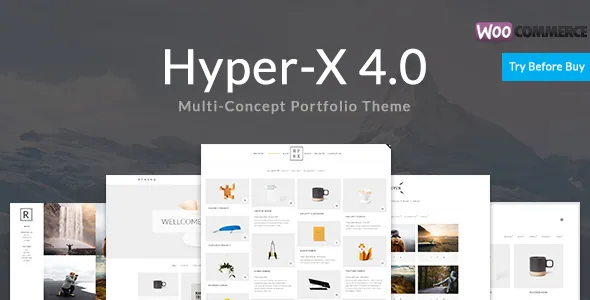
Most portfolio themes keep navigation in a horizontal bar and let the grid run edge to edge. HyperX's vendor description puts the logo, menu, filters and widgets in a single sidebar, which turns that column into the structure the rest of the layout has to work around.
The sidebar settings are listed with unusual specificity: attachment fixed or static, scale on scroll, position top or left, an optional folding button for a left sidebar, and a custom scrollbar when the left sidebar is fixed. For a photographer with a long filter list, a folding left column keeps the grid wide while navigation stays one click away; a top sidebar suits a shorter menu.
Menu behaviour differs by position as well. The left sidebar gets one submenu level, the top sidebar supports multi-level submenus, and submenus can open on hover or click. Site layout can be fullwidth or boxed, so the same sidebar can be paired with a contained or an edge-to-edge measure.
Filters that can be linked to, and the sorting trade-off
Filtering goes past a row of category buttons. The vendor lists filterable portfolio and blog pages, Isotope-based or classic link-based filtering, subfilter support, text or button styling, active item highlighting, optional Font Awesome icons and font controls.
Deep-linking is the detail that changes how you use filters. A filtered portfolio view can be addressed by URL rather than only reached by clicking, so a category-specific link can go into a proposal or a client email and still resolve.
The vendor also states a limitation plainly: portfolio filter sorting is not supported when subcategories are present. That is a build decision, not a defect. If you need consistent ordering across the whole portfolio, keep the filter structure flat. If clients should browse by service and then by project type, keep the nesting and give up sorting.
Grid modes, and a hover layer with a before/after option
Portfolio pages offer masonry, metro masonry and fitRows with equal post height, plus custom thumbnail aspect ratios. Column counts come in two forms: 2 to 5 columns with breakpoints, or 1 to 4 constant columns where breakpoints apply only on mobile — the second when you want the desktop grid fixed while it narrows for phones.
The hover layer is where the description gets granular: 20+ CSS image-info hover effects with transition control, a before/after image effect on thumbnail hover, randomised info-hover effects, lightbox image and video popups, and overlays offering colour and transparency, grayscale and zoom. Post titles and other elements can be moved independently above, below or over the image.
The before/after effect is niche but concrete: one thumbnail can hold two states of an image, which suits retouching, restoration and process documentation. Randomising hover effects adds variation across a mixed grid, though it also means a particular tile's effect is not fixed. Likes, sharing, optional post format icons and client testimonials round out the listing options.
Single-project pages work like a fact sheet
The project template asks you to make a few layout choices per entry. The header can sit above or below the featured image. Project info can float to the right of the content or sit below it, and it can be set to stick as the reader scrolls. Previous and next project arrows are optional, and each sharing icon can be switched on or off.
Dedicated fields cover project description, categories, skills and a project link. That structure rewards consistency: fill the same fields for every project and the info block reads as a compact record beside the images rather than a paragraph of prose. Blog single posts get a near-identical set of options without the project-info fields, so both post types share one mental model.
The vendor also lists password-protected portfolios. For work under embargo, that allows a private preview on the live site instead of a second staging install.
All settings live in the Theme Customizer
The vendor states there is no separate admin panel: every theme option sits in the WordPress Theme Customizer, with changes updating live. That keeps one settings surface that looks and behaves like WordPress, and previews run against your real content.
The trade-off is the Customizer's narrow pane. With a large option set covering backgrounds for body, sidebar, content and footer; image or text logos; a text-logo builder with font, border, corner radius and shadow controls; menu styling; and a page preloader with icon, colour and animation choices, the list gets long to scroll.
Predefined designs come with one-click activation and one-click demo import, so you can start from a finished look. Elsewhere the description lists four pagination types including infinite scroll and load more, galleries in slideshow or stacked mode with seven slideshow transitions and gutter control, an enhanced native gallery shortcode for up to five columns, and similar-posts carousels for portfolio and blog with random or related selection.
Elementor is declared, Visual Composer is described
Marketplace attributes observed on 3 November 2026 list Elementor and Elementor Pro, WooCommerce 6.x through 8.x, and WPML as compatible, with WordPress versions from 4.9.x to 6.5.x. Gutenberg Optimized is marked No, and the included files are typed as PHP, CSS and JS.
Alongside those attributes, the vendor feature list repeatedly names Visual Composer, Ultimate Addons and Slider Revolution as ready, and names Royal Elementor Addons as a compatible free addon. A theme can support more than one builder, so this need not be a contradiction, but the description does not explain how the two relate. The file list contains no plugins, so treat every builder, slider and addon named as "ready" as an integration to confirm rather than something shipped in the package.
"Gutenberg Optimized: No" records where the vendor put its design effort — into Customizer options and the named builder integrations — not that the block editor is disabled. If block-based page building is central to how you work, this theme is a weaker match; if you want sidebar, filter and hover behaviour configured once and reused, that work happens outside the block editor anyway.
The vendor's text is cut off mid-sentence in the contact-page section, so details around contact fields, Google Maps placement and form styling are only partly documented. Check those on a staging install before promising a client a specific contact layout.
Questions & answers
Can I use subcategory filters and still sort the portfolio?
Not according to the vendor: sorting is listed as unsupported when subcategories are present. Decide which matters more when you plan the filter structure, because the two do not combine.
Does the package include Elementor, Visual Composer or Slider Revolution?
The marketplace file list names only PHP, CSS and JS files. Elementor appears in the compatibility attribute and Visual Composer, Ultimate Addons and Slider Revolution in the feature description, but no plugin is listed as bundled, so install and licence them separately.
Where do I change colours, fonts and grid settings?
In the WordPress Theme Customizer. The vendor states there is no separate admin panel, and that backgrounds, logo styling, menu appearance, grid options and pagination are all adjusted there with live preview.