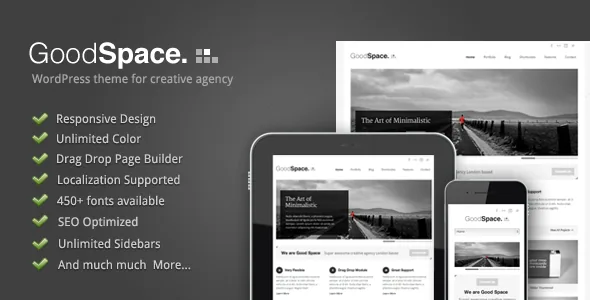
A post thumbnail that can be a slider or a video
Good Space gives every post three thumbnail treatments: a static image, a slider, or a video. The first is the ordinary case. The other two change the work behind publishing, because a slider post needs a set of images chosen and ordered, and a video post needs a source the theme can embed.
Slides are built in a separate drag-and-drop slider manager, which GoodLayers lists as its own tool rather than part of the post editor. A slide set attached to a thumbnail and a slide set used inside a page section are therefore two separate pieces of admin work, even though both end up as moving content on the site.
For a site where most articles are text with one image, the static option covers nearly everything and the other two stay occasional. For a magazine that leads with visuals, the question worth settling early is how many posts will use a slider thumbnail, since each one is assembled by hand.
Page content lives in the vendor's own Page Builder
GoodLayers describes page items managed through its Page Builder, with built-in shortcodes as a second way to place the same kinds of components. A price table is named among the items.
This is a proprietary editing model, not block composition. Your page content is stored through that builder, so the theme and its builder need to keep working together for pages to render as designed. That matters for a site intended to run for years, where the content outlives several rounds of theme edits.
Shortcodes matter for the same reason: they give you a way to place individual components when a full builder layout is more than the page needs.
Fonts, backgrounds and sidebars are set in the admin
The vendor's feature list leans heavily on admin-side controls. It names 450+ available fonts alongside a font uploader, so a typeface you already license can be brought in through the theme's settings instead of edited into stylesheets. Accepted formats and how the uploaded file gets served are not described.
The same group includes a logo uploader, a background uploader and 15 predefined background patterns, plus "unlimited color." In a minimal two-column layout, background and type carry most of the visual weight, so those controls are where much of the design difference happens. Note that the vendor's own paragraph about fonts still mentions a cufon uploader, a name from an earlier period of web typography, which suggests the prose has not kept pace with the toolset; treat the uploader as a convenience and check how your own font renders at each weight on a staging install.
On structure, the vendor lists 6 footer layouts, 4 blog styles and unlimited sidebars creatable from the admin, with widget-ready areas declared. Unlimited sidebars is the useful one for a multi-section site: different categories can carry different widget sets rather than sharing one fallback column. How sidebar assignment is exposed per post, page or archive is not stated. The four blog styles refer to archive and post arrangements, and whether a chosen style carries into new posts is worth confirming rather than assuming.
Translation is handled inside the admin, with a .pot file as the other route
Two translation paths are described. A built-in translator lets you translate each element from the admin panel, and the vendor ships a .pot file that you translate into .mo files for standard WordPress localization. WPML also appears on the marketplace's compatible-with list.
The built-in translator is not the same as a multilingual plugin workflow: it edits strings rather than managing parallel content trees, languages per URL, or language-switching navigation. If the site needs those, the .pot route plus WPML is the path the listing supports, and neither declaration tells you how a translated page behaves in practice.
Social sharing for posts and social links in the header round out the publishing-side features GoodLayers lists.
The vendor's positioning and the marketplace category disagree, and both are plausible
GoodLayers opens its description by calling Good Space a WordPress theme for creative agencies, clean and minimal with a modern design. The marketplace files it under blog-magazine. Both readings fit what the feature list contains: a two-column default layout, four blog styles, unlimited sidebars and per-post slider thumbnails suit an editorial site, while the Page Builder items and a price table suit an agency presenting services.
The practical consequence is that you should plan content against the shape you intend. A magazine build leans on archive and category structure and on those four blog styles. An agency build leans on pages assembled in the Page Builder with a price table and service sections. Neither direction is contradicted by the evidence, but the work involved differs.
On compatibility, the listing observed on 3 November 2026 names WordPress 6.1.x through 7.0.x with each version listed separately, and browsers IE11, Firefox, Safari, Chrome and Edge. Those are declarations about supported environments, not results from a test on your server. The vendor's description still opens with a "WP3.4 Compatible" line, which dates the copy well behind the current declared range even though the theme has kept receiving updates. The ThemeForest file list is Layered PSD, PHP, CSS and JS, so the front-end stylesheet and script sources are included along with a layered design file.
Questions & answers
What determines whether a Good Space post shows a slider or a video?
The vendor lists three thumbnail options — static image, slider and video — so the treatment appears to be set per post. Slider images are managed through the theme's separate drag-and-drop slider manager. The description doesn't explain where the thumbnail option is chosen or how a video source is specified, so check both in the admin on a staging copy.
Can I use my own typeface with Good Space?
The vendor lists a font uploader next to 450+ available fonts, which suggests a branded webfont can be added through the theme settings rather than edited into stylesheets. Accepted file formats and how the uploaded font is served aren't stated. The vendor's paragraph on typography also still mentions a cufon uploader, so verify rendering at each weight on your own install.
Is the built-in translator a replacement for WPML?
No. The built-in translator edits individual elements from the admin panel, while the .pot file supports standard WordPress localization into .mo files. WPML is listed as compatible. The built-in tool doesn't manage parallel translated content or language switching, so a full multilingual site needs the plugin route.