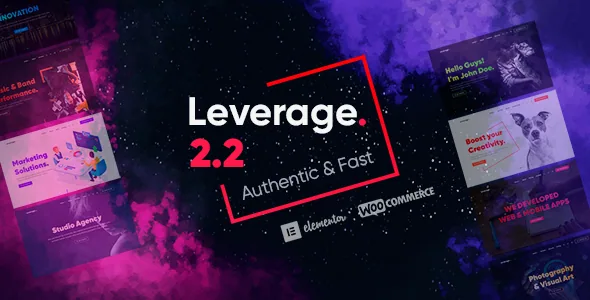
A theme that puts the header, footer and colour scheme in one panel, not in Elementor
Plenty of Elementor themes leave everything to the builder. Leverage splits the work. According to the vendor's description, page bodies are assembled in Elementor with 22+ theme widgets, but the surrounding chrome is configured in a theme settings panel grouped into Branding, Typography, Design & Color, Header & Menu, Footer Section, News Section, Subscribe Form, Contact Form, General Settings, Widget Builder and Advanced.
That division has practical consequences. A new logo, a navbar scroll behaviour, a footer column count or a switch from light to dark mode is a settings change, not a section to rebuild. If several people touch the site, one can own global appearance while another edits page content, and neither has to open the other's tool.
The panel also carries Custom CSS and Custom JS fields under Advanced, and an option to remove Advanced Custom Fields from the admin menu if you don't use the plugin.
Three parallel demo families, and why the split matters
The vendor counts three separate sets rather than one library: 20+ Elementor home demos, 20+ complete multi-page websites, and 20+ one-page websites with a smooth-scroll menu. All of it is described as available through the theme's one-click import.
Which set you pick changes the site's skeleton. Importing a multi-page site gives you the home demo plus its inner pages; importing a one-page site gives you an anchor-menu structure that you are not retrofitting onto a normal site afterwards. Decide the shape before you import, because the home demo alone doesn't tell you whether the rest of the site exists in matching form.
The counts describe the advertised library, not what any single import delivers.
Inner pages are styled to match, but they are not a complete site
The 18+ essential inner pages are described as having colours and styles compatible with the home demos. Read that as a styling relationship: an inner page arrives in the demo's design language, which keeps a services or portfolio detail page coherent with the homepage you already imported.
What the package does not bring is imagery. The vendor states that all images and videos in the demos are for demonstration purposes and are not included in the purchase. For an agency site the photography is a large part of the argument, so budget for art direction and licensing, and treat the demos as structure and layout.
Icons are the exception the theme does supply: 180+ line icons, 1500+ icons, and support for uploading custom icons.
Changing the site's character from the settings panel
Because the chrome is centralised, a few settings carry a lot of weight. The vendor lists 11+ pre-made theme colours plus a custom colour, a light or dark theme mode, a button style mode, and separate controls for body, navbar and hero-section colours and images. Branding includes different logo images for different screen sizes and a logo filter.
A dark-mode switch and one accent colour can change how an agency site reads in a couple of screens — useful when you want to show a client two directions without rebuilding sections. The per-screen-size logos are worth the setup time on a mobile-heavy audience, since a wordmark that reads well on desktop often doesn't at phone width.
Header settings cover which menu items appear at different screen sizes, navbar container width and spacing, navbar scroll behaviour, search bar display, social icons and a call-to-action button. Footer settings cover columns, vertical spacing, branding, lists, widgets and copyright content.
Contact and subscribe forms are built in, with webhook delivery
The contact form is a theme feature rather than a form-plugin build. The vendor describes simple or multi-step modes, field building, and a sending setting that routes entries to specified emails or a webhook. The subscribe form follows the same pattern with its own layout and delivery options.
The multi-step mode is the interesting part for a studio taking project enquiries: a short first step followed by a qualifying step is a reasonable trade when each lead is worth real money. Webhook delivery is what makes the built-in form usable in a stack where entries need to reach a CRM or mailing tool rather than sit in the WordPress database.
Spam protection and consent sit in General Settings, where the vendor lists reCAPTCHA and a cookie notice described as informing visitors about cookie use and GDPR compliance. A preloader, blog layout columns and single-post display options are also there. Gravity Forms is listed as compatible if you would rather use a dedicated form plugin.
Declared compatibility, and what the update history shows
The marketplace compatibility fields, observed in November 2026, name Elementor, Elementor Pro, WPBakery Page Builder, Gravity Forms, WPML and WooCommerce 5.x through 9.x, with WordPress 5.8.x to 7.0.x listed and Gutenberg Optimized recorded as Yes. The files list names PHP, HTML, CSS and JS. Those are vendor declarations, not a report from running the theme on your PHP build, caching layer or plugin set.
The changelog is worth reading on its own terms. The most recent entry cited security and compatibility improvements and updated required plugins. Earlier entries are mostly plugin and library version bumps, with fixes for Elementor and Advanced Custom Fields compatibility, custom-font fixes, and a 2023 change to demo import requests and plugin installation. Nothing in the visible history suggests a redesign of the demo system; the maintenance work keeps the existing structure running with current plugins.
The changelog ends where the supplied description does, so a full copy on the vendor's site is the place to confirm later releases.
What to check on a staging install
Import one multi-page demo, then look at whether the home demo's styling actually carries onto the specific inner pages your project needs — the vendor's claim is about compatibility, not about every page existing in every demo. Test the multi-step contact form with your own email address or webhook endpoint, since delivery configuration is the kind of thing a screenshot can't confirm. Switch on dark mode and check the per-screen-size logos at phone width.
Those checks touch the theme's most specific claims. Three page shapes, a settings panel and a built-in form are the substance of Leverage; the demo photography, which you will replace anyway, tells you least about whether it fits.
Questions & answers
Does Leverage include the photos and videos from its demos?
No. The vendor states that all images and videos are used for demo purposes and are not included in the purchase. You supply and license your own photography.
Where do I change the logo, navbar behaviour and footer columns?
In the theme settings panel, under the Branding, Header & Menu and Footer Section groups. The vendor lists per-screen-size logos, a navbar mode for scroll behaviour, and footer column and spacing settings there.
Do I need a form plugin for the contact form?
The vendor describes the contact form as a theme feature with simple or multi-step modes, field building, and delivery to specified emails or a webhook, with reCAPTCHA in General Settings. Gravity Forms is also listed as compatible if you prefer a dedicated form plugin.