Twenty-six homepages is the actual product decision
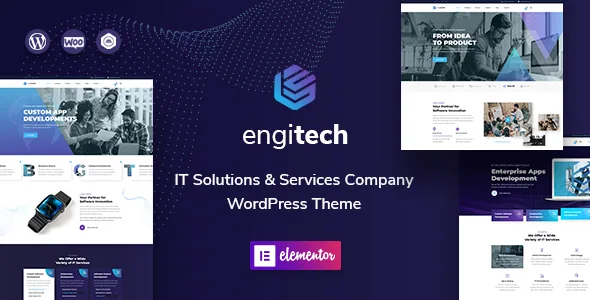
OceanThemes describes Engitech as a theme for IT solution and services companies, app landing pages, tech agencies, startups and software showcases. The niche framing is broad enough to cover most technology businesses, so the more useful distinction is the sheer number of starting points: 26 predefined homepage layouts, all included in the demo content file.
That changes how you would approach launch. Instead of building a homepage from a blank Elementor canvas, you import a demo whose section order — hero, service cards, process steps, counters, team, testimonials — already suits a technology sales pitch, then replace the text, imagery and colour. The vendor states that everything you need to build those layouts comes through the one-click installer, and demo dummy content is supplied as XML data.
Treat 26 as an inventory to pick from, not a promise that all 26 are meaningfully different in structure. The vendor gives no breakdown of what separates one layout from another, so the honest way to choose is to look through the demo before committing to a build.
Headers and footers are the part you reuse across every page
A corporate site's header carries the logo, navigation and call to action on every page you publish, which makes it the most consequential editable region after the homepage. Engitech ships 16 header layouts with a header builder, and the vendor names the controls: switching sticky behaviour on or off, and placing the menu left, centre or right. Headers can also be built from scratch in Elementor for both desktop and mobile, so a header does not have to be one of the shipped variants.
The footer side is the same idea: 15 footer layouts with a footer builder, again built with Elementor. One detail worth flagging before you plan around the number is that the vendor's feature block says 15 layouts while the fuller feature list says 14 demo footer layouts. Whichever count applies, the builder is the part that matters — the predefined layouts are a starting point and the Elementor route is unconstrained.
Mega menu support is built with Elementor, according to the feature list, so a service-catalogue navigation with grouped links can be assembled in the builder instead of in a separate menu plugin.
Where the colours and type actually live
Engitech splits visual control between two places, and knowing which one to open saves time. Theme-wide settings sit in the WordPress live customizer with a real-time preview: colour scheme, typography and layout options. The vendor says the colour controls are unlimited and that icon colours follow the theme colour, and that the full Google Fonts library (1,470-plus fonts are named) is available there.
Page content sits in Elementor. The vendor states the theme is built on the Elementor page builder plus multiple custom widgets, and that Elementor Pro is not required — slide content, section structure and page-specific styling are handled in the free builder. Elementor Pro does appear on the marketplace compatibility list, so a Pro licence is not forbidden, but nothing in the vendor's description depends on it.
Revolution Slider is named for animated slides, and the theme is child-theme compatible for anyone overriding template files rather than styling through options.
36+ layered PSDs for a design-first workflow
The vendor says all page PSDs are included, fully layered and organised in named folders, with images and graphics — 36-plus files in total. The marketplace file list confirms Layered PSD alongside PHP, CSS and JS. The vendor's notes say PSDs are sent after purchase on request, so the exact delivery route is worth clarifying with the author rather than assumed from the download.
For an agency that pitches in Photoshop before building, this is the inclusion that changes the sequence: you can prepare comps against the theme's proportions, then rebuild them in Elementor knowing the source layers exist. It also gives a designer a reference for spacing and hierarchy when a client wants a layout the shipped demos do not cover. What it does not do is import into Elementor or carry styles across automatically; the PSD is a design source, not a conversion tool.
Images bundled with the PSDs are part of the vendor package description, but demo photography licensing for your published site is a separate question worth settling before you design around a particular image.
Translations, forms and the conflicting declarations
The vendor's prose names Polylang for multilingual sites, alongside .pot files for custom translations and RTL language support. The marketplace compatibility attributes instead list WPML and not Polylang, observed on 3 November 2026. Both are plausible plugin relationships, but they are not the same statement, so if multilingual publishing is central to the project, confirm the plugin you intend to use rather than picking based on either list alone.
Contact Form 7 appears in both places. WooCommerce shows the same kind of drift: the vendor text says compatibility with WooCommerce 10.x, while the attribute list records 8.x and 9.x. WordPress support is declared across a long range from 5.5.x through 7.0.x, which is a declaration of intended compatibility rather than proof against your PHP build and plugin set.
One attribute needs care rather than alarm: Gutenberg Optimized is marked No. That describes the vendor's stated optimisation target — Elementor — and does not establish that the block editor is unusable for posts or pages. Similarly, the feature list says the theme uses Bootstrap 3.x while the attributes say Bootstrap 4.x; treat the CSS framework version as unresolved if your own child-theme CSS depends on it.
What is still uncertain before you build
Two wording issues in the vendor description are worth resolving with the author ahead of a build. The theme is described in one line as requiring the Elementor page builder plugin, and elsewhere as working with the free Elementor plugin with Pro unnecessary — consistent in substance, but a reminder that Elementor must be installed for the layout system to function at all. Separately, the documentation bullet still refers to a guide for a different theme name, so the docs may be partially inherited text.
The practical read is straightforward. Engitech suits a technology company that wants a large pool of pre-built page shells, a header and footer it can rebuild over time, and a theme-wide customizer for brand colour and type — with design source files available for a designer's involvement. The open questions are the Bootstrap version, which multilingual plugin is actually supported, and how much of the 26-layout catalogue differs structurally. Each is answerable from the demo and from the author before you start customising.
Questions & answers
Do I need Elementor Pro to use Engitech?
The vendor says no. The theme is built on the free Elementor plugin and the description states Pro is not required, though Elementor Pro appears on the marketplace compatibility list and can be used. Elementor itself is needed for the layout system to work.
Does the theme include WooCommerce support?
WooCommerce is listed as compatible, and the vendor text names version 10.x while the marketplace attributes record 8.x and 9.x. If you plan to sell products, verify the combination on a staging install rather than relying on the declared versions.
Can I build my own header instead of using one of the 16 layouts?
Yes. The vendor describes a header builder where you assemble headers in Elementor for both desktop and mobile, with sticky behaviour and menu alignment as options. The 16 layouts are starting points rather than limits.
Are the PSD files included in the theme download?
The marketplace file list includes Layered PSD, and the vendor says all page PSDs are included with images and graphics. The vendor's own note also says PSDs are sent after purchase on request, so confirm the delivery route with the author.


