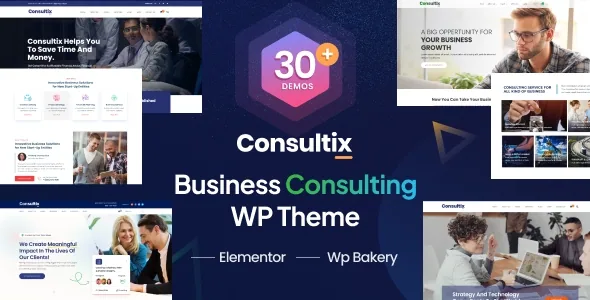
Page builder layouts inside posts, team profiles and portfolio details
The line in the vendor's feature list that distinguishes Consultix from most corporate themes is quiet: "Page Builder in Single Post", "Page Builder in Single Team", "Page Builder in Portfolio Details". Three recurring content types are opened to the same layout canvas used for front pages.
Think through what that changes. A partner biography is normally a fixed template with fields dropped into it, or a plain block-editor document with an avatar at the top. Here it can be assembled: a portrait, a credentials strip, a pull quote, a short contact prompt, each placed with the same elements used elsewhere on the site. Case studies in the portfolio behave the same way.
The cost is uniformity. Once every post and every profile can hold arbitrary layout, nothing in the theme guarantees a consistent shape across those templates. That responsibility moves to whoever builds them. If your practice publishes regularly and wants a predictable article format, this freedom needs a house style and a template entry point, not just element access.
Which builder you compose on is a separate question, covered below, because the vendor's own history treats WPBakery and Elementor differently.
Twenty-eight elements, counted by content type
The vendor states the theme ships 28 custom elements so you do not have to install extra plugins for common sections. The same feature list breaks the total down: 11 team elements, 10 blog elements, 10 testimonial elements and 2 client elements.
Read against a consulting business, those four names are the recurring objects on the site: the people who do the work, the writing that builds authority, the quotes that carry proof, and the client logos that do the same job more quietly. The counts are per-variant, so a team page for a handful of named partners reads differently from a directory of advisors, and testimonials can appear as a full-width quote, a card grid or a slider.
Around that sit the page-type counts: 3 blog page layouts, 4 portfolio layouts and 2 shop layouts, each able to carry a sidebar. The theme also lets you rename the slug for the Team and Portfolio custom post types, which matters if navigation, a sitemap or an inbound URL already depends on those paths.
WPBakery is the spine; Elementor arrived for specific demos
Both WPBakery Page Builder and Elementor appear in the marketplace compatibility list, and the vendor calls the theme powered by a drag-and-drop page builder. The changelog puts a date on the split: version 4.0, on 6 October 2022, records "Added Elementor support for specific demos" alongside two new demos.
That wording is worth taking literally. Elementor is a route into the demos the vendor converted, not a theme-wide replacement, and the release history before 2022 is dominated by WPBakery and Slider Revolution updates. If you intend to build entirely in Elementor, start from one of those converted demos and check how far the conversion reaches before planning the rest of the site around it.
The vendor also lists Revolution Slider and Layer Slider WP as bundled. Those are claims about the theme's own package; treat slider versions as something to confirm rather than assume, since slider plugins age quickly.
Header styles that carry a condition, and a top bar that only fits two of them
Six header layouts with control over logo, menu, fonts and colours are listed, plus a flyout header with search. One relationship is easy to miss: the top bar is described as available above Header One and Header Three, with social links added there easily. Choosing a header style is therefore also a decision about whether you get a top bar at all.
On the footer side there are 4 layouts, with individual sections switchable on or off. The vendor also provides an inner page banner that can be set on pages and posts, giving an inner page a visual anchor before the body text begins.
Typography runs on 800+ Google Fonts, with a Custom CSS field in the theme options for whatever the settings do not cover. One changelog entry is worth knowing before you plan a colour-led design: version 2.1.4 removed the theme colour feature from the admin because it caused confusion. Colour work now happens in element options and Custom CSS rather than through a single global control.
Moving a build between staging and production
Theme options and widgets can be imported and exported from the admin. That sounds administrative, but it solves a real handover problem: those settings live in the database and do not travel with the theme folder, so a configuration built on a staging copy has to be reproduced by hand on the live site otherwise. Export, import, done.
The same panel holds several pages a client site needs before the content is ready: two custom 404 layouts with an uploadable background, a maintenance page, and a coming-soon page with a countdown timer. The vendor also supplies a custom login plugin for the WordPress sign-in screen.
The vendor describes the theme as translation ready with 5 bundled language files — English, French, Spanish, German and Dutch — and claims WPML compatibility. The bundled files are the concrete part; WPML itself is a separate plugin you would supply.
Block editor, version range, and the vendor's own PHP notes
"Gutenberg Optimized: No" is the marketplace attribute recorded on 4 November 2026, while the changelog records "Gutenberg compatibility added" in version 2.1.0. Those statements are not necessarily in conflict — a theme can work with the block editor without being tuned for it — but the practical conclusion is the same either way: the custom elements and the page builder are the editing story here, and the block editor is not the surface the theme was designed around.
The same attribute set declares WordPress 4.9.x through 6.5.x, WooCommerce 6.x.x and 7.x.x, a responsive layout at four or more columns, widget-ready sidebars and high-resolution assets. The vendor's requirements text is older and looser: WordPress 4.7 or higher, PHP 5.6 or higher, MySQL 5.6 or higher.
More useful than either list is the vendor's note on demo import limits. It attributes white screens, failed imports and empty page content to low PHP configuration, and recommends minimums of max_execution_time 300, memory_limit 128M, post_max_size 32M and upload_max_filesize 32M. That is vendor guidance about a known failure mode, not a measurement of your server. Check it against your host before running the importer on a large demo.
Questions & answers
Do I have to use WPBakery, or can the whole site be Elementor?
The changelog ties Elementor to "specific demos", added in version 4.0, while the theme's earlier releases are built around WPBakery and its updates. Treat Elementor as covering the demos the vendor converted rather than every template. Pick a converted demo as your starting point and check it before committing to an all-Elementor build.
Can a single team member page use the page builder?
According to the vendor's feature list, yes: page builder support is named for single posts, single team entries and portfolio details. That means author-level content can use the same elements as the main pages rather than a fixed template.
Why does the top bar only work with some headers?
The vendor describes the top bar as available above Header One and Header Three, with social links included. Header style and top bar availability are therefore linked decisions, so check the pairing before designing navigation.
Where did the global theme colour setting go?
Version 2.1.4 removed the theme colour feature from the admin because the vendor found it confusing. Colour changes now run through element options, which the vendor lists as supporting unlimited colours, and through the Custom CSS field in the theme options.