A homepage made of counted magazine blocks
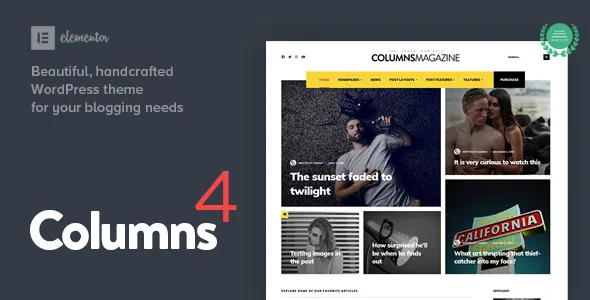
Columns is described by its vendor as a modular magazine and blog theme, and the feature list backs that up with numbers rather than adjectives: 13 magazine post layouts plus 11 additional style alternatives, a section called Mosaic, and three main post layouts (no sidebar, left sidebar, right sidebar).
These are separate pieces you arrange, not one fixed homepage you adapt. That distinction is what separates a magazine theme from a blog theme with a fancy header. A personal site that has outgrown a single column of posts needs a top row of featured stories, a grid below it, and something different for gallery-led posts — and each of those is a block you place rather than a template you accept whole.
The vendor's stated audience is "common individuals and non-tech savvy users" running a personal blog or a simple magazine. A counted block library is a sensible way to serve that audience: choosing among named layouts calls for far less judgement than assembling a grid system.
The featured widget now avoids its own repeats
Offset posts and a tags filter arrived in the featured widget in version 4.2. Offset is the detail worth understanding, because it solves a problem every magazine homepage hits. If a featured block pulls the five latest posts and a grid below it pulls the next six, you get clean separation; without offset, both blocks start at the top and the same article appears twice on one screen.
The tags filter narrows a block to a subject instead of a date order. A block for travel essays and a block for reviews can sit side by side, each drawing from the same post archive, without a separate category structure for every row.
Both controls belong to the featured widget, so they apply wherever that widget is used, not just on the homepage.
Nine post layouts, five formats, and per-post trimming
The single-post side is where Columns lets a long essay and a short photo post open differently. Nine post layouts come from three sidebar arrangements (left, right and none) combined with three post headers — the vendor counts them as one set rather than listing them separately.
Five post formats sit on top: standard, video, audio, gallery and link. A gallery post and an audio post are different kinds of page, and having the format change how an article renders is a magazine habit rather than a blog one.
The vendor also lists hide/show toggles for most post elements. Read that as per-article trimming: whether a given post shows its meta, its author block or its related posts. Related posts and custom background images appear in the same feature list, so the article page is intended to be adjusted piece by piece.
Elementor, free version, with a Gutenberg path beside it
The vendor states plainly that the free version of Elementor is sufficient and that Elementor Pro is not required. The marketplace compatibility attributes, recorded on 4 November 2026, list both Elementor and Elementor Pro — a wider claim than the description's, not a contradictory one. The magazine blocks are described as shipping with the theme and being usable inside Elementor.
Do not read that as Elementor-only. The listing records Gutenberg Optimized as Yes, and the vendor's update history describes the third major version as Gutenberg ready. Both editing paths are claimed. The difference is that the ready-made magazine layouts are tied to Elementor; the block editor route is described as a supported way to build, not as a source of those same pre-built arrangements.
Version 4.2 added automatic Elementor setup, which shortens the gap between activating the theme and having the builder ready for the blocks. The step-by-step behaviour belongs in the theme's documentation.
Redux controls the publication feel, and typography does most of it
Site-wide styling runs through the Redux Framework, which the vendor calls the theme's backend framework. Two of its controls carry most of the visual weight: a Google Fonts selector with a long list of families, and the ability to build your own colour schemes — echoed in the feature list as unlimited colour schemes.
Typography is the lever that turns a personal blog into something that reads like a publication, and the changelog shows the vendor treating it as an ongoing concern. Version 2.6 added options for extended uppercase and extra letter spacing; version 4.1 improved font sizes on mobile. Those are the small levers that make headlines read as headlines on a phone rather than as slightly larger body text.
Around them sit the structural settings: custom main and footer menus, a footer logo input, and custom background images. Header work recurs across releases — two additional header styles in 2.2, a menu-above-logo layout in 2.6, a Minimalist header in 4.0, and sticky navigation for the Classic header in 2.3.
What the listing covers, and what it leaves open
The compatibility attributes recorded on 4 November 2026 list WordPress versions from 5.4.x through 7.0.x, WooCommerce 7.x through 9.x, and Contact Form 7. These are vendor and listing claims. No one has published a test matrix of each combination.
Two entries deserve care. The browser list includes IE11 next to Chrome, Firefox, Safari, Opera and Edge — an unusually dated range for a theme still shipping in 2026, so treat that attribute as inherited rather than confirmed. And WooCommerce compatibility is listed without any description of what a Columns shop looks like or how the product templates were handled. The marketplace category places the theme under personal blog and magazine, not ecommerce. If selling is central to the plan, that gap is the thing to settle first.
The files list names PHP, CSS and JS files, which describes the theme package rather than a bundled plugin library.
Where the 4.2 release sits in the theme's history
The 18 February 2026 release reads as maintenance with a few practical additions: a new child theme, the featured-widget filters above, automatic Elementor setup, dimension settings in theme.json, a fix for select dropdown arrows, a textdomain loading notice fix, an improved mobile dropdown menu, refreshed translation files, and the removal of the WP Featherlight plugin import.
Earlier entries follow the same shape. Version 4.0 added a demo, the Minimalist header, Font Awesome 6 and a right-images blog layout; 3.0 added a demo, a TikTok icon and responsive layout work. Growth has been steady but incremental, weighted toward compatibility and polish rather than new concepts.
What the changelog cannot tell you is which build you are holding. The marketplace records 4.2 as the latest; a copy on your own server may be older. Check the theme's version inside WordPress before concluding that a fix or a layout is missing.
Questions & answers
Do I need Elementor Pro to build a Columns homepage?
The vendor says no. The free version of Elementor is described as sufficient and Pro as not required. The compatibility attributes list both Elementor and Elementor Pro, so Pro is not excluded, but the magazine block library is described as usable without it.
Can I build with the block editor instead of Elementor?
The vendor describes the theme as Gutenberg ready and the listing records Gutenberg Optimized as Yes, so the block editor is a claimed path. The ready-made magazine layouts are described as Elementor blocks, so the two routes do not offer the same set of pre-built arrangements.
How many layouts and templates does Columns include?
The vendor's own count is 13 magazine post layouts plus 11 additional style alternatives, 9 single-post layouts built from sidebar choices and three post headers, and separate templates for blog, the Builder page, full-width pages, error 404, archives and search.