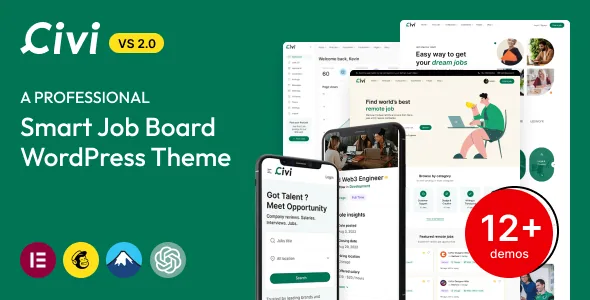
Two dashboards, one job listing
Civi's marketplace description is unusual for a theme in that most of it is written as a list of things logged-in users can do. There are separate candidate features, employer features and admin features, and the interesting design decisions live between them rather than in a layout.
The clearest example is messaging. Private messaging appears once as a general core feature and again on both sides: employers can "send a private message to Candidate," candidates can message the employer. Meeting rooms follow the same pattern — the employer creates and edits an online meeting, and the candidate can change its time. If you need a board where the exchange continues after an application, that two-sided plumbing is the part to examine on the demo, because it is hard to bolt on later.
Four ways to apply, and what each one asks for
The vendor lists internal, external, email and phone applications, and says some of them work without a login. That sentence is doing useful work: an internal application implies a candidate account and a resume attached to the profile, while an external or email route can hand the applicant off to the employer's own system or inbox.
Candidates are described as able to post a resume into the system or upload a PDF or DOC directly, and to attach it to an application. They can also keep a wishlist, review the jobs applied for, and apply to an invitation sent by an employer. The practical question for a site owner is which of these routes your employer customers will actually accept — a board that pushes every application into an inbox is a different product from one that keeps a searchable candidate database.
Packages, featured placement and the expiry clock
Monetisation is described at three connected points. Subscription plans let employers post a set number of listings and featured jobs for a fixed fee. Featured listings can be bought so a posting sits higher in search results or on the homepage. Job submission packages are what employers buy, with credit card, PayPal or Stripe named as payment options and recurring billing mentioned.
Expiry runs on its own timers. Employers can set an application deadline per listing, and the theme offers automatic expiration after a chosen duration such as 30, 60 or 90 days. Listing states are also explicit in the employer dashboard: active, deactivated, marked featured, marked filled, expired, draft.
None of this is a checkout flow you can judge from a feature list. Payment gateway behaviour, invoicing and what happens when a package credit runs out are things to check on the demo, and third-party gateway availability depends on your own merchant accounts rather than on the theme alone.
What the employer dashboard keeps track of
The vendor's employer list reads as an applicant-handling queue: approve or reject applied requests, view rejected requests, download the candidate's resume, follow candidates, invite candidates to an already-posted job, and search the candidate pool by location, category, keyword, experience level, qualification and gender.
Two smaller items are worth flagging because they change daily work. Job and company posts can be previewed before going live, which the vendor frames as a way to catch bad input or unacceptable content. And the theme claims reporting with dashboards, charts and graphs covering listing performance and site totals such as candidate applicants and follows.
Data movement is claimed too — import and export of job listings, resumes and user data. On a board, that claim matters most when you leave: a candidate database you cannot export is a liability, so test export on your own content before you depend on it.
Elementor pages, and a multi-language claim with two names in it
Pages are built in Elementor; the marketplace attributes list Elementor and Elementor Pro. The vendor says 12+ predefined homepage layouts are included in the demo content file, so the starting point is an import you then edit rather than a single homepage you rearrange.
The language picture is stated twice in slightly different ways. The compatibility attributes list WPML, while the description names Polylang compatibility and Loco Translation among supported plugins. Both statements come from the vendor, and both amounts to a claim rather than a tested configuration — if you are building a bilingual board, confirm which plugin the author currently supports for your content, since job listings, categories and custom fields all need translating, not just interface strings.
The listing marks Gutenberg Optimized as No. Read that as an optimisation label about block-editor styling, not a statement that you cannot use the block editor.
What the theme does not settle for you
Every feature described here is a vendor claim from the marketplace listing, observed on 4 November 2026. No independent testing stands behind the application flows, the payment handling or the meeting integration; the video and audio interview feature, for instance, is described as working with services such as video conferencing, Skype or Zoom, without saying what is bundled or what you must connect yourself.
The package structure is similarly worth reading literally. The file list names PHP, HTML, CSS and Sass files — no PSD designs, and no mention of bundled demo photography. Civi is a recruitment platform first, so judge it on whether its hiring workflow matches how you intend to run a board, then use the live demo to test the two or three flows your employers will use most.
Questions & answers
Does Civi let candidates apply without creating an account?
The vendor says application options include internal, external, email and phone routes, and that some of them can work without login. Internal applications are tied to a candidate account with a resume on file, so the no-login routes are the external and contact-based ones. The exact configuration of each is something to confirm on the demo.
Can one employer account manage several companies?
Yes, according to the vendor's employer feature list, which states that multiple companies can be created and that company profiles can be created, updated and deleted at any time. Each company can be presented with its own profile page covering information, culture, values and benefits.
Is Civi built for Elementor or for the block editor?
Editing is described around Elementor, which appears in the compatibility attributes alongside Elementor Pro, and the homepage layouts ship as demo content you import. The listing marks Gutenberg Optimized as No, which describes how tuned the theme is for block-editor styling rather than whether the block editor is available at all.


