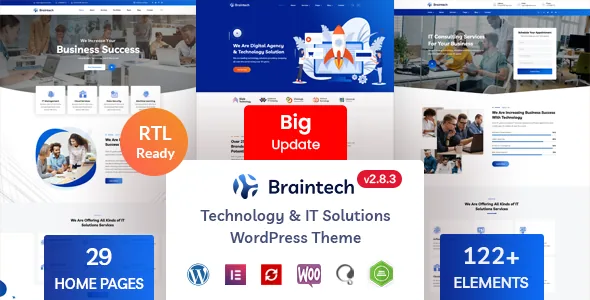
Braintech is an Elementor theme with a demo catalogue rather than a design system
Braintech, by RSTheme, is an Elementor theme aimed at IT and technology businesses: the vendor names IT and software services, apps, SaaS, data centres and data mining as its targets. The demo catalogue is its main argument — 29 pre-built home pages, 15 multi-page and 14 one-page, plus 64+ inner pages covering services, portfolio, about, contact, FAQ and several blog layouts.
That framing is a catalogue argument, not a design-language argument. The vendor describes no shared visual concept that ties the demos together; what it promises instead is variety. If what you want is a distinct house style, you are choosing the closest demo and then customising inside Elementor. If what you want is a plausible starting layout for a specific sub-niche — a helpdesk pitch, a data-centre pitch, a SaaS product page — the catalogue is where that value sits.
Where the editing boundary actually falls
Two surfaces control the site, and confusing them costs time.
Page content belongs to Elementor, described by the vendor as a drag-and-drop editor with live editing that needs no coding. The chrome around that content — logo, favicon, header style, footer style and colour — belongs to a theme options panel built on the Redux options framework. Braintech also adds its own Elementor addon, RSElements, which supplies the extra widgets the demos use; the changelog records fixes and compatibility updates for that plugin by name.
So when something in the header is wrong on every page, look in theme options. When a section inside a page is wrong, look in Elementor and in the RSElements widget you placed there. The two layers are separate, and edits do not travel between them.
One colour setting, plus a per-element override
The vendor's colour story has two parts. A backend colour option changes colour across the whole site, and every addon also has its own colour control, so a single element can be pulled out of the global palette on purpose.
That combination is genuinely useful and easy to abuse. A global baseline means a rebrand is one setting. A pricing card that needs a different accent, or a call-to-action that has to read louder than the rest of the page, is the kind of exception the per-element control exists for. Used as the default habit, though, per-element colour becomes a list of exceptions nobody can find again — the global option stops describing the site, and the next person to touch it has no reliable picture of what it changes.
A child theme is listed among the inclusions, which is the route to take if you intend to adjust templates rather than work solely inside the builder.
Sliders: one bundled plugin, named repeatedly in the changelog
Revolution Slider is listed as a bundled plugin that can display any kind of media with customisable transitions, effects and animations. The vendor treats it as a real part of the product rather than a badge: it appears as an updated item in release after release, including the most recent entries.
That pattern says where maintenance attention goes. Sliders built with Revolution Slider depend on the bundled plugin keeping pace on its own schedule, separate from Elementor's. If you would rather build slider sections from Elementor widgets, the RSElements library and Elementor's own section controls cover much of that ground, and you avoid running two slider systems on one site. Project configuration is also where this decision should be made, not after the demo import.
What arrives with the demo, and what the vendor contradicts
The feature list says one-click demo import brings in all images and icons. A note further down the same description says the images and icons displayed on the demo site are for illustrative purposes only and are not included in the final product.
Both statements are the vendor's, and they do not agree. The safe assumption is the note: plan to supply photographs yourself, budget for licensed placeholders if you need a finished look before your own assets exist, and expect the icons to resolve through the theme's icon set rather than as imported artwork. The vendor names the sources the demo photography came from; that is a pointer to where licensed stock lives, not an inclusion list.
The import mechanism itself is described as a single click that writes demo data into the site so you start from a finished layout. Whether any given demo imports cleanly on your hosting is a runtime question the description cannot settle. The changelog does record import-adjacent fixes over time — demo data updates, a Contact Form 7 paragraph-tag issue with new demo installations — which shows the import path has needed upkeep, and is a fair reason to give yourself a working staging site rather than importing straight into a live one.
Two figures for one number, and why the demo is the tie-breaker
The plainest unresolved line in the feature list reads "150+ Addon Elements" and then, in the next sentence, "We included 200 plus elements with theme". There is no outside figure that settles which is right, and neither matters much as a number: what matters is whether the specific widgets your design needs exist in RSElements.
The changelog gives you something concrete to check for. It records a tooltip being added to the price table addon, which is the kind of detail you can verify in the demo by opening a page in Elementor and adding that widget. Counting widgets in the editor is a better use of demo time than trusting either total.
The declared compatibility is a separate matter. The marketplace attributes captured on 4 November 2026 list WordPress 5.0.x through 7.0.x, WooCommerce 6.x.x through 10.x.x, Contact Form 7, Elementor and Elementor Pro, Bootstrap 4.x, WPML, RTL support and browser coverage from IE10 to Edge, with PHP, CSS, Less and JS files in the package. Those are vendor and marketplace statements recorded at a date, not tests against your install, and "Gutenberg Optimized: No" describes which editor the vendor supports rather than establishing that the block editor refuses to run.
Which of the 29 demos to start from
The multi-page and one-page split is the decision that comes before any styling choice. A one-page demo stacks the pitch into a single scroll — a launch page, a product waitlist, a small consultancy with one service and a contact form. A multi-page demo assumes navigation and pages that will grow, so it is the better base for a site with separate service pages, a portfolio and a blog that accumulates posts.
If you know the site will grow past a scroll, the 14 one-page builds are browsing material rather than candidates. Browse the catalogue for the closest concept, import that one, and expect to do the actual work in Elementor rather than to arrive at a finished site. The demo shows the layout; your photography, copy and colour decisions are what make it yours — and the image question above is the first thing to price.
Questions & answers
Do the demo photographs come with the one-click import?
The feature list says images and icons are included, but a note in the same description says demo images and icons are illustrative and not part of the product. Treat the note as the operative statement and plan on sourcing your own photography.
How many extra elements does Braintech add to Elementor?
The feature list gives two figures, "150+ Addon Elements" and "200 plus elements", in consecutive sentences, and no outside source resolves it. The plugin supplying them is RSElements; check the widgets your chosen demo relies on rather than relying on either total.
Where do I change the logo, header, footer and site colour?
In the Redux-based theme options panel, not inside Elementor page templates. Element colour overrides sit on the individual addon elements themselves, so a single element can be styled outside the global palette.


