Where Blabber puts the header, the story and the archive
The vendor's feature list separates two jobs that many themes merge. Elementor Builder support is described as a way to modify page content, and a separate line says header and footer layouts can be customized in Elementor Page Builder. Site chrome and story pages therefore sit in one editor.
Blog behaviour sits elsewhere. Under Advanced Blog Settings the same description lists multiple blog styles, flexible layout options, 20+ post animations, a customizable blog feed, post views, likes and sharing buttons, and a related posts section. Those are theme settings rather than Elementor widgets, and the framework section adds a Custom Theme Options Panel and 750+ customizer options.
That split shapes a working week. Restyling the masthead or an article template is an Elementor session; changing how archive pages stack teasers is an options-panel session. Knowing which surface owns the decision saves hunting through both.
Named post layouts and a feed you point at categories or post types
The vendor names some of the blog styles: Chess, Classic and Portfolio. Those labels describe how a teaser reads before you touch typography. Classic is the familiar vertical stack; Chess staggers posts against each other; Portfolio treats entries more like work samples than headlines. Which one fits depends on whether your front page leads with a single story or turns over many short items.
The feed is described as customizable, with the choice of post types or categories. On a magazine site that is how a homepage block can follow one category while a separate block pulls a custom post type, without hand-written queries.
The rest of the list is a set of switches to decide on rather than requirements. Post views and likes put engagement numbers in front of readers, and not every publication wants a counter beside a headline. Related posts and the 20+ animations are the same kind of choice: useful for a high-volume site, easy to leave out of a quiet blog.
Inheritance and override: what the layered settings actually mean
The theme's WordPress description calls the system unique and says it allows individual parameters for different sections of your site and supported plugins. The feature list repeats it as a Setting Inheritance and Override System.
Read it as layering: a base configuration applies broadly, and specific sections can hold their own values. A news site with an opinion vertical and a live-updates section often needs two different accents or spacing scales under one overall design, and this is the mechanism for that.
The trade-off is bookkeeping. The vendor describes the existence of the mechanism, not automatic propagation. If four sections carry overrides, changing the base later will not wash through them. Decide early which sections genuinely need to diverge, and keep the list short.
Search, layout width and the swipe slider
Three smaller items change day-to-day use more than they sound. Interactive Ajax Search returns results without a full page load, which matters on a site with long archive pages and many short headlines. Boxed and fullwidth page layouts set the outer frame for every template. Slider Revolution and Swiper are listed as included, and the theme description mentions swipe gestures, so featured stories can be moved by thumb on a phone.
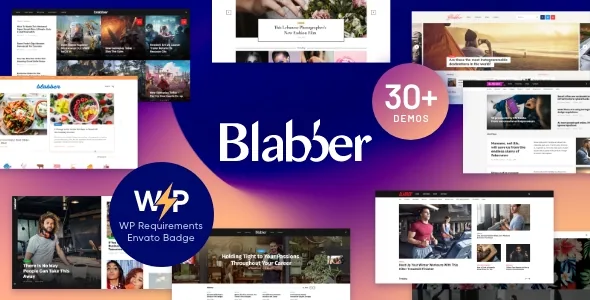
On setup, the vendor advertises one-click demo install across nine demos. Take the imported demo as a structure to rebuild rather than a finished site: editorial sections rarely match the demo's arrangement of stories.
One packaging point the vendor states plainly: images in the live preview are copyrighted to their owners and are not included in the template. A magazine theme's appeal is largely photographic, so the layouts will look different once licensed images replace the samples.
Shop and translation support without a shop requirement
The vendor claims full WooCommerce support with a matching shop design. The marketplace attributes recorded on 4 November 2026 list WooCommerce 5.x through 9.x and WPML, plus Elementor, a WordPress range from 4.9.x to 7.0.x, and Firefox, Safari, Opera, Chrome and Edge as browsers.
Those are vendor and listing declarations rather than test results. The WordPress span in particular covers many releases, so check the version you actually run instead of reading the range as a guarantee.
WooCommerce is optional in practice. A publication selling subscriptions or a small store can use the shop design; an editorial-only site can ignore it. The listed plugin compatibilities, among them MailChimp for WP, Contact Form 7, Instagram Feed, WP Recipe Maker and Yoast SEO, are claims of working alongside those plugins, and an entry on that list never means a feature depends on the plugin.
Release notes show upkeep, and a version figure that does not match
The vendor's changelog is a run of small maintenance releases. The most recent entries update the bundled trx_addons plugin inside the theme folder and fix script merging; earlier ones refresh demo data and record compatibility with new WordPress versions, including 7.0 in the May 2026 entry. One release in November 2025 records a fix for a potential local file inclusion issue during pagination, which is a reason to run current code rather than a caution about the theme now.
The marketplace attribute records the latest version as 1.9.7, while the vendor's notes run to 1.9.17. The numbering does not reconcile from the available material, so check the item page for the version you would receive before planning an update path.
Package contents are listed as PHP, CSS and JS files, with the theme described as widget ready and documented.
Questions & answers
Can headers and footers be built in Elementor, or only page content?
The description says both: Elementor Builder support for page content, and customizable header and footer layouts in Elementor Page Builder. Blog archive behaviour, by contrast, sits in the theme's own options panel.
Can different sections of the site use different post layouts and accents?
The vendor describes an inheritance and override system for setting individual parameters on different sections and supported plugins. Overrides are settings you create, so a later change to the base value will not update sections you have already overridden.
Does Blabber require WooCommerce?
No. The vendor advertises WooCommerce support with a shop design, and the listing records WooCommerce 5.x through 9.x as compatible, but the shop is an optional part of the theme for a publication that sells something.