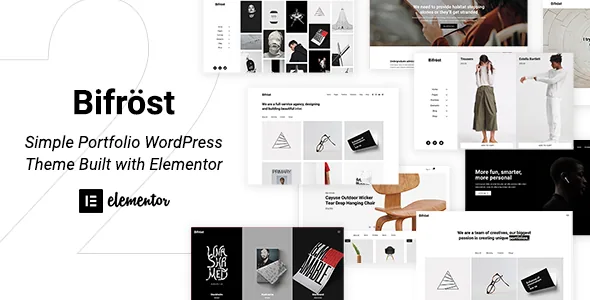
Inherit values are the actual organising idea
The mega menu is the quieter half of the same logic: the vendor says advanced options on the menu item turn an entry into a mega menu, with no extra classes needed for columns or activation. Sticky, slide, mobile and cart menu elements are listed alongside it.
Bifrost's vendor description spends most of its detail on where a setting lives rather than what it looks like. The clearest example is the Inherit option: most element options let you take their value from the theme options instead of entering one per element, and Inherit usually sits at the top of the select, above the normal choices.
That is a different editing habit from the usual Elementor workflow, where each widget carries its own typography, colour and spacing. On a portfolio with dozens of project pages, you set the scale once and stop revisiting it. The trade-off is real, though: an inherited value is invisible on the page where it takes effect, so a heading that looks wrong usually sends you to the theme options, not the widget.
The Customizer holds the wider layer the vendor describes — colour scheme, typography and layout options for portfolio, blog and shop, previewed before publishing. Frames follow the same two-level pattern: borders can be applied to every page through the Customizer or set individually per page, with thickness, colour and box-shadow controls.
One layout choice that nothing propagates
Together those give the same three-way decision a portfolio, a blog and a product grid, which is useful if your site mixes project pages, articles and items and you want one visual language across all three rather than a theme per section.
The portfolio gets the most vendor attention: grid, metro or carousel, each with its own options. The blog repeats the idea with a regular grid plus masonry, metro and carousel types, and the shop is described as grid options that can be mixed. Isotope filters and a Packery layout appear in the feature list too.
Two things are worth separating here. Choosing a layout type is a panel setting, and it does not create one shared template across content types. And the vendor's template library, which lets you save a page design and reuse it elsewhere, copies at import time — later edits to the original do not reach the copies.
Header and footer stay inside Elementor
Headers and footers are built in Elementor from the theme's own elements, with pre-defined headers available from the template library in what the vendor calls one click. Toolbar elements listed for this include site logo, site title, navigation menu, search and cart, which is the set you need to assemble a header without dropping into PHP.
Bifrost's advantage here is not novelty but consistency: site chrome and page content use the same editor, the same inherit option and the same responsive controls.
Elements that replace small plugins
An Instagram element embeds posts with options for layout, spacing and columns, so a feed block does not require a separate embed plugin. The Google Maps element goes past the core embed: multiple markers, colour and saturation styling, and toggles for zoom, touch drag and mouse drag.
Commerce elements lean on WooCommerce rather than replacing it. An Ajax mini cart lets shoppers review and remove items without a reload and, per the vendor, stays in sync with the cart page; WooCommerce pages are covered by theme templates.
The vendor also lists Revolution Slider as bundled. That describes the vendor's package, and the feature list's other inclusions — such as a child theme, demo XML files and ACF layout support — are worth reading in the same way, as declared contents rather than something to assume.
What the listing declares, and one contradiction
Marketplace attributes observed on 3 November 2026 list Elementor, WPML, Bootstrap 4.x and WooCommerce 7.x through 9.x as compatible, with WordPress 5.3.x through 6.9.x. The theme is marked responsive, widget ready and well documented, and the packaged files are PHP, CSS and JavaScript. Those are declarations, not results from running the theme on your stack. The vendor states PHP 7.0 or greater as the server requirement.
One attribute conflicts with the vendor's own list. Gutenberg Optimized is marked No, while the extended feature list includes a line reading “Gutenberg Ready.” Neither settles how the block editor behaves on this theme, and everything the vendor actually describes — elements, headers, footers — happens in Elementor.
The vendor's notes also say the images from the live preview are not included in the package. The demo importer gives you layout and placeholder content, so budget for your own photography.
Questions & answers
Does Inherit override a value I set on one element?
No. Inherit applies only where a setting is left on Inherit rather than given an explicit value. An element with its own value keeps it, while inherited elements continue to follow the theme options.
Can I use Bifrost without WooCommerce?
Yes. WooCommerce is listed as a compatible plugin, not a dependency of the portfolio or blog layouts. The grid, metro and carousel choices for projects and posts work without a shop.
Do the live preview images ship with the theme?
The vendor's notes say images from the live preview are not included. The one-click demo importer supplies the layout and placeholder content; photography is licensed separately.


