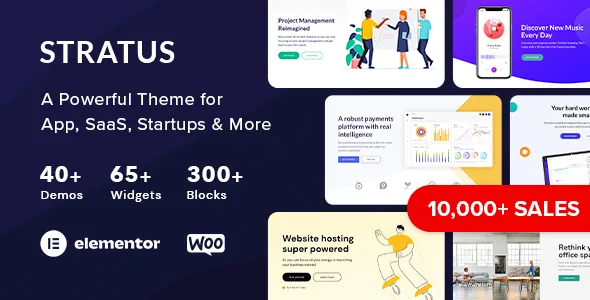
Modular means the demo is a starting grid, not a single lock-in
The most useful detail in Themovation's description is the number 35 alongside the word "modular". Stratus does not present itself as one flagship layout with a handful of colour variants; it offers a roster of demo directions for the same tech audience. For a SaaS or app company, that matters because the demo choice sets the information order of the home page — whether the product screenshot comes first, whether pricing appears above the fold, whether a feature grid or a single hero animation carries the argument.
The catch in any large demo roster is selection time. Comparing 35 layouts for a product that exists in one form is slower than hearing which demo is designed for what. The vendor does not map demos to use cases individually, so the live demo pages are where you decide. Treat the count as a menu, not a recommendation.
The importer installs in steps you can skip
The vendor describes a guided setup with one-click action steps, a claimed three-minute runtime, and the ability to skip or personalise each step. It installs pages, templates and styles.
The skip option is the practical point. Many one-click demos are all-or-nothing: accept the full content set or start clean. Skipping and personalising steps individually would let you take a demo's page structure while leaving out content that does not apply to you. That is the vendor's description of the flow, not something verified here; the real granularity of each step is worth watching in the documented walkthrough before you rely on it.
The header and footer are built separately
Header & Footer Builder appears in the feature list as its own item, which puts it alongside the page builder rather than inside it. That separation is a design decision worth noticing: the site frame — logo placement, navigation, the call-to-action strip above the fold, the footer link groups — is constructed as a unit that can be reused across pages rather than rebuilt per page.
Nothing in the description says the header and footer can vary per template or per section. What it does say is that they are built rather than configured from a couple of presets. If your roadmap runs two products with different navigation needs, confirm before you plan on separate frames.
Elementor in the front end, with the theme's widget set on top
Editing happens in the front end using Elementor's live page builder, per the vendor. The theme adds its own library of 48+ widgets on that base. Sliders, icon sets and fonts round out the toolkit: the description names Master Slider Pro and Revolution Slider as bundled, built-in support for Google Fonts with 700+ fonts, 1000+ icons, and a boxed or wide layout option with an optional sticky header.
The marketplace's compatible-with attribute lists both Elementor and Elementor Pro, observed on 3 November 2026. That is a compatibility statement covering both editions; the vendor does not name Pro as a requirement. If a particular demo relies on a Pro module, you would find that in the demo itself rather than in the description.
The verticals are specific, and that shapes the content slots
The demo roster is not a generic technology list. It names Payments Platform, Product Showcase, Cyber Security, Web Hosting, DeFi, Cryptocurrency, Fintech, Biotech, Virtual Reality, Mixed Reality, Cloud Software, Help Center and Knowledge Base, alongside conference, coworking and clean-tech layouts.
Fintech and DeFi are the sharpest examples of why the choice matters. A payments or crypto page usually needs a fee or rate explanation, trust signals and a compliance-adjacent tone; a help centre needs article navigation. The vendor names these as industries served but does not enumerate what each demo contains, so the inner pages of the demo are the place to check whether the structure you need is already drawn.
Theme options sit in the customizer, with live preview
A live theme options customizer is presented as point-and-click with instant updates in preview. The description frames it in terms of controls rather than listing every setting, so it is fair to expect it handles the layout and header choices named elsewhere, and unfair to assume it covers anything else.
The supporting package details are worth knowing before import: a child theme is included, the demo content ships as an XML file, layered PSD files and PHP, CSS and JS files are in the ThemeForest file list, and WPML readiness is claimed with .po files included. The vendor also points security reports at the Patchstack disclosure programme, which tells you where to send a vulnerability report and nothing about release cadence.
What to confirm on your own installation
Two things stay open after reading the description. The first is inner-page depth: whether the demo you choose for a SaaS site includes finished pricing, integrations and legal pages, rather than only a home page. The second is how much of a demo a step-level import actually removes when you skip it.
Compatibility is a vendor statement rather than a test result, and the declared WordPress range and browser list describe intent, not a guarantee for your host, plugins or PHP build. Running one demo import on a staging copy answers both of the open questions faster than comparing screenshots.
Questions & answers
Does Stratus need Elementor Pro?
The vendor presents Elementor's live page builder as the editing route and does not name Pro as a requirement. Both Elementor and Elementor Pro appear in the marketplace's compatible-with attribute, observed on 3 November 2026. Check any specific demo or widget against your own setup if you rely on Pro-only modules.
Can I take only part of a demo?
The vendor describes the setup as one-click steps you can skip or personalise individually, installing pages, templates and styles. That is the vendor's description of the flow; how finely each step can be trimmed is something to confirm on your own installation.
How do I use the bundled sliders?
The description states the package includes Master Slider Pro and Revolution Slider. It does not explain whether every demo uses them or how they are activated alongside Elementor, so check the documentation for the slider setup you plan to use.


