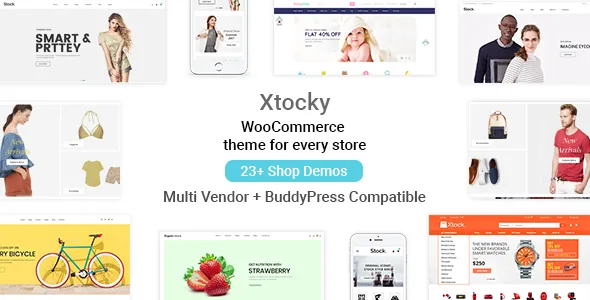
Nine shop layouts and an off-canvas filter, before you touch a plugin
The shop page in Xtocky is described by the vendor as nine product layout combinations across one to five columns, with grid and list views, AJAX filtering and an off-canvas toggle for the sidebar widget filter. Everything that changes on that page — add to cart in off-canvas and hover forms, wishlist, quick view, compare, pagination — is listed as AJAX-driven, so the page updates without a reload.
What the description does not say is how the nine layouts are selected: whether they are presets in the theme settings panel, builder elements, or per-page choices. That ambiguity matters if a particular grid arrangement is central to your design. Confirm the specific layout in the demo rather than working from the count.
The off-canvas filter deserves a separate note because it is a structural choice, not a style. Tucking the widget filter behind a toggle frees the product grid to use the full content width, which suits a shop with many columns. The cost is that filters become invisible until a visitor looks for them.
A single product page assembled from theme parts
The vendor names four different product detail layouts for different purposes, then lists the pieces that go inside them: an image gallery, a featured video, a zoom effect, custom tabs, video tabs, social sharing, compare and wishlist links, and a size guide next to a delivery and returns policy block.
Two of those items are worth reading closely. The custom tabs and size guide appear twice in the description — once under ecommerce features and again under the "without third-party plugin" heading — which is the vendor's way of saying they are theme code rather than a tab plugin's output. A size guide with a returns block is the sort of content garment and footwear shops otherwise build as a static page and link awkwardly from the product template.
The attribute handling is more unusual than it first looks. The vendor lists an image attribute type alongside the standard text attribute type, so a colour or pattern can be presented as a swatch rather than a dropdown of names. The variable image gallery is the exception to the built-in pattern: the vendor attributes it to the OpenWatch WooCommerce variations image plugin, so that behaviour depends on a plugin you install yourself.
What "without third-party plugins" actually covers
Themepiko gives a distinct section of the description the heading "Without use Third Party Plugin." Under it sit a native WordPress mega menu with image configuration, a built-in product brand taxonomy, an Instagram widget and shortcode, a newsletter popup, AJAX login and registration, a Twitter widget, unlimited widget areas, an offline page for maintenance mode, and the option to change custom post type slugs for portfolio, team and testimonial entries.
Read that as one build decision rather than a feature count. A mega menu normally means a menu plugin; product brands usually need an extra taxonomy; a newsletter popup is often a marketing plugin with its own settings screen and update cycle. Xtocky folds those into code that ships with the theme and is configured from the theme's settings panel.
The trade is real in both directions. Fewer plugins means fewer renewals, fewer admin notices and fewer places where a plugin update can outrun the theme's styling. It also means those features leave with the theme: you cannot swap the mega menu for another plugin without custom work, and the brand taxonomy and custom tabs go when Xtocky does. A store that already runs a settled plugin stack is adding code it did not choose; a new store that wants a merchandised shop without assembling half a dozen plugins is getting the main reason to consider this theme.
Multi-vendor: three plugin names in the summary, a fourth in the details
The description declares compatibility with WC Vendors, WC Vendors Pro, Dokan and MultiVendorX for a marketplace build, and points to a dedicated multi-vendor demo. The vendor-specific additions listed are a sidebar control for vendor pages, a profile banner and cover photo, a vendor label placed after the add-to-cart button on shop pages, seller details inside single product tabs, and a vendor report option on the single product page.
The names do not line up across the description. The multi-vendor section itself names Dokan, WC Vendors and WC Marketplace, and its feature lines refer to "WC vendor & WC Marketplace" labels and a "WC Marketplace vendor Report" option. WC Marketplace is not the same plugin as MultiVendorX, and the marketplace compatibility attribute does not resolve the question either way.
So if your marketplace already runs on one of these plugins, check that exact plugin by name against the current listing and the multi-vendor demo before assuming the seller details tab, vendor label or report option applies. Compatibility declared here is a statement about styling and template hooks; it is not evidence that vendor dashboards, commission logic or payout flows were exercised on your configuration.
Headers, footers, and overriding them one page at a time
Seven header layouts are listed, along with a vertical category menu that can be enabled or disabled and colour control for background, font and hover states. The footer is described as a set of named regions — a footer bottom with centre and two-column arrangements, plus inner, inner-top and inner-two widget rows at two, three or four columns — so a footer can be composed from widget areas instead of one fixed strip.
The consequential claim is per-page overriding. The vendor says theme options can override the header, breadcrumb and footer on an individual page, and that breadcrumb background images can be fixed or parallax with adjustable size and title position. If that behaves as described, a campaign landing page can drop the standard header and breadcrumb treatment without maintaining a separate template file.
These are theme-option statements rather than visual proof, and a per-page override is exactly the kind of setting that differs between a demo and a fresh install with your own menus. Test the one page whose design depends on looking different before you build the rest around it.
RTL support with a demo, and a changelog to back it
The vendor states RTL language support and maintains a live RTL demo, which is more useful than a bare compatibility claim: you can look at mirrored navigation, the vertical category menu and product grids before committing. The changelog gives the claim some history — releases 2.4.4, 2.4.5 and 2.4.6 each record RTL CSS fixes — so the right-to-left layout has been maintained rather than declared once.
For a translated store, the header section places WPML language and currency switchers in both the main menu and the top menu. That placement answers the practical question: a currency switcher in the header is where shoppers look for it. WPML is the only translation plugin named in the description, so treat other multilingual setups as unverified until you check them.
Visual Composer, the block editor, and what the record supports
The description points page building at Visual Composer, described as a premium plugin bundled with the theme, with Slider Revolution also listed as an integration. Separately, the marketplace attributes observed on 4 November 2026 mark Gutenberg Optimized as Yes and list both Block Editor and WPBakery Page Builder under compatible software.
Both can hold at once: the theme has been adjusted for the block editor while the vendor's own layout guidance runs through the builder. The changelog supports the first reading, recording Gutenberg fixes, block style corrections and outdated template updates across several releases, and noting optimisation of the WooCommerce block cart, checkout and thank-you pages in 2.4.8. Version 2.7, dated 21 September 2025, adds a PHP 8.x fix, demo data updates and CSS fixes.
Version numbers describe the marketplace listing rather than any particular copy, so check the version you are working with on the live product panel. The declared WordPress 6.8.x and WooCommerce 5.x through 9.x ranges in the attributes are vendor statements about supported versions; what you see depends on your PHP build, caching and other plugins.
Demo imagery and the PSD files
The vendor states plainly that every image in the demo is for demonstration only, and that the PSD files cover just the logo and map marker artwork. Photographs, product shots and banners in the preview are placeholders you replace with your own licensed assets. A child theme is listed for anyone who needs to change templates rather than settings.
Sizing, current release and package contents belong to the live product panel, so use it to confirm exactly what a copy contains before relying on any single item above.
Questions & answers
Does Xtocky work with the block editor as well as Visual Composer?
The marketplace record marks Gutenberg Optimized as Yes and lists Block Editor and WPBakery Page Builder under compatible software, and the changelog records repeated Gutenberg and block-style fixes through version 2.7. The vendor's own layout guidance centres on Visual Composer, so the block editor reads as a supported environment rather than the documented way the demo pages were built.
Which multi-vendor plugin should I plan around?
The summary names WC Vendors, WC Vendors Pro, Dokan and MultiVendorX, while the multi-vendor section of the same description names Dokan, WC Vendors and WC Marketplace and refers to WC Marketplace in its vendor label and report options. Because the two lists do not match, confirm the specific plugin you run against the current listing and the multi-vendor demo before relying on those vendor touches.
Do the mega menu, product brands and newsletter popup need extra plugins?
According to the vendor, no: they are listed under a "without third-party plugin" section as built into the theme, together with AJAX login and registration, the custom product tabs and the size guide. The variable image gallery is the exception, since the vendor ties it to the OpenWatch variations image plugin.


