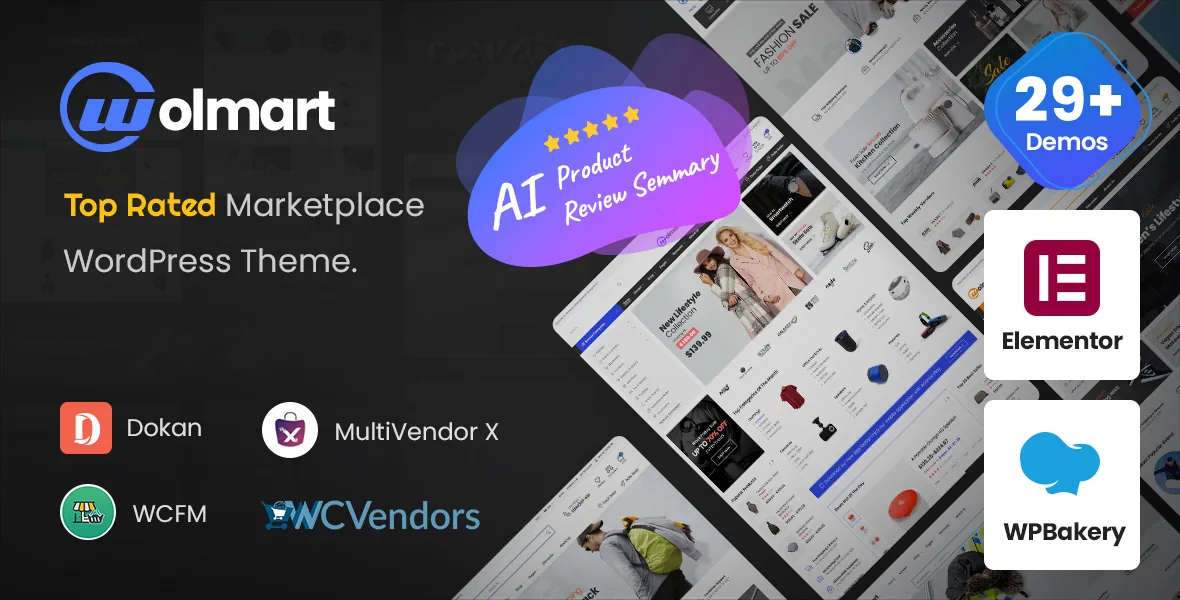
One theme, four vendor engines, and the upkeep that follows
Most marketplace themes name a single plugin as their vendor layer. Wolmart's feature list names four: Dokan Multivendor Marketplace, WCFM Marketplace, WC Vendors and MultiVendorX. The theme is not tied to one engine, so choosing Wolmart does not settle how vendors register, what commission each sale pays out, or how payouts are scheduled — those rules live inside whichever plugin you run.
The more useful signal is in the changelog. Version 1.10.0, released 17 March 2026, records updated compatibility with the latest Dokan and WCFM releases in the same entry. Version 1.9.0 records a MultiVendorX compatibility update and accessibility work on Dokan store templates and WCMP templates. Separate maintenance lines for separate engines mean four supported engines is an ongoing commitment for the author, not a single declaration made once. If you plan to lean on a recently released version of one of these plugins, read the release notes against the version of Wolmart you install.
Setup wizard options that shorten a media-heavy import
A marketplace demo carries a lot of images: product shots, brand logos, vendor avatars, banner art. Wolmart's 1.10.0 release added two setup-wizard options aimed squarely at that weight. The first is a skip media option, so a demo import can leave images out. The second imports one of each post type instead of the full set.
Together they let you get structure into place — pages, menus, product layouts, store templates — without waiting on assets you are going to replace anyway. That suits the normal marketplace workflow, where the catalog comes from vendors rather than from the demo. Version 1.9.0 had already added a page-builder selection step to the same wizard, so the import path also accounts for which builder you intend to use.
The header search widget as a discovery surface
Marketplace catalogs are hard to browse without search, and Wolmart gives the header search widget two dropdown behaviours most themes leave out. The 1.10.0 changelog lists a search popular requests list dropdown and a search banner dropdown. A popular-requests list handles the visitor who does not yet have a query in mind; a search banner puts a promotional image or message directly under the field. Both are options on the widget, so you pick which, if either, appears in the header you build.
The same release records a fix for a search keyword count option that was not working correctly in the widget, which confirms that live keyword counting is part of what the field can display.
What the storefront and builder layer cover
Layout control is broad and spread across several separate tools rather than one. The vendor lists more than ten homepage layouts drawn from marketplace niches — electronic, fashion, sports, grocery, accessory, clothing — with a grocery demo added in 1.9.0. Headers come from an exclusive header builder with many prebuilt variants, and the slider area has six layouts including text-and-form, static image and single video. Posts get a grid/list switch and a mega menu with a three-level dropdown.
For the catalog itself, the listing claims Ajax filtering on shop and archive pages alongside sorting, wishlist and Ajax search, plus WooCommerce Catalog Mode and a Buy Now feature. Elementor and WPBakery Page Builder both appear in the compatible-with attributes, and the theme's editors have to serve both — which is why the release notes fix issues in the Elementor header search widget and in WPBakery-facing areas separately.
Product page work is ongoing rather than finished. Version 1.9.0 added a product attribute swatch sidebar widget and a notice widget inside the single-product builder; 1.10.0 added a grouped-products list layout and new mobile layouts for the cart and wishlist pages. If you plan unusual single-product composition, the product layout builder is the place to look in the demo before committing.
Recent releases worth reading before you build
The last few entries describe maintenance on the parts of a marketplace that break quietly. Version 1.10.5 fixed a variable product variation gallery that was not working on single product pages. 1.10.4 cleared minor PHP warnings in the layout builder, the header search widget and the advanced tabs widget. 1.10.0 fixed coupon notices missing on cart and checkout, a duplicated mobile menu during load, and the sticky add-to-cart bar's mobile styling.
Two earlier entries are worth knowing about. Version 1.9.7, dated 17 December 2025, records fixes for a local file inclusion issue in the theme actions file and an SQL injection issue in the core critical class, alongside PHP 8.4 compatibility. Version 1.9.2 worked through accessibility on the product gallery, review form, wishlist page and header builder widgets. Older releases list WordPress Multisite testing and approval as a feature, which is a vendor statement rather than something you can verify from the theme files.
Version ranges and what they are worth
The marketplace attributes observed on 4 November 2026 declare WooCommerce 7.x through 10.x and WordPress 6.0.x through 7.0.x, while the 1.10.5 release note claims WooCommerce 11.0, 11.1 and 11.2. The attribute list is the slower of the two to be updated, so the release notes are the more current statement of what the author has worked against.
Neither is a test against your installation. Treat both as declarations, and confirm your WooCommerce version against the changelog entry for the release you use. The same caution applies to the Gutenberg Optimized attribute: it records a vendor position on the block editor, and it does not describe how every demo is assembled — the demo layouts come from the theme's own builders.
Questions & answers
Do I need Dokan to use Wolmart?
No single engine is named as required. The feature list declares compatibility with Dokan, WCFM Marketplace, WC Vendors and MultiVendorX, so the choice follows the vendor administration you want to run — commissions, onboarding and payouts are handled by that plugin, not by the theme.
Can I install a demo without importing all the images?
Version 1.10.0 added two setup-wizard options: skip media, and import one of each post type. Either shortens the import on a marketplace demo heavy with product photography you intend to replace.
Does the listed WooCommerce range match the changelog?
No. The marketplace attributes observed on 4 November 2026 stop at WooCommerce 10.x, while releases through 1.10.5 record compatibility additions for WooCommerce 11.0, 11.1 and 11.2. Compare your store's version against the release notes rather than the attribute list.


