A client-gallery promise sitting above a changelog entry that undercuts it
Fox Themes leads the description with the argument that matters most to a working photographer: Whizzy, called "a dedicated client gallery plugin, included with every purchase." That is a delivery workflow, not another layout. It implies finished images handed to clients from your own domain instead of a file-transfer link or a monthly proofing subscription.
The same listing carries a changelog, and version 2.5.1 records "Removed: Support for the Whizzy plugin." The entry comes after the feature copy that advertises it. Read plainly, the vendor described Whizzy as part of the product and later documented ending support.
If client proofing is why you are looking at Whizz, treat the feature paragraph as intent and the changelog as the more recent statement. Everything below keeps the two apart.
What the Whizzy add-on was built to handle
The vendor's description is detailed enough to judge whether you need proofing software at all. Galleries were assigned to individual clients, so each person saw a branded page of their own rather than the public portfolio. Clients could save a set as a ZIP archive or a PDF with one click, and the photographer chose which of those buttons appeared on each gallery.
The rest of the list is the kind of detail that shows up in daily use. Display could be grid or masonry, with 2 to 4 columns and spacing set separately from the theme's own gallery settings. The lightbox switched between Magnific Popup and LightGallery. Photo naming was configurable per gallery, which is what makes a proof round workable: a client replies with names or numbers instead of vague descriptions. Shoot date and client name could be added as labels.
None of that is exotic for proofing software. The pitch was that it ran on your own site and came with the theme. Whether that is still true for the release you install is the question the changelog raises, and the vendor's documentation is the place to answer it.
The layout library that does not depend on any plugin
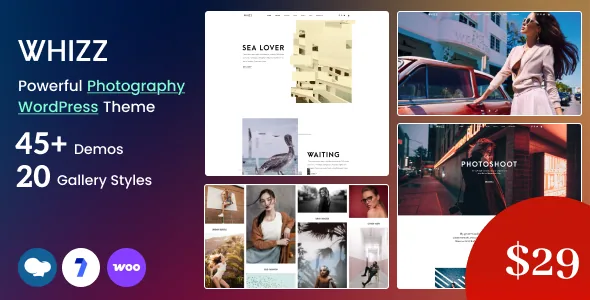
Strip Whizzy out and Whizz is still a theme with a lot of variations, all described without reference to a plugin. The vendor counts 24 gallery styles, naming masonry, sliders, parallax, split-screen, video, proofing and protected galleries among them. There are 19 collection styles for albums and bodies of work, and 16 portfolio item styles for individual projects.
Around the images sit 8 navigation styles and 9+ header and footer styles, which the vendor describes as framing photographs rather than competing with them. There are 6 blog styles, 6 event styles for shoots, exhibitions and workshops, and 25+ inner pages covering about, services, contact, pricing and coming soon. The headers and footers can be swapped page by page, so a single site can vary its top and bottom without being rebuilt.
These are counts, not descriptions of how far each style departs from its neighbours. With 24 gallery styles, some are likely close relatives. The live preview is the fastest way to judge that against your own work.
Demos, dark variants, and photographs you cannot keep
Whizz ships 45+ demo sites that import in one click, with a highlighted group of 23+ dark designs for a moody, cinematic look. For a photography site the demo does real work, because almost all of the visual weight is the pictures; starting from a layout that already handles large images beats composing one from empty.
The demos do not bring the imagery. The vendor states that demo images are for demonstration only, are not included in the purchase and cannot be used on your site. You will license or shoot your own set, which means an imported demo with placeholder photos tells you less about fit than it appears to.
The changelog also shows the importer being worked on: version 2.4.7 fixed a missing script.js error after import, and 2.4.0 redesigned the demo import process. The path is maintained, but older walkthroughs may not match current behaviour.
Editing in WPBakery, and what the Gutenberg flag really says
Pages are built with WPBakery Page Builder, which the marketplace compatibility field lists alongside Facebook and WooCommerce 5.x through 10.x. The same field records Gutenberg Optimized as Yes.
Those are separate statements. The Gutenberg flag concerns theme styling in the block editor; it does not place WPBakery elements inside the block editor, and you should not read it as support for block-based page building. If your workflow revolves around blocks, the theme's behaviour with them needs checking before you commit.
Widget-ready areas are declared, so sidebars and footer regions accept standard WordPress widgets. The files list names PHP, CSS and JavaScript, which is the normal shape of a theme package.
Declared compatibility, and the maintenance record behind it
The listing declares browsers including IE11, Firefox, Safari, Opera and Chrome, and WordPress versions from 5.0.x upward. Those are declarations stored with the product, not a report on how Whizz runs on your host, your PHP build or your plugin stack. The vendor's own metadata calls the theme optimized for mobile touch and swipe, which makes a staging install on a real phone more informative than any browser list.
Recent releases are worth reading as a maintenance record. Version 2.5.2 added theme license activation with EDD and Envato purchase code verification and removed the Appsero client tracker and bundled updater, so updates and activation now run through the vendor's own path. Version 5.0's predecessor, 2.5.0, updated WPBakery to 8.7.4 and fixed a duplicate script enqueue that broke the mobile menu; 2.4.9 added PHP 8.5 deprecation fixes and WooCommerce 10.8.1 compatibility.
A pattern of fixed menus, Instagram images, hover links and import errors is a better signal than a browser list. Whether a given copy of the theme includes that activation system is a question about the package you hold, not something the description settles.
Questions & answers
Is the Whizzy client gallery plugin still part of Whizz?
The vendor's feature description says Whizzy is included with every purchase, while the changelog for version 2.5.1 lists "Removed: Support for the Whizzy plugin." Since those statements conflict, confirm the current status in the vendor's documentation rather than choosing Whizz on the strength of the feature paragraph alone.
Can I use the photographs shown in the Whizz demos?
No. The vendor states that demo images are for demonstration purposes only, are not included with the purchase and cannot be used on your site. Plan on your own photographs or licensed images, which also means the demo will not resemble your finished site until you add them.
Does the Gutenberg Optimized flag mean Whizz is built with blocks?
No. That marketplace field is recorded as Yes, and it concerns the theme's styling for the block editor. Page construction is described through WPBakery Page Builder, so the flag does not establish how Whizz's own elements behave in the block editor.