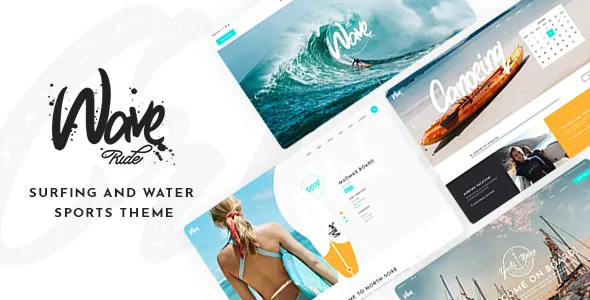
Two bundled plugins carry the class calendar
The theme's own description is framed around services, classes, events and booking, and the bundle backs that up with two separate tools. The Timetable Responsive Schedule for WordPress plugin ($26 stated value) handles the schedule itself; Booked, an appointment booking plugin ($49 stated value), handles reservations. They are not the same feature described twice, and a surf school's site usually needs both: a public weekly grid of lesson times, and a form that turns a chosen slot into a booked session.
That pairing is the main reason to consider WaveRide instead of a styling-driven sports template. It is also why the vendor's changelog reads the way it does — the timetable plugin appears with a new version number in every release entry from 1.1 through 1.5, which is the sort of maintenance an actively supported scheduling dependency needs. Treat the bundle as a starting point rather than a settled stack: the vendor does not describe how lesson capacity, instructor assignment or payment for a booked slot are configured.
What you place on a page: event hours, event info and a chequered list
Around the plugins sits a small set of shortcodes written for this kind of content. Timetable Event Hours displays a schedule block, Timetable Event Info Holder wraps supporting detail around it, and Event List produces a running list of events. A separate Chequered Event List layout is the one piece of layout invention in the theme: an alternating grid for events rather than a plain list.
That is the concrete promise, and it is worth checking how it holds up at the narrow end, because the vendor does not say how the chequered arrangement reflows on a phone. Water-sports visitors are likely to be reading a timetable on mobile, at the beach, possibly on a weak connection. If the alternating grid collapses badly at small widths, the feature becomes a desktop-only flourish. The declared 4+ column layout and responsive layout attribute describe the theme generally, not this grid specifically.
Tour booking is claimed, not documented
The feature list includes "booking functionality for tours" as a separate line from the general booking theme positioning. Read it literally: the vendor states that tours can be booked. It does not say which mechanism does the booking, how a tour type is defined, whether departure dates and group sizes are configurable, or whether Booked is the plugin behind that flow.
For a dive centre, kayak guide or surf camp that sells multi-day trips, that gap matters more than any styling question. The schedule shortcodes and Booked cover appointments; a tour is a different product shape, with a date range, a price per person and often a deposit. Plan to walk through the tour booking path on a staging install with your own product in mind before you commit the site to it. Nothing in the supplied description tells you how it behaves.
WPBakery is the editing surface, and the theme's shortcodes are its vocabulary
Pages are assembled in WPBakery Page Builder, which the vendor lists as included ($64 stated value), with Slider Revolution ($29) covering the hero. Within that builder you get the theme's own shortcodes: banner, team, testimonials, countdown, call to action, custom Google Map, image marquee, anchor menu, text label, video button, linked images masonry, reviews carousel, infographic elements and a font control.
This is a rows-and-shortcodes workflow, not a block-first one. The marketplace attributes mark the theme Gutenberg Optimized, so the block editor remains usable, but the demos and the bundled layout library are built for WPBakery — the useful consequence is that swapping the builder out means abandoning the demos as a reference. The Anchor Menu shortcode is worth noting on its own: it gives a one-page surf school site a supported way to jump between sections, and the vendor says anchor links can point at sections on the same or a different page.
Two feed features the changelog took away
The feature list still advertises an Instagram List shortcode, a Twitter List shortcode, an Instagram Feed widget and a Twitter Feed widget. The changelog tells a different story. Version 1.4 (December 2023) removed the Twitter plugin "due to Twitter API changes", and version 1.5 (January 2025) removed the WaveRide Instagram Feed Plugin "due to Instagram API changes".
If a live social wall is part of your plan, that contradiction is the thing to resolve before you build around it — ask what, if anything, replaced those widgets, and expect to use a third-party feed plugin. The listing text appears not to have been pruned to match the release notes, which is a useful reminder that feature lists age faster than changelogs. Everything else in the list describes theme machinery the vendor still maintains.
Header and motion controls for a footage-heavy site
Surf sites lean on video and photography, and this is where the styling controls are unusually specific. Header types are Minimal, Standard and Divided, and behaviour can be set to sticky, fixed, or sticky only when scrolling up — the last one keeps a big hero banner visible until the visitor starts moving down the page. You can supply separate logos for the normal, sticky and mobile states, and separate light and dark versions for different header skins. A fullscreen menu and a side area are available too.
On the motion side there are video background sections, parallax sections, smooth page transitions and smooth scroll. The preloading effect accepts a choice of more than 15 loader icons, which is either a nice touch or an unnecessary wait depending on how you weigh it. For a site whose first screen is a wave breaking, the scroll-up-only sticky header and the per-state logos are the settings that will do the most visible work.
Declared compatibility and what ships in the files
As observed on the marketplace listing on 4 November 2026, the compatibility attribute names Contact Form 7, WooCommerce 8.x.x and 9.x.x, WPBakery Page Builder and WPML, with WordPress declared from 6.5.x through 7.0.x. The downloadable file list is PHP, CSS and JavaScript, and a child theme is included, which keeps customisations out of the parent. Translation is handled through WPML, and the release notes mention an updated WPML config file in version 1.5.
The shop side deserves its own note. WooCommerce is supported, and the YITH Color and Label Variations add-on is listed as compatible — but compatible, not bundled. If you plan to sell rash guards with colour and size options, that add-on is a separate acquisition, and the vendor does not describe how it integrates with the theme's product layouts. Also note that separate compatibility with YITH suggests WooCommerce support here is commerce-adjacent rather than the theme's core purpose: the shop is there for merchandise and gear, not as the main conversion path. All of these are vendor declarations, not records of testing against your own plugin versions or PHP build.
Questions & answers
Does WaveRide include the Timetable and Booked plugins, or do I buy them separately?
The vendor lists both as included in the theme purchase, quoting $26 and $49 stated values respectively. That is a vendor statement about the bundle. Confirm which plugin versions actually ship with your copy, since bundled plugin updates are handled separately from the theme.
Can I replace WPBakery with the block editor?
The marketplace attribute marks the theme Gutenberg Optimized, so the block editor stays usable. But the demos, the layout library and the theme's shortcodes are built for WPBakery, so a block-based build starts from your own layouts rather than the vendor's examples.
Do the Instagram and Twitter widgets still work?
The feature list names Instagram and Twitter list shortcodes and feed widgets, while the changelog records the Twitter plugin removed in version 1.4 and the Instagram feed plugin removed in version 1.5, both citing API changes. Plan on a third-party feed plugin or ask the vendor what replaced them.