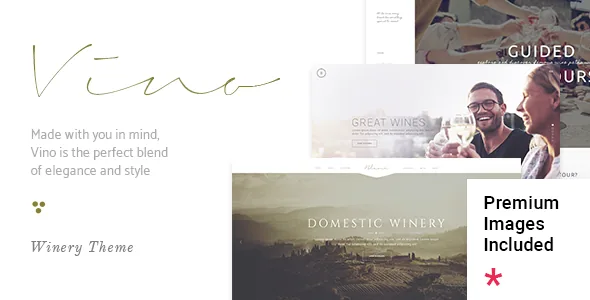
The wine list is the reason to look at this theme
Most restaurant and drinks themes give you a shop loop and leave the menu to you. Vino's feature list, as published in the marketplace description, separates the two. A Wine List shortcode and an Item Catalogue shortcode sit alongside the more conventional Product List, Product List – Carousel, Product List – Simple and Product Info entries. That distinction matters if the page a visitor lands on is a tasting sheet or a cellar inventory rather than a checkout.
The vendor frames the product for wineries, wine bars and vineyards specifically, and the demo set is built around that. Read the shortcode list as the build vocabulary: banners, image-with-text blocks, masonry galleries, pricing tables and item showcases are all shortcode objects you place inside a page, not block patterns you assemble in the site editor.
What the catalogue components actually change
An item catalogue shortcode implies a structured repeatable entry — a bottle with a name, a vintage, perhaps a price. That is a different editorial job from writing a paragraph and dropping in a photo, and it is why the theme's own custom post types matter here. Vino is not a block-first theme; the marketplace attributes do not mark it as Gutenberg optimized, and the vendor describes page building through WPBakery. If your team has written content in the block editor and expects it to port cleanly into a catalogue layout, plan for a translation step.
The shortcodes are also where the wine-specific character lives. A winery site usually splits into three kinds of page: editorial storytelling about the estate, reference material such as the wine list, and transactional pages for the shop or tasting bookings. The Item Showcase, Wine List and Product List shortcodes cover the middle ground, while WooCommerce handles the sale. The vendor declares compatibility with WooCommerce 9.x.x and 10.x.x in the listing attributes observed on 4 November 2026, so the shop is a real option, not decoration.
WPBakery and Slider Revolution come inside the package
According to the marketplace description, WPBakery Page Builder (valued by the vendor at $46) and the Slider Revolution plugin ($26) are included. The changelog for version 2.1, dated 9 December 2025, records WPBakery at 8.7.2 and Revolution Slider at 6.7.39. Treat those as bundled versions at the time of that release, not as a guarantee about what comes with any particular copy — page builders ship their own updates independently, and a bundled copy is not the same as a fresh standalone license.
In practice the two tools divide the work. WPBakery builds the page structure out of rows and shortcodes; Slider Revolution carries the full-width imagery that a vineyard site leans on. Vino lists a Vertical Split Slider and a Frame Slider among its own shortcodes too, so the slider plugin is not the only way to get motion onto a hero section.
Shortcodes and post types depend on theme registration
One changelog line deserves more attention than it usually gets. Version 1.9 records: "Improved theme registration to block Shortcodes and CPT loading if the theme is not registered." Read plainly, the shortcodes and custom post types the theme provides only load when the theme is registered.
That shapes how you work with the site. A staging copy, a migration, or a database moved between environments all involve that registration state. If your build relies heavily on the Wine List and Item Catalogue components, they are tied to the theme being active and registered — not standalone plugins you could carry to a different theme later. Anyone planning to switch themes down the road should assume the structured content will need reworking.
Plan around the missing social feeds, not the widget names
The feature list still advertises an Instagram Feed widget and a Twitter Feed widget, and that is the single gap worth resolving before layout work starts. The version 2.1 changelog states that the Elated Instagram Plugin and the Elated Twitter Plugin were both removed, citing Instagram API changes and Twitter API changes. Version 2.0 had already dropped a Twitter plugin for the same reason, so the pattern looks like upkeep rather than a temporary slip.
Decide early where a social strip belongs on your pages, then choose a third-party feed plugin built for the current APIs and style it to match. Importing a demo that shows live feeds will leave those areas empty until something supplies the data. Judge demo screenshots accordingly: any social block you see there is a picture of how the slot is arranged, not a promise that the theme fills it.
Nine homepages, five headers and per-page logos
The description lists nine homepage examples, one-click demo import and a child theme. Homepage variety is a browsing convenience; the header system is the part that changes what the site can do. Five header types are named — Standard, Full Screen, Vertical, Divided and Dual — with three behaviour types: sticky, sticky on scroll up, and fixed. Separate mobile header styling and logo sizing are listed, along with multiple logo versions for standard, mobile, vertical and sticky headers, dark and light variants, and the ability to set a different logo page by page.
For a winery this is more useful than it first appears. A landing page for a tasting event can carry its own mark, while the shop pages keep the house logo, without duplicating templates. Sticky-on-scroll-up behaviour is the common choice when a header holds opening hours, a reservation link and a phone number and you do not want those taking vertical space on the way down the page.
Language, text and the small print on compatibility
Translation readiness and WPML are both listed, and the 2.1 changelog adds a WPML config file. If the vineyard sells into more than one language — a real scenario for wine tourism — that is the relevant pair of facts rather than a generic multilingual claim. Typography options run to 800+ Google Fonts, with six icon font packs included and an option in version 1.9 to enable or disable Google Fonts loading.
The compatibility attributes are declarations attached to the listing, not results from a test install. They name WordPress 6.3.x through 7.0.x, WooCommerce 9.x.x and 10.x.x, WPML and WPBakery, with browsers running from IE10 up. Check the combination you intend to run — your WordPress core, your WooCommerce version, the bundled builder — against a staging copy before committing. The changelog for 2.1 also mentions improved PHP 8.3 compatibility and Google Maps API changes, which matters if you map the estate or tasting room.
Questions & answers
Does Vino use the block editor or a page builder?
The vendor builds pages with WPBakery Page Builder, which is included according to the marketplace description. The listing does not mark the theme as Gutenberg optimized, which reflects where the vendor's design work sits rather than proof the block editor is unavailable. Expect shortcode-based layouts.
Can I keep the wine list content if I change theme later?
Probably not without rework. A changelog entry for version 1.9 states that shortcodes and the theme's custom post types only load when the theme is registered, so the structured catalogue content is tied to the theme rather than living in a portable plugin.
Does Vino still include Instagram and Twitter feeds?
The feature list names both widgets, but the version 2.1 changelog records that the Elated Instagram Plugin and Elated Twitter Plugin were removed because of API changes. Plan on a separate plugin if you need a social feed.


