Four post types do the storing, panels do the presenting
Verve's feature list separates content from layout in a way that shapes daily upkeep. Portfolio Items, Slides, Members and Testimonials are each registered as custom post types, and the vendor describes each as unlimited: portfolio entries and skills, sliders, team members, and testimonial sets. Write a case study once and it can surface in a feed, a lightbox or a slider without a second copy.
The presentation layer is where the theme's character sits. Carousel navigation is listed as a main feature, and the changelog shows what that grew into: an autoplay option for panel slideshows, the ability to display more than five panels, a vertical menu layout for portfolio items, and lightbox support on single portfolio posts. If your work is image-led and you want visitors to move horizontally through it, those panel and carousel behaviours matter more than any single page template.
Portfolio feeds are described as flexible and animated, with filtering included. Later changelog entries add a default filter selection and extend filters to lightbox items, plus a multilightbox option and video thumbnails drawn from YouTube, Vimeo and similar sources. Video can also be set to play only on rollover in portfolio grids, which keeps a grid visually quiet until a visitor hovers.
Menu, footer and sidebars are treated as editable regions
Most themes give you a header and a footer and leave it there. Verve's description treats both as configurable zones. Multiple menu bar display options are listed, and a changelog entry records the addition of an option to show a page in place of the menu — useful when you want a landing screen to speak before navigation appears.
The footer is described as completely flexible: switch it on or off, insert a page before or after it, and add or remove sidebar content. That last point connects to the widget model. Four sidebars ship by default, with a fifth when WooCommerce is active, and the vendor says you can generate unlimited additional sidebars and associate each one with a specific page.
For a portfolio site with distinct sections — a services page, a shop, a journal — assignable sidebars are a practical alternative to building every layout from scratch. You define the widget content once per region and attach it where it belongs. The header also supports social network links inside the menu bar, and the logo bar can be set transparent or hidden entirely if you would rather the first image carry the page.
Two builders, one preferred setting
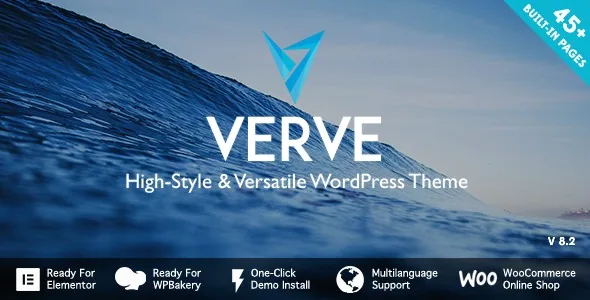
Verve is described as ready for Elementor and ready for WPBakery Page Builder, with the vendor stating that the WPBakery plugin is included in the package. The changelog tracks WPBakery releases shipped alongside the theme over many versions, and version 7.6 added a “Preferred page builder” setting in the theme options — a small addition that tells you the two paths are meant to coexist rather than compete.
If you already work in one of them, that habit probably decides the question for you. Elementor demo import was added in version 5.4, so both builders have a sample-content route rather than one being an afterthought.
The marketplace marks Gutenberg Optimized as No. Read that as a declaration about this theme's stated optimisation focus, not a statement that the block editor refuses to load. Changelog entries from 2018 and 2020 record Gutenberg compatibility improvements, so blocks are not foreign to the theme; the vendor simply frames page building around the two supported builders. Plugin inclusion is the seller's package claim, and it says nothing about the contents of any particular copy you might obtain.
Blog layouts that follow the same panel logic
The blog is not an afterthought in the vendor's list: multiple layouts are offered for feed pages and for single entries. One of those feed layouts is built on panels, added in version 1.6, which ties the blog to the same visual rhythm as the portfolio.
Smaller controls fill out the reading experience. Reading time can be hidden, post titles can link anywhere rather than to the post itself, and a dedicated translation option exists for the “Read More” label on portfolio items. Contact and translation details sit in the same options area: Loco Translate compatibility is noted in later versions, and WPML appears in the compatibility attributes.
If your site mixes long-form writing with visual work, that shared panel logic is the reason to consider Verve over a portfolio theme that treats the blog as a generic archive.
Sample content, icons and fonts: what to expect
The one-click sample import is described with a caveat worth reading before you set expectations. You can install all of the crafted pages or only some of them, and the vendor notes that the images used during import differ from the theme previews for copyright reasons. Your imported site will therefore be structurally faithful but visually plainer until you add your own photography.
The preview images themselves are credited to stock sources and excluded from the theme package. Budget for imagery rather than assuming the demo look arrives with the files.
Typography and iconography are generous by the vendor's count: a font selector with a documented method for adding unlimited fonts, over 1,000 Google Material Design icons, and the Font Awesome set at more than 400 icons. A later option lets you disable font loading altogether if your typography is handled elsewhere.
What the marketplace listing declares
Observed on 4 November 2026, the listing's software version field runs from WordPress 4.9.x through 7.0.x, and the Compatible With attribute names Elementor, Elementor Pro, Easy Digital Downloads, Events Calendar and Events Calendar Pro, Gravity Forms, WPML and Foundation 6. Browsers span IE9 through Edge. The theme is marked widget ready, high resolution and well documented, and the ThemeForest file list covers PHP, CSS and JavaScript.
WooCommerce support is stated in the vendor's own description rather than implied, with an extra theme options panel and an extra sidebar appearing when the plugin is active. MailChimp for WordPress, Revolution Slider and Contact Form 7 are named as plugins the theme was optimised for.
These are declarations attached to the product, not the results of testing against your PHP version, caching setup or plugin combination. The vendor also invites feature requests by email, which is worth knowing if something in your project depends on a behaviour the theme does not yet cover.
Questions & answers
Does Verve require WPBakery, or can I build pages with Elementor?
The vendor lists both as supported and says the WPBakery plugin is included in the package. A “Preferred page builder” option was added to the theme options in version 7.6, and Elementor demo import exists as a separate path, so either builder has a starting route. Pick the one your team already knows.
Can I use the demo images from the preview?
No. The vendor states that preview images come from stock libraries and are not included in the theme package, and that the images used during sample import deliberately differ from the previews for copyright reasons. Plan to source your own photography.
Can different pages use different sidebars?
Yes, according to the vendor. Four sidebars are provided by default, plus one more when WooCommerce is active, and you can generate additional sidebars and associate each with a specific page. The footer likewise accepts added or removed sidebar content.