Salon pages are assembled from named components, not just layout
Most themes aimed at service businesses give you a homepage and let the content type do the rest. Curly's vendor feature list instead names a set of shortcodes with an obvious front-desk purpose: Working Hours (also offered as a widget), Services List, Pricing Table, Team, and two calendar-oriented pieces, Booked Calendar and Booked Slider.
That inventory tells you what a salon page can hold without a custom build. A treatment menu with prices becomes a Services List plus Pricing Table arrangement; opening times sit in their own block rather than inside a paragraph; stylists get a Team block; and a booking view can be placed on a page rather than reached through a plugin's own screen. There is also a Working Hours widget, so the same information can live in a sidebar or footer area.
The calendar side carries a dependency. The vendor's changelog records that the Booked plugin was moved to required status in version 2.6 and was updated to 2.4.5 in version 3.3, which means the calendar and slider shortcodes render against that plugin rather than standing alone. Treat the booking surface as a plugin integration that Curly styles and positions, not as booking logic written into the theme.
Three editing routes, and what each one commits you to
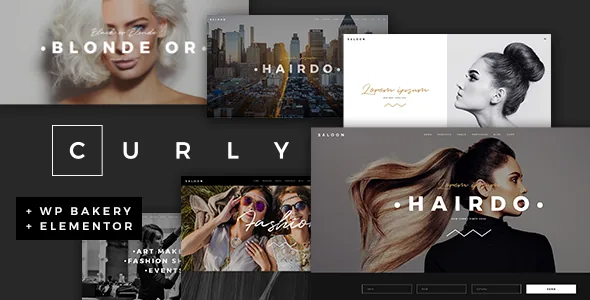
Curly does not point at a single builder. The vendor says WPBakery Page Builder and Slider Revolution ship with the theme, and separately declares compatibility with Elementor, Qi Addons for Elementor, Qi Blocks for Gutenberg and, in the marketplace attributes, the block editor.
Choosing between them is a maintenance decision more than a visual one. WPBakery is the route with the most theme history behind it — the changelog tracks WPBakery releases closely, including the 3.4 update to 9.0.1, alongside Slider Revolution 6.8.1. Elementor support arrived later, in version 2.0, and the Qi plugin compatibility followed in 2.3 and 2.8. Practical consequence: the bundled-builder path is the one most clearly documented across the update record, while Elementor and block-editor editing are declared compatible surfaces rather than the theme's original structure.
A useful distinction for the block route: the changelog for 2.8 records Qi Blocks being added as a required plugin together with a Gutenberg demo import option. That suggests a block-based build expects the Qi plugin present, not that the theme's own shortcodes were rewritten as blocks. The demo importer has separate content for that path, so pick one editing model before importing rather than mixing demo imports.
A look-book workflow with real layout choices
For a hairdresser or salon, the portfolio is the work itself. The vendor lists both list and single layouts across several formats: Masonry and Gallery for listings, and Slider, Full Width, Small Images, Masonry, Gallery and Custom for single project pages.
The meaningful decision sits in that last group. A Full Width single layout suits a colour transformation photographed in one tall frame; Small Images and Masonry fit a set of shorter shots where comparison matters more than scale. Multiple list layouts mean the same body of work can be presented as a dense grid on one page and a larger-format sequence elsewhere, without rebuilding the entries.
Around the portfolio sit presentation pieces that would otherwise be extra plugins: parallax sections, video background sections, a Vertical Split Slider shortcode, an Animation Holder shortcode, a Clients Carousel, testimonials and a Video Button. Note the licensing boundary the vendor states plainly — the demo photographs are for presentation only and cannot be reused on your site without a stock licence.
The shop layer adds wishlists and quick view
The marketplace attributes declare WooCommerce 9.x and 10.x compatibility, and the changelog shows ongoing work on that front rather than a one-off. Version 3.3.1 updated for WooCommerce 10.x.
What makes Curly's commerce story specific is the wishlist. The vendor describes QODE Wishlist for WooCommerce compatibility as letting visitors create and share lists of products they want to buy — a plausible fit for a salon selling retail haircare, where a client may want to save a product and return to it. The changelog shows the plugin being added as required in version 3.0, with QODE Quick View for WooCommerce following as required in 3.1.
Two consequences worth weighing. Wishlist and quick view are described as required plugins, so a shop build depends on them being present, and the vendor's feature list also names a Dropdown Shop Cart widget and a Product List shortcode. If retail is a small side of the business, those required additions are weight you carry for a secondary feature — worth deciding before you import the WooCommerce demo content.
Headers, one-page anchors and the reusable site chrome
Curly offers several header decisions that show up across every page: Standard and Minimal header types, multiple header behaviours, separate logo variants for dark and light header skins, a separate mobile logo, and mobile header styling kept independent.
For a salon that runs a single scrolling page — services, prices, team, gallery, contact — the anchor link functionality for one-page sites is the more useful item. It lets the same sections sit behind a menu that jumps rather than reloads, which is a common pattern for local service sites. The Mega Menu and custom sidebars cover the cases where the site grows past that.
The rest of the framework is conventional but complete: footer layouts up to four columns with a separate footer bottom, a boxed layout option, typography controls with a large Google Fonts library, blog list and masonry layouts with custom post formats, a child theme, and translation readiness. The vendor also declares WPML compatibility. Those are declared features, and the marketplace snapshot taken on 3 November 2026 lists WordPress 6.5.x through 7.1.x among supported versions; none of this reflects an installation test here.
What to settle before you commit
Three things decide whether Curly is the right starting point.
First, the booking dependency. Booked is required for the calendar and slider shortcodes, so confirm you are willing to run that plugin and that its booking flow matches how the salon takes appointments.
Second, the editing route. If your team will maintain the site, the builder you choose determines which documentation and which demo import applies. Elementor and block-editor use are declared compatible, while the changelog and bundled plugins lean toward WPBakery.
Third, demo imagery. The layouts you see in the demo rely on photographs the vendor does not license to you, so budget for your own shoot or stock images — which for a salon is arguably the point, since the salon's own work is the selling material.
One distinction to keep straight while reading the listing: feature claims, version ranges and plugin compatibilities come from the vendor and marketplace attributes observed on 3 November 2026. They describe intent and declared support, not verified behaviour on your hosting or with your plugin stack.
Questions & answers
Does Curly include booking functionality on its own?
The vendor lists Booked Calendar and Booked Slider shortcodes, and the changelog records Booked being made a required plugin in version 2.6 and updated to 2.4.5 in version 3.3. So the booking surface depends on the Booked plugin; the theme provides the styled placement rather than standalone booking logic.
Can I build a Curly site with Elementor or the block editor instead of WPBakery?
The vendor declares compatibility with Elementor, Qi Addons for Elementor, Qi Blocks for Gutenberg and the block editor, and WPBakery ships with the theme. The changelog adds a Gutenberg demo import option and makes Qi Blocks required in version 2.8, so a block-based build is expected to include that plugin. Choose one editing route before importing demo content.
Can I use the demo photos on my salon site?
No. The vendor states that it does not own copyright in the images used in the demos and that they cannot be used on your website unless you license them from a stock image source yourself.