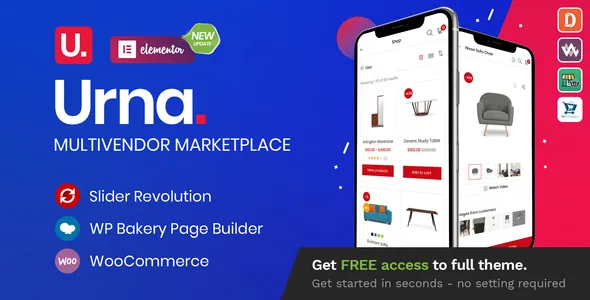
What the vendor's own release notes reveal about this theme
Urna's changelog is unusually readable for a commercial theme, and it says more about the product than the feature list does. Entry after entry names the exact WooCommerce template file being refreshed — cart.php, mini-cart.php, product-image.php, related.php, cross-sells.php, up-sells.php, tabs.php and the myaccount form files appear repeatedly across 2024 and 2025 releases. A theme only needs that kind of maintenance if it overrides those templates, and Urna clearly does.
The practical meaning for a store owner is double-edged. Overrides buy you a cart and mini-cart that match the theme's design instead of WooCommerce's default markup. They also mean that when WooCommerce changes its own templates, the theme has to catch up or the checkout can misbehave in ways that are hard to diagnose. The vendor's habit of logging each refresh says the overrides are being tracked — it does not guarantee that your WooCommerce version is already matched. If you run a recent WooCommerce release, the version you install should be one whose notes mention the templates in question.
Where the theme stops and the marketplace plugin starts
The vendor lists four marketplace demos, each tied to a named plugin: Marketplace 01 for Dokan, Marketplace 02 for WC Marketplace, Marketplace 03 for WCFM and Marketplace 04 for WC Vendors. The summary at the top of the listing also names MultiVendorX, the plugin WC Marketplace became.
That one-to-one mapping is the most useful thing to understand before you buy anything. Seller registration, commission structures, payout scheduling and vendor dashboards all belong to whichever marketplace plugin you run. Urna lays out the storefront around it, and the matching demo gives you a ready-made arrangement of shop pages, vendor listings and product templates for that plugin. If you already run one of the four, your demo is effectively chosen for you; if you have not decided, the plugin choice comes first, because it governs how money reaches your sellers and cannot be swapped casually later.
Catalog mode, mini-cart placement and other storefront controls
Several listed features belong to the theme rather than to any plugin, and you can judge them from the demo without committing to a marketplace setup. Catalog mode is the one with the widest range of uses: it lets you present products as a browsable catalogue without running the purchase flow, which suits a wholesale enquiry site or a lookbook built on WooCommerce data. The description does not specify exactly what catalog mode disables, so check price display, add-to-cart and checkout behaviour on the demo before depending on it.
The mini cart comes in three positions — Ajax-driven at the left, at the right, or inside a popup. Each is a real layout decision rather than a cosmetic setting: a popup keeps the header compact but interrupts browsing, while a side panel stays open beside the catalogue. Grid and list views are also switchable on shop pages, Ajax product search includes SKU lookup, and a mega main menu handles navigation. The vendor also lists a currency switcher, flash sale elements, recently viewed products and a size guide for apparel.
Product extras depend on plugins, and the changelog says which
Quick view, wishlist, compare, product video, countdown timers and photo reviews appear in the vendor's feature list as supported. "Supported" here is a word to read carefully: for several of these the capability lives in a companion plugin, and the theme's job is to style and place it. The changelog demonstrates the pattern rather than stating it — one release records an Ajax count fix on YITH Wishlist, and separate notes name compatibility with YITH WooCommerce Wishlist 4.0.x and YITH WooCommerce Compare 3.0.x.
The stated use cases point the same way. Fashion, furniture and electronics are the sectors the vendor names, and size guides, colour swatches and photo reviews matter far more for apparel than for cables. A 2026 release also records a fix for swatches failing to appear on the shop page, which is worth checking on a freshly imported demo if you sell variable products — that is precisely the configuration where swatch display problems surface.
Settings, builders, and what is explicitly not included
Global options run through the Redux framework, which the vendor names as the engine behind the theme panel, with custom CSS and JS fields available there. For page content, both WPBakery Page Builder and Elementor are listed as compatible, and recent notes describe readiness for WPBakery 9.0.x and Elementor 4.x releases. That gives a builder choice rather than one forced editor, though the imported demos will be built in one of them, so swapping builders afterwards means rebuilding those layouts.
The listing also sets two boundaries. WPML is described as officially certified but marked "not included", so multilingual work is a separate purchase from the theme. HUSKY Products Filter for WooCommerce is listed as "Professional Version 3.3.x + Ready", again a compatibility statement about that plugin rather than a copy bundled inside the theme files.
Security fixes recorded in the changelog
The release notes document two sets of security patches. Version 2.5.13 fixed a local file inclusion issue in the Urna Product Tabs Elementor widget and one in a header_mobile parameter, and 2.5.8 fixed a critical local file inclusion in two AJAX actions used by the product-tabs shortcodes. Version 2.6.3 fixed an unauthenticated reflected XSS in the product tabs AJAX endpoints.
These are the vendor's own records of issues that were patched, and they point to a straightforward conclusion for anyone running the theme: use a build at or beyond those fixes rather than an older one. They also indicate where the theme's custom code sits — AJAX endpoints and a custom Elementor widget — which is where you would look first if you later harden the site or review what plugins touch.
Demo count, version claims and the range recorded on the listing
The description contradicts itself on demos: the prose says 24+, the feature list says 29+. Treat either number as approximate and use the live preview to see what actually exists.
The marketplace attributes recorded on 4 November 2026 list WordPress 6.5.x through 7.0.x, WooCommerce 7.x through 10.x, Contact Form 7, Elementor and Elementor Pro, WPBakery, WPML and Bootstrap 4.x, with the marketplace's latest version at 2.6.5. The vendor's own feature text goes further, naming WordPress 7.1+ and WooCommerce 11.2.x readiness and PHP 8.3 compatibility. Vendor "Ready" lines and recorded attribute ranges are statements made at a point in time, not tests against your PHP build or plugin mix, and they can drift apart between updates. The useful question for your project is narrow: does the build you intend to run carry the template refreshes and security fixes listed for the WooCommerce version you use?
Questions & answers
Do I need a marketplace plugin to use Urna?
No. Catalog mode and the single-store shop layouts work without one, and the theme is listed as compatible with the standard WooCommerce stack. The four marketplace demos only matter if you plan to run multiple sellers, in which case the plugin supplies registration, commissions and payouts while Urna supplies the storefront layout around them.
Is WPML bundled with Urna?
The vendor lists WPML as officially certified but explicitly marks it "not included", so the multilingual plugin is a separate purchase. Urna's own RTL language support is listed as a theme feature, which is separate from running a translated multilingual site.
Which YITH plugins does the changelog mention?
Release notes name compatibility with YITH WooCommerce Wishlist 4.0.x and YITH WooCommerce Compare 3.0.x, and one entry records an Ajax count fix on YITH Wishlist. Those references indicate the theme has been adjusted to work alongside those plugins; they do not mean the plugins ship inside the theme.


