Browsing that never leaves the catalog page
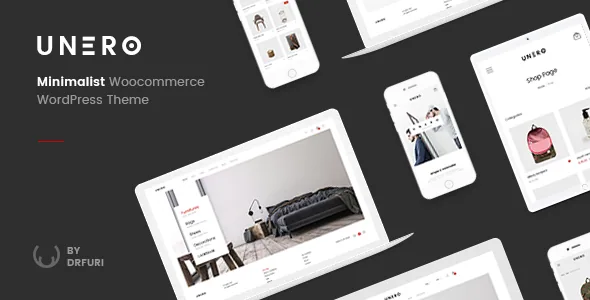
Unero's vendor description is not a list of looks. It describes a set of interactions a shopper performs repeatedly: the theme lists fully AJAX filtering, AJAX add-to-cart with the ability to remove items from the cart, a built-in live search, product quick view, and search by SKU.
Read those together rather than separately, because that is how the decision gets made. On a catalog big enough that people filter more than once, keeping results and basket updates on the same page changes the feel of browsing. On a shop with a handful of products in one category, the same machinery is invisible either way.
One boundary is worth knowing before you commit. These behaviours come from the theme's own scripts and its Unero Addons plugin, as recorded across the changelog. Catalog sections you build with an unrelated plugin, or a checkout rebuilt outside WooCommerce's templates, are not covered by the vendor's description of how the theme behaves.
What a product grid says before a click
Colour, label and image swatches for variable products, plus badges for New, Sale, Hot and Sold Out, decide how much a listing tells someone scanning it. Swatches let a shopper pick a variant where they already are; badges mark freshness, discount or scarcity across the grid at once.
Keep the ownership straight. The theme displays swatches, but the attributes behind them come from your WooCommerce product data — if variations are badly named or incomplete, the swatches inherit that. Badge labels are fixed set pieces from the theme's own list rather than a messaging field you rewrite freely.
SKU search is the smallest item in the feature list and the one that matters most to a particular shop: one whose customers arrive holding a part number from a catalogue, an invoice or a supplier email. Most visitors will never use it; the ones who need it would otherwise be hunting through categories.
Where layout is edited, and how much is pre-decided
Unero bundles Visual Composer, now WPBakery Page Builder, and the changelog shows it being updated release after release alongside WooCommerce versions. If your editors already work in WPBakery, that is time saved on the first build. If they work only in the block editor, expect friction: the demos' page structure lives in rows and columns, not blocks.
The vendor lists 15 predefined homepages, four header layouts and five footer layouts, with one-click demo import. Those are starting points rather than parts you assemble freely, and the intended path is to pick the homepage closest to your merchandising plan and rearrange its sections. Sticky header support and a boxed layout option are also listed as theme settings.
A child theme is included, and the marketplace files field records PHP, CSS and JavaScript files. For a store that will be customised for years, the child theme is the piece that protects your work: overrides stay there while the parent theme updates.
Integrations the vendor has written around
The description names YITH WooCommerce Wishlist, WooCommerce Currency Switcher, MailChimp for WordPress, Contact Form 7, WPML and a WordPress social login plugin as compatible. Treat that as the extent of the claim: the vendor says the theme has been built to work with them, not that any of them is required for the shop to run.
What each adds is easy to place. A wishlist suits considered purchases, where a shopper returns to a shortlist over days. A currency switcher matters if you price in more than one currency and want the change inside the same storefront. MailChimp and Contact Form 7 cover the signup and enquiry forms most shops need, while WPML and social login address language and account access.
The wishlist deserves a note the vendor's own wording gestures at by calling wishlist "optional". Wishlist icons and a stored list are different things: decide whether the plugin is part of your plan before you import a demo whose header was laid out around it.
Two compatibility statements, and which to trust
The marketplace listing, observed on 4 November 2026, records WooCommerce 9.x.x, 8.x.x and 7.x.x in its compatibility field, WordPress 6.8.x back to 5.8.x, WPML, and browsers from Chrome and Firefox through Internet Explorer 9 to 11. The description text on the same listing opens with different numbers: WooCommerce 10.5.x and WordPress 6.9.x, plus RTL language support.
Neither statement is a test result. They were written at different times, so the practical reading is that newer versions are claimed in prose while the stored attribute still lists an older range. If you run a current WooCommerce release, verify the specific versions yourself instead of assuming either line settles it. The changelog is the better guide to maintenance rhythm, because each entry pairs a theme release with the WooCommerce version it was updated for.
Two fields are easy to misread. Gutenberg Optimized is marked Yes, which says nothing about the demos being built in the block editor — they are not. And Internet Explorer 9 in the browser list reflects an older support target, not a current one.
Questions & answers
Does Unero work without WPBakery?
The bundle includes Visual Composer, now WPBakery Page Builder, and the 15 predefined homepages are built in it. The listing marks the theme as Gutenberg Optimized and the changelog records Gutenberg compatibility from 2019, so the block editor is not closed off, but the demo layouts and their page structure are composer-based. Expect to use WPBakery for anything resembling the demos.
Do the swatches work with any variation setup?
Swatches render from your WooCommerce variation attributes. The theme supplies colour, label and image swatch display, but the attribute names, terms and images come from the product data you configure, so a badly organised variation set will look the same in the swatches.
Is AJAX behaviour limited to the theme's own shop templates?
The vendor describes filtering, add-to-cart, cart removal, live search and quick view as theme features, implemented through the theme and its addons plugin. Custom catalog sections built with other plugins fall outside that description, so test them individually if you plan to mix in catalog tools from elsewhere.