Booking rules are the product, not the styling
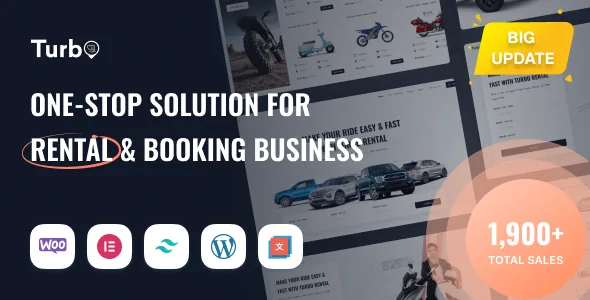
Turbo's marketplace description does not begin with layouts. It begins with the plugin stack: WooCommerce for the store, the WooCommerce Rental & Booking (RnB) plugin for rental logic, and the Inspect RnB search plugin for finding inventory. The theme's own contribution is the layer around those three — templates, Elementor widgets, admin screens and settings that wrap the rental rules.
That distinction decides how you evaluate a Turbo site. Most of what a rental customer experiences — whether a car is free next weekend, what four days plus a driver costs, what deposit gets held — is configured as rental product data and plugin settings, not as theme options. If your project needs rental behaviour the RnB plugin does not model, a different theme would not fix it. Attribute everything below to the vendor's feature list and changelog; none of it is a hands-on test.
How a booking price gets built
The vendor feature list names rate configurations rather than a single price field: day basis, weekly and monthly price configuration. The extended copy also mentions hourly, daily or weekly rates. In practice that means a rental product can carry a rate structure matched to how it is actually hired out — a camera by the day, a property by the month — instead of you forcing every item into one billing period.
On top of the base rate sit the modifiers. Booking cost can be calculated on person count, and the list adds "unlimited payable and non-payable person" plus "unlimited payable resource". A payable resource is an extra the customer pays for; a non-payable one is recorded without affecting the total. Person counts follow the same split. If you rent vehicles with an optional driver, or equipment with a chargeable operator, those are the fields doing the work.
Deposits and discounts complete the calculation. Security deposit configuration is listed separately from the rental rate, so the hold amount can be set independently. Discounts come in two forms: fixed price and percentage. Both are worth deciding on before you build out a catalogue, because they change what the quoted total looks like on every listing and checkout page.
Search is a plugin, and it shows in the listing
The vendor credits the Inspect RnB search plugin with the advanced filtering, and the feature list backs that up with specific items: location based searching, date selection, and pickup and return location cost. That last one matters for pricing accuracy — a car collected at an airport and returned to a city branch is charged differently from a same-location hire, and the cost can be enabled rather than handled manually.
Listing presentation gives you grid and list views for the car inventory, plus a date format choice. Review and rating collection is listed too, which matters for rental businesses where a car's condition history is part of the buying decision. Treat the search and filter behaviour as a vendor claim: the actual filter set depends on the Inspect plugin version your build runs, and the theme's changelog records fixes to that area (a horizontal search correction and a vertical search form icon fix in recent releases) rather than a stable, documented API.
Local and global settings, and the order calendar
Two settings items in the feature list are the ones that get overlooked until a site grows: "Car rental local and global settings" and "Page local/global settings". The naming says the theme lets you set rental configuration once at the site level and override it in specific places. For a multi-branch operator or an agency building a template site, the difference between "applies everywhere" and "applies on this page" is the difference between one settings screen and a page-by-page rebuild.
The vendor also lists a full calendar order reporting view alongside order management and email notifications. A calendar that shows what is out and what is coming back is the operational screen — for a rental business, more useful day to day than the storefront. What the feature list does not state is how the calendar behaves under a large booking volume, whether it filters by branch, or whether it prints. Check those against the vendor's documentation before assuming they exist.
Elementor does the layout, with theme-specific widgets
Turbo is built for Elementor, and the listing's compatibility attributes name both Elementor and Elementor Pro. The vendor counts 20+ custom Elementor widgets, and the changelog for version 12.0.7 shows which direction that library is heading: new loop builder elements for category and discount, grid slider and icon box elements, product category and nav icon elements, and an added option for Elementor query flexibility.
The header is managed by what the changelog calls Turbo Builder. The same release introduced a new header menu style and new style options for the sticky menu, and fixed a logo display issue there. So the header is a theme-level construct rather than something you rebuild in Elementor — relevant if you plan to hand a site to a client who will edit page content but should not be able to break navigation.
One correction to a common assumption about the listing: the stored attributes do not include a Gutenberg Optimized flag, and the vendor's feature copy separately claims compatibility with the block editor. Neither tells you whether the demo pages are block-built. They are Elementor layouts.
Recent releases are hardening and white-labelling
The published changelog is the clearest evidence of where development effort has gone. Version 13.0.2 addresses template loading in Elementor widgets — replacing unsafe include paths with a sanitising template loader and allowlists — and adds nonce checks to AJAX actions for login, shop, subscription and coupon, plus reCAPTCHA on the AJAX login form. Earlier releases record the same pattern across the theme: escaping dynamic output, enqueuing scripts and styles rather than hardcoding them, disabling SVG uploads.
Version 13.0.1 adds something different: a White Label Settings page, configurable customizer panel name, admin menu labels for Turbo items, dashboard page title, and custom admin logo upload. If you deliver sites under your own studio name, that saves a round of admin-facing edits.
The theme also tracks the RnB plugin: version 12.0.8 records "RNB 18.0.4 integration" and updated RnB builder capabilities. That tracking is a maintenance signal, and also a warning — a theme update can depend on a plugin version, so plan upgrades as a pair rather than one at a time.
What the stored compatibility claims cover
The listing attributes, observed on 4 November 2026, name WooCommerce 6.x and 7.x, Elementor and Elementor Pro, WordPress 6.1.x through 6.8.x, and the four major desktop browsers. The files field lists PHP, CSS and JavaScript.
Those are vendor and marketplace claims, not results of running Turbo on a fresh install. Note the gap that matters: the compatibility attribute for WordPress stops at 6.8.x, while a changelog entry from version 13.0.1 states updated WordPress 6.9 compatibility. Both can be true — the attribute list may simply lag the release notes — but the discrepancy is the reason to test on a staging copy that mirrors your host's WordPress and WooCommerce versions rather than trusting either field on its own.
Questions & answers
Is Turbo usable for rentals other than cars?
The vendor's description names cars, bikes, equipment and properties, and the theme is titled as a multipurpose rental theme. The pricing levers in the feature list — day, week and month rates, person-count costs, payable resources, deposits — are general rental concepts rather than car-specific ones. A 2025 release also added a camera rental demo.
Do I need the RnB plugin to use Turbo?
The vendor describes the rental and booking capabilities as coming from WooCommerce Rental & Booking (RnB), with the theme built around it, and the changelog records integration with specific RnB versions. The theme's rental pricing and availability features are described as plugin-powered, so the plugin is not incidental.
Can I change the Turbo admin branding for client sites?
Version 13.0.1 added a White Label Settings page in the WordPress admin, with a customizer panel name, Turbo admin menu labels, dashboard page title and a custom admin logo upload. How much of the admin those options actually cover is not spelled out in the changelog.