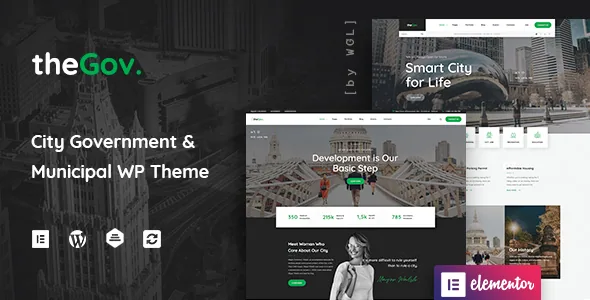
Events and a shop: the two plugin systems TheGov builds around
The vendor description frames the theme as a tool for "introduce your city to tourists and guests" and for helping "the citizens to involve in city life", and then names the two systems that do the practical work. Events Manager is described as a "full-featured event registration plugin for WordPress" included with the theme. WooCommerce is named separately as the platform behind an online shop.
That pairing is the useful thing to understand before looking at screenshots. A council site or community organisation often needs both a published calendar with registration and a way to take payment for something — tickets, permits, publications, merchandise. TheGov's layouts sit on top of those two plugins rather than replacing them. What the theme adds is presentation: page structure, header, modules for showing products and team members, and styling around the plugin output.
How a registration form behaves is Events Manager's business, and how checkout behaves is WooCommerce's. If your events need complex ticketing rules or your shop needs a specific payment gateway, that decision belongs to the plugin and its extensions, not to the theme.
The header is built separately from the page
WebGeniusLab lists a "Flexible, Drag&Drop Header Builder with Presets" and, in the release history, records version 2.0.0 (October 2022) as adding a "Visual Header Builder". A header surface of its own matters for a municipal site because the top of the page usually carries identity and navigation rather than editorial content: the council or city name, a logo, a utility row of quick links, and a menu that has to hold everything from council meetings to waste collection to contact details.
Treating the header as a builder rather than a fixed slot lets you rearrange that top strip without touching page content or the body layout. Presets give you a starting arrangement to adjust instead of a blank canvas.
One thing to plan for: a header you change in the builder affects the header of the site, and the vendor's separate per-page options are where page-specific overrides live. If a single section — a service page, a consultation page — needs different navigation treatment, check whether the metabox options cover it before assuming you need a second header.
Site-wide options versus page-level metaboxes
Two lines in the vendor's feature list describe a split that is easy to skim past. The theme options screen has "over 100 options", and the theme also allows you to "set local options at the page with metaboxes". Read together, that is a two-layer system: global defaults for the site, and per-page settings stored with the page.
Practically, this is how you avoid rebuilding the same decisions everywhere. Colours, fonts, and the general layout belong in the theme options, applied once. A landing page for a festival, a one-off campaign, or a page with a different colour emphasis can take a local override in its metabox panel instead of dragging the whole site along with it.
The trade-off is discoverability. When something on a page looks wrong and the theme options are correct, the per-page metabox is the second place to look. On a site multiple staff edit, it helps to agree on which decisions live globally and which are allowed to be local, or the same visual choice ends up made in two places.
What the 30+ modules do inside Elementor pages
The vendor says the theme brings "a lot of features for Elementor Page Builder" and lists "more than 30 modules with all the necessary settings". Alongside those sits an "Extended Module for Present Your Products at the Pages", and the feature list names dedicated modules for team members and for portfolios.
For a government or municipal site, the module list is really a statement about content types. Team members covers the structure of officials, councillors or department staff. Portfolio modules cover projects — roadworks, planning, community programmes — and the vendor lists a grid with infinite scroll and a Load More button for presenting them. The product module lets shop items appear inside ordinary pages, not only on shop templates.
Modules are added to Elementor pages with their own settings, so the theme's contribution stops at the module boundary. Anything downstream of that — how a portfolio item's permalink resolves, whether an events archive paginates the way you want — follows the plugin and the theme templates, not the module controls.
Row animations, demos and the parts that dress the page
The remaining visual features are lighter in consequence but worth knowing: "Extended WGL Row Animations" for entrance effects, a set of home page layouts, customisable colours and fonts, and one-click demo content import. A demo import writes pages, menus and module settings from a starter site, which is the fastest way to see how the vendor intended the modules to sit together.
Imported demo content is a starting point to be replaced, not a site. Treat the layouts as a composition reference — which module type goes where, how a page's sections are sequenced — and expect to strip images and placeholder text before publishing.
Animations are the easiest thing to over-apply. Row-level entrance effects on a site where visitors arrive to find a meeting time or a bin collection date add delay rather than clarity; reserve them for the pages where a sequence is genuinely being presented.
What the release history says about upkeep
The changelog is the most concrete maintenance evidence available. Version 2.0.18 (21 August 2025) records fixes for WooCommerce template compatibility, a security vulnerability, and compatibility problems with the Events Manager plugin. Version 2.0.23 (3 March 2026) records updated bundled plugins and a fix for a broken access control vulnerability. Version 2.0.11 (8 February 2024) records compatibility with PHP 8.2 and later.
The pattern is informative: over the last couple of years the vendor has been patching exactly the two plugin integrations the theme depends on, plus security. For a site that will hold citizen submissions and payments, that the vendor addressed an access control issue is a reason to run a recent version — not a reason for reassurance about the version you happen to install.
A changelog entry proves the vendor wrote a note. It does not prove the fix behaves correctly on your PHP version, your plugin set, or your hosting. The theme screen inside WordPress is the only reliable statement of what you are actually running.
Package contents and declared compatibility
The marketplace attributes, as observed on 3 November 2026, record the theme as responsive, widget ready, translation ready, and shipping a child theme plus RTL support. Files included are PHP, CSS and JavaScript. Documentation is marked "Some Help" rather than well documented, so budget time for reading the theme's own options and the plugins' documentation rather than expecting a thorough manual.
Declared software versions run from WordPress 5.0.x through 7.0.x, and compatible-with lists Elementor plus WooCommerce 6.x through 9.x. Browsers named are Firefox, Safari, Opera, Chrome and Edge. Those are vendor and marketplace declarations, not a tested matrix against your stack; WooCommerce versions in particular move quickly, and the changelog shows the theme has needed template updates to keep pace.
Gutenberg Optimized is recorded as No. That describes where the demo layouts are built — Elementor and the WGL modules — and does not by itself establish that the block editor is unavailable for other content. Pages you build with blocks will not inherit the theme's module styling.
Decisions to settle before importing a demo
Two questions decide how smoothly TheGov goes in. First, which plugins the chosen demo assumes: Events Manager for the calendar and registration screens, WooCommerce for the shop, and the WGL framework itself for the header builder and modules. Importing a layout before those are active produces pages whose most interesting parts are missing.
Second, how much of the theme's design system you intend to use. The header builder and the module library are the reason to pick TheGov over assembling blocks on a plain theme; if you plan to replace both with your own Elementor work, you are paying for options you will switch off. Conversely, if a council site needs an event page and a place to sell something, the theme's contribution is largely the structure around those plugins — which is the part that is tedious to build from scratch.
Questions & answers
Do I need Events Manager and WooCommerce for TheGov to work?
No page in a theme strictly requires them, but the vendor describes Events Manager as included for event registration and WooCommerce as the platform behind the shop, and the layouts are built around those systems. The theme's own frameworks — the header builder and the module library — work independently.
Can I change one page's look without changing the whole site?
The vendor lists per-page metabox options alongside the main theme options screen, which is the mechanism for local overrides. Global colours and fonts set in the theme options stay the default, and individual pages can diverge. Expect to check the metabox panel when a page does not match the site defaults.
Does 'Gutenberg Optimized: No' mean I cannot use the block editor?
It means the demo layouts and theme modules are built for Elementor rather than the block editor. It is an attribute describing the intended editing path, not a switch that disables blocks. Pages built with blocks simply will not pick up the theme's module styling.


