Three WCBoost companions, not one swatches switch
Plenty of store themes list variation swatches as a single line item. Sober's vendor description names three related tools, each credited to WCBoost: Variation Swatches, Wishlist, and Products Compare.
Applied to a real catalogue, the three cover different moments. Swatches replace the dropdown for size or colour with a clickable option on the product page and, depending on setup, on the listing. Wishlist gives a shopper somewhere to park an item without adding it to the cart — the vendor separately lists an "Optional Wishlist" line under its eCommerce functionality, so it reads as a feature you switch on rather than one baked into every layout. Comparison lets a visitor hold two or three products side by side, which is the feature that earns its keep on stores with real variation between items: laptops with different specs, cosmetics with different finishes, furniture in several materials.
One caution for planning: the vendor describes these as plugin-backed features. Treat the plugins as part of the environment your build depends on, and check how they are bundled and updated in the package you receive, since that affects how you keep them current.
The layout choice is a combination, not a single template
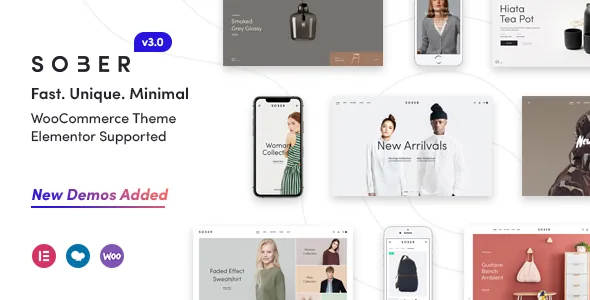
The vendor's feature list puts a stack of counts side by side: 16 predefined homepage layouts, 6 header layouts, 3 shop layouts, 5 single product layouts. Read separately these sound like a menu. Read together they describe a store where the visual decision happens in several places at once, and the combinations are what you actually pick.
Start with the catalogue and product page, because those are the pages that do the selling. Three shop layouts means the listing can be denser or more editorial depending on how many products you carry and how much photography you have. Five single product layouts is the more interesting number — it suggests the theme expects product pages to differ, so a single hero image with a short buy box can coexist with a longer gallery and detail-heavy arrangement.
The header adds a second axis. Six layouts, with the vendor supporting both normal sticky and smart sticky behaviour (smart typically meaning the bar hides on scroll down and returns on scroll up). Headers carry the mini cart, menu and search, so the right header is usually the one that fits your category depth rather than the one that looks best in isolation.
Sixteen homepages is the least decision-relevant count of the four. For a shop, the homepage is mostly a composition of product and category blocks, so it is worth checking whether the homepage you like uses the shop and product layouts you have already chosen.
Catalog mode: a shop with no checkout
Among the eCommerce functions the vendor lists, "Catalog Mode Option" is the one that changes what kind of site you are building. Switching it on removes the buying path and leaves the catalogue browsable — useful for a wholesale business that quotes by enquiry, a brand presenting a seasonal range before it goes on sale, or a restaurant-style listing of products with no direct purchase.
It is also the setting to consider first rather than late. Store themes tend to wire mini cart, product buttons and prices into headers and templates, and the vendor lists the mini cart as part of the theme's integration work. If the project will not take money online, decide that before you choose a header and a product layout, so you are not stripping cart elements out of a design afterwards.
The rest of the vendor's eCommerce list is the standard WooCommerce ground: simple and variable products, downloadable products, external or affiliate products, coupons, tax and shipping options, a shipping calculator, order tracking, reviews, and unlimited categories and sub-categories. Those come from WooCommerce as much as from the theme; the theme's job is how they are presented.
Product blocks you place inside the page builder
The vendor names "Advanced WooCommerce listing elements in Visual Page Builder" and specifies what they query: recent products, featured products, sale products, best sellers. This matters more than it sounds. It means the product sections on a page are defined by a query rather than by hand-picked items, so a "New arrivals" strip on the homepage stays current without anyone editing it.
That shapes how you plan a landing page. Editorial sections can be laid out for the message, and the product groups inside them can be driven by status — on sale before a promotion, featured for the range you want to push, best sellers where social proof is the point.
The vendor also lists Revolution Slider as included and a mega menu as supported, which are the other two places a store tends to need structure: a promo panel at the top of the homepage and a navigation panel for a deep category tree.
WPBakery is bundled; Elementor is listed as compatible
The distinction here is worth being precise about. Sober's feature list states "WPbakery Page Builder Included" and "Revolution Slider Included" — bundled tools. The marketplace compatibility attributes name Elementor and Elementor Pro alongside WPBakery Page Builder as things the theme is compatible with.
Compatible with is not the same as built around. If you plan to edit pages in WPBakery, you are working in the builder the vendor describes as included with the theme. If you plan to use Elementor, the listing says the theme supports it, but the description's own layout counts and builder elements are framed around the visual page builder the vendor bundles. Confirm which builder the demo you like was built in before you commit your editing workflow to it.
Gutenberg Optimized is marked Yes in the marketplace attributes, which describes whether the theme's design accounts for the block editor. It does not mean the block editor is the only way to build pages here, and it does not override the bundled-builder arrangement above.
What the changelog shows about maintenance
The most recent entries in the vendor's changelog are updates to bundled plugins and WooCommerce templates, which is the ordinary maintenance rhythm for a store theme: WooCommerce changes its templates, the theme follows. Two entries point somewhere more specific. Version 3.6.5 records a fix for CSS issues with the Cart and Checkout blocks, and 3.6.3 fixes missing div placement in the checkout login form template. Both concern the checkout side of a store, where a layout break costs orders rather than looks.
Version 3.6.0 records a security fix: broken access control in the save_menu_item_data function, resolved with permission and nonce checks. If you are evaluating an older build of this theme, that entry tells you which release to compare against.
The description header also claims readiness for recent WordPress and WooCommerce releases. The marketplace compatibility attributes observed on 3 November 2026 tell a different, narrower story, listing WooCommerce 5.x.x through 10.x.x and WordPress 4.9.x through 7.0.x. Those are declarations of intent, not results of running the theme on your host, PHP version or plugin stack. Before committing, test the theme with your chosen builder, the WCBoost plugins and your payment setup on a staging copy.
Questions & answers
Can Sober run as a catalogue without a checkout?
The vendor lists a Catalog Mode option among the theme's eCommerce functions, which lets you present products without the buying path. Decide on it before choosing a header and product layout, since cart elements appear in both.
Which page builder should I plan around?
WPBakery Page Builder and Revolution Slider are described as included with the theme, while Elementor and Elementor Pro appear in the marketplace compatibility list. If you intend to edit in Elementor, confirm the demo you want was built with it rather than assuming the two are interchangeable.


