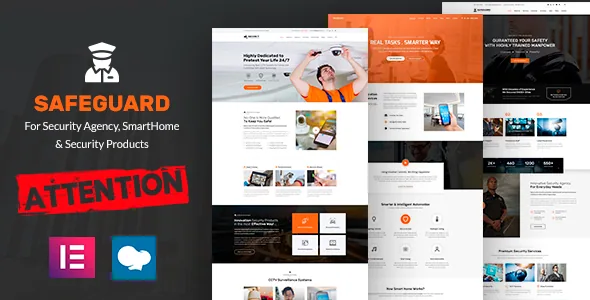
Yellow Pencil is the control that sets Safeguard apart
Most security-business themes hand you a page builder and an options panel. Safeguard's feature list adds a third tool: "Yellow Pencil: Visual CSS Style Editor." It lets you point at an element in the browser and change how it looks without writing stylesheet rules by hand.
For a guarding or alarm company, appearance decisions tend to be small and specific — the weight of the phone number in the header, the hover state on a request-a-quote button, the spacing under a service icon. Those are the adjustments Yellow Pencil is described as handling. The practical gain is that they don't require a child theme edit each time, which matters if the person maintaining the site isn't a developer.
What the listing doesn't describe is how Yellow Pencil's saved styles relate to theme updates, or whether a later redesign can be rolled back cleanly. Treat it as a fast styling surface, not as a substitute for version control on a site whose styling matters.
Two builders, listed side by side
"WP Bakery Page Builder – Free" and "Elementor Page Builder – Free" appear as separate entries in the vendor's feature list, next to "Revolution slider – Free." Safeguard is presented as supporting either editor rather than committing to one, and the word "free" refers to the plugin editions the vendor describes as included.
The listing does not say which editor the demo pages were built in, and page content doesn't move between WPBakery and Elementor. Pick your editor before importing the demo and stick with it. If your team already works in Elementor, that path is described as available; if you have WPBakery experience, the same applies. Switching later means rebuilding pages, not changing a setting.
Revolution Slider being listed separately is worth noticing too — it's the slider plugin, distinct from the page builder, and it's the piece that would drive hero banners on the home page.
Three service layouts as a fixed set
The vendor says the design focuses on "highlighting the personal features that your company provides as a service," and then quantifies it: "You have the option to select from 3 individual service page layouts. Each of them has a unique style and design."
Three is a small number, and it should be read as a boundary rather than a shortcoming. A security business usually sells in a handful of shapes: a manned guarding contract, an installed system such as CCTV or alarms, and a one-off survey or event assignment. If your services fall into three such groups, the layouts give each one a starting structure. If you offer ten distinct services and want each presented differently, you'll adapt these layouts rather than choose from a larger set.
The claim is about choosing a layout per service page, not about generating pages automatically. Copy, photography and the contact path on each page remain yours to write and supply.
A header designed around being contacted
The vendor describes the header as optimised for exposing most of the site navigation and says it "features an easy way to reach you by email or phone." That framing suits the way people arrive at a security site: somebody searching for local guarding or alarm installation usually wants to call, not fill in a form.
What the description doesn't cover is how the contact block behaves once the menu gets deep or the screen narrows. The theme is listed as responsive with tablet and smartphone rendering, but that is a design declaration, not a statement about your particular navigation tree. Test your own menu before you commit to the layout.
The one-click demo is the quickest way to see the header as intended. Keep in mind that the vendor states preview images are for demonstration only and names stock libraries as their source — so budget for your own photos of staff, vehicles and installed equipment.
The shop is framed around hardware, not services
Safeguard's description makes an unusual move for a corporate theme by naming a product category: "You may easily set up your shop to sell CCTV security cameras and other security systems." The feature list backs it with "WooCommerce Shop," "Payments Gateways" and "Departments and Services."
Read together, those entries describe a site doing two jobs: selling monitoring or installation as a service and running a storefront for cameras, recorders and related kit. For a business that already resells hardware, keeping both on one domain avoids sending buyers to a second storefront.
The description stops short of catalogue detail. There's no mention of product filtering, configurable bundles, stock rules or how service pages link to products. If a hardware catalogue with variations is central to your plan, try a product page and a checkout on a staging copy before you decide the shop angle carries your project.
Translation, documentation and the declared version range
The vendor lists "Multilingual and translation ready," and the marketplace compatibility attribute names WPML. That's a declared integration — a security firm working across regions can plan on translating content, but the specific behaviour of any WPML configuration needs checking on your own install.
The remaining listing attributes, as observed on the marketplace on 4 November 2026, describe a responsive two-column layout, widget-ready sidebars, "Well Documented" documentation, and a package of PHP, CSS and JavaScript files. High Resolution is marked No, which concerns asset resolution rather than page quality — relevant if you plan large-format print work from theme graphics. Gutenberg Optimized is also marked No, and that attribute describes the theme's intended editing path through the bundled builders, not proof that the block editor stops working.
The declared WordPress range runs from 4.9.x to 6.9.x, with browsers listed as IE11, Firefox, Safari, Opera, Chrome and Edge. Read the long span and the IE11 entry as the reach of the declaration rather than a guarantee on your current WordPress install.
What the two-builder setup asks of you
Safeguard works for a security business that wants a designed starting point and is willing to decide its editing tool up front. Yellow Pencil gives the theme a styling layer the vendor isn't charging separately for in its feature list, and the contact-led header matches how this industry's customers behave.
The trade-off is bounded scope. Two builders described as available means no single recommended workflow, and three service layouts is the full design variance the vendor claims. If your plan depends on a large library of pre-built page types, you'll be adapting this kit rather than picking from it.
Questions & answers
Which page builder should I choose for Safeguard?
The vendor lists both WPBakery and Elementor as free options, so the listing doesn't pick one. Choose the editor your team already knows and import the demo afterwards, because page content can't be transferred between the two editors later without rebuilding it.
Can Safeguard sell CCTV cameras and security systems?
The vendor describes setting up a shop for CCTV security cameras and other security systems, and lists WooCommerce Shop and Payments Gateways. Those are statements about intent; the merchant side runs on WooCommerce and your payment provider, so test a product and a checkout before launch.
Do the preview images come with the theme?
No. The vendor states that images used in previews are for demonstration only and credits stock libraries as their source. You supply your own photography after importing the demo.
Does Safeguard work with WordPress's block editor?
Gutenberg Optimized is marked No on the listing. That describes how the theme's pages are designed to be built — through the bundled builders — rather than confirming the block editor is unavailable. Test it on a staging install if block-based editing is part of your plan.


