A second design layer for phones, switched from theme options
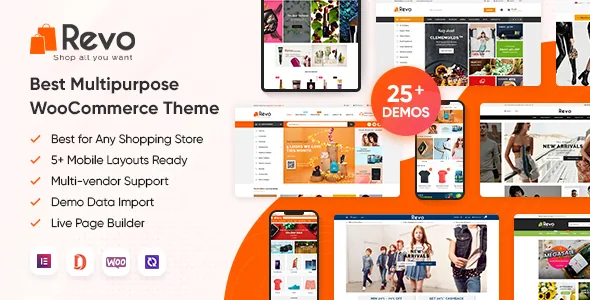
Most WooCommerce themes present one design and rely on responsive breakpoints to shrink it. Revo's vendor description draws a line between the two: the theme is "built with both responsive layouts and mobile-specific web designs," and the feature list quantifies the second set as 5+ mobile layouts, 3 mobile header styles and 2 mobile footer styles.
The switch is the part that matters for planning. The vendor says you enable these layouts in theme options, and that disabling the mobile layout falls back to the standard responsive layout. So you are not choosing between a mobile theme and a desktop theme; you are deciding whether mobile visitors get a purpose-built arrangement or the squeezed version of the desktop one. That makes an early decision worth making deliberately rather than leaving at default — and it is the first thing to inspect in the live preview on a phone screen rather than a resized desktop window.
Twenty-five homepages as a scenario menu, not a style menu
The homepage count is the headline number, but the vendor organises it by shop type rather than by visual mood: multi-category, fashion, kids' fashion, furniture, hitech, digital, electronics, organic, cosmetics, gift, Christmas, watch, gaming gear, flower and wedding among them. That framing is useful when you already know what you sell and want a starting layout that anticipates the right product imagery and category rhythm.
The practical question is how many of those homepages you should actually import. Each demo carries its own header and footer pairing, and the vendor supports 15+ header styles and 15+ footer styles with settings to set a chosen pair as the site default. Mixing the homepage from one scenario with a header from another is allowed, but it is a design decision you make, not something the import resolves for you. Pick one demo close to your catalogue, then adjust rather than assembling from several.
Per-page overrides: logo, colour, header, footer and sidebar
Beyond the site-wide defaults, the vendor lists Page Meta Box settings that can change the logo, colour, template, header style, footer style, typography and sidebar layout for an individual page — no sidebar, left sidebar or right sidebar. This is the mechanism behind campaign landing pages and seasonal sections that should not look like the rest of the shop.
Menus get comparable treatment. The theme supports mega menu, dropdown and mobile menu styles, horizontal or vertical menu orientation, on-top and sticky menu behaviour, and — the detail worth noting — the ability to attach icons, images, banners and description text to individual menu items. A category menu with promotional banners embedded in the dropdown is a distinctly commerce-shaped feature, and it is the kind of thing to test with your real category depth before committing, since deep catalogues expose whether the mega menu stays readable.
How the pages actually get built
The vendor's customization section names Elementor as the page builder, with theme options covering logo, colour, mobile layouts, blog, shop, typography and pop-ups. Shortcodes are also listed for combining into page layouts, which matters if you inherit content or prefer not to rebuild every section visually.
One changelog entry deserves attention because it changes a dependency assumption: version 4.1.0 records "Update header and footer without using Elementor Pro," alongside an Elementor widget update. Earlier versions of this theme leaned on Elementor Pro for header and footer construction. If your plan was to use the free Elementor plugin only, the vendor's changelog suggests headers and footers are no longer gated behind the Pro plugin, though the listing separately declares compatibility with Elementor Pro — so confirm which applies to the version you install rather than assuming either way.
Multi-vendor claims and what they cover
The vendor states compatibility with Dokan Multivendor, WC Vendors, MultiVendorX and WCFM MarketPlace, and repeats the list more than once in the description. Read it as styling and integration with those plugins, not as a marketplace engine: vendor dashboards, commissions and payout logic come from the plugin you choose, and Revo's job is to render the storefront around them.
The changelog gives a sense of how actively that surface is maintained. Entries record an update compatible with HPOS in WooCommerce, a fix for brand display with WooCommerce 9.6 and above, and a MultivendorX bug fix. Those are vendor-reported changes, not an audit, but they indicate the multi-vendor path has received attention rather than being a one-line claim.
WooCommerce features beyond the default shop
The vendor's feature list reads as a set of storefront interactions: AJAX live search, quick view in a lightbox, product image zoom and gallery, a featured video thumbnail on product pages, colour swatches using colours or images, and AJAX add-to-cart, compare and wishlist. A countdown deal slider and featured product blocks with tabbed listings round out the merchandising side.
Two of these affect how you write product content. Colour swatches assume your variations map cleanly to colours or images, so a catalogue with irregular variation names will need tidying before the swatch display earns its place. A video thumbnail means the product template has a slot for one — useful for electronics and gaming gear, less so for groceries. Product types are also declared as simple, variable, grouped and external/affiliate, which covers the common cases without a separate extension.
Reading the version and compatibility declarations
According to the marketplace listing observed on 4 November 2026, the theme declares compatibility with Elementor, Elementor Pro, WooCommerce 6.x.x, WPML and Bootstrap 4.x, and lists tested WordPress versions from 6.9.x back to 5.0.x. The vendor's own feature text quotes WordPress 6.8.x, WooCommerce 9.8.x and Elementor 3.23.x, while later changelog entries mention WooCommerce 10.4.2 and WordPress 6.9.0. Those statements were recorded at different moments, which is why the version figures do not line up neatly.
Treat all of it as vendor declaration rather than a tested result. Nothing here was run against a live install, so the meaningful move is to check the changelog of the version you actually receive against the WordPress and WooCommerce versions you run. Translation is handled through WPML compatibility plus the vendor's statement that content lines can be translated, and RTL layout switching is listed for stores serving right-to-left languages.
What ships alongside the theme files
The vendor's package section names four items: the theme package for installation and demo import, a child theme for holding customizations, PSD sources, and documentation. The marketplace file list separately records Layered PSD, PHP, CSS and JS files. A child theme is worth having here precisely because a shop theme with this many layout options invites custom CSS, and keeping those edits out of the parent means theme updates do not overwrite them.
The PSDs are design sources, not site content — the demo photography and product imagery shown in the preview are not part of the theme, so budget for your own product shots. A one-click demo import is described as importing a complete demo, and that remains the fastest way to see how a homepage, header and footer combination behaves before you start replacing content.
Questions & answers
Does Revo need Elementor Pro for headers and footers?
The vendor's changelog for version 4.1.0 records an update to handle headers and footers without using Elementor Pro, while the listing still declares compatibility with Elementor Pro. That suggests the free builder is enough for header and footer setup in current versions, but check the changelog of the version you install rather than relying on either statement alone.
Can I use a different mobile layout from the desktop one?
Yes according to the vendor: mobile layouts are enabled in theme options and can be turned off, in which case the responsive layout takes over. The mobile set includes its own header and footer styles, so the phone experience is designed separately rather than only resized.
Is a multi-vendor marketplace built into the theme?
No. The vendor describes compatibility with Dokan, WC Vendors, MultiVendorX and WCFM MarketPlace. The marketplace mechanics — vendor registration, commissions, payouts — come from whichever of those plugins you install; Revo handles the storefront presentation around them.
Do I get the images shown in the demo?
The package contents list the theme, child theme, PSD sources and documentation. Demo photography and product images are not named as included, so plan on your own product photography before launch.