No page builder, and that is the whole design argument
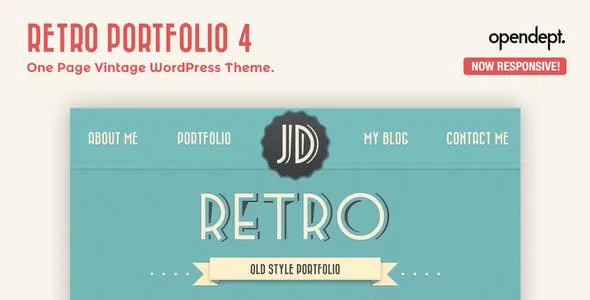
Most portfolio themes sell a flexible canvas first and the look second. Retro Portfolio's vendor description runs the other way. It says the theme is designed to build a simple website that looks like the demo, and it names Elementor, Beaver Builder and WP Bakery as page builders it does not support and that "may not work as expected." For customisation, the vendor points you at the child theme rather than at a third-party plugin.
Read that as a scope statement rather than a missing feature. If you want to restructure a layout, duplicate sections across templates or hand a client a visual editor, this theme is the wrong starting point. If you want a single vintage-looking portfolio page with a fixed visual identity that you adapt through stylesheets and a handful of theme options, the closed approach removes a whole category of conflicts between your theme and your builder.
The homepage is assembled, but only from the theme's own parts
The vendor's list of what changed in version 4 includes home page customisation: you can add, remove and rearrange sections. That is the practical middle ground between a locked template and a page builder. You choose the order of the blocks that make up the one-page site rather than designing blocks yourself.
The same list adds a colour picker that the vendor says changes the colour of any single section, page or blog post. That granularity is the useful detail here. A section-level control lets the vintage palette breathe differently in the portfolio strip than in the contact block, and a per-post colour means a single article can carry its own treatment without a stylesheet override. It is the kind of setting you will use constantly if you care about the look, and ignore entirely if you do not.
Google Fonts integration sits alongside those controls, so typography is another surface the theme supports directly. It is not clear from the description how many fonts you can pair or whether the choice is global or per section; treat that as something to confirm before you promise a specific type system.
Slider, portfolio gallery and the one-page content blocks
Version 4 introduced a new responsive slider, and the vendor lists a portfolio gallery among the theme's parts. On a one-page site these two do most of the work: the slider sets the tone at the top, and the gallery has to present work as a grid that survives a narrow screen without collapsing into a column of thumbnails.
Retina integration is claimed for the logo and banner specifically, which is narrower than site-wide retina support. If your brand mark and hero image are the only high-resolution assets you plan to supply, that is enough; if you expect every image on the page to be swapped for a 2x version, the vendor text does not promise it.
The contact form includes an anti-spam filter according to the same feature list. The vendor does not name the mechanism, so the honest way to plan is to test the form with real submissions before launch and confirm the filter does not reject legitimate enquiries.
The theme is also described as completely translatable, with an updates notifier and detailed documentation. Widget-ready sidebars are recorded in the marketplace attributes.
Version 4 is a rebuild, not an update you can roll out quietly
The vendor's own note is unusually direct: version 4 is not a normal update but a new theme with new configuration options, and anyone on 3.x or lower should expect that moving to 4.x "means to configure the theme from scratch." If you are already running an older installation, budget the migration as a rebuild with fresh settings, not as a version bump.
For a new project the point is different. Version 4 is the line the vendor's own documentation and feature list describe, and it is where the responsive layout, section controls, colour picker and slider arrived. Buyers starting fresh avoid the migration question entirely.
One dating note: the vendor listing records its last update in June 2021, while the marketplace attributes observed on 3 November 2026 declare WordPress support from 4.9.x through 6.5.x. Those declarations come from the marketplace, not from testing, so confirm that the version you are running sits inside that band before you plan on it.
What comes in the package
ThemeForest attributes list Layered PSD, PHP, CSS and JS files among the included items. The PSD is worth flagging if you work with a designer: it means the source layout files travel with the theme rather than only the coded output.
The vendor notes that version 4 leans on more CSS and fewer images than earlier builds, which matters for a vintage theme that could otherwise ship as a stack of decorative bitmaps. Gutenberg Optimized is recorded as No in the attributes; that describes how the theme is built for the block editor, not a statement that the editor is unavailable.
Review the demo before committing, because the vendor's own scope statement makes resemblance to the demo the design goal. If the demo's composition is what you want, the theme is aimed at you; if you were hoping to start there and rearrange it into something structurally different, the closed builder stance makes that harder than the feature list first suggests.
Questions & answers
Can I use Elementor or WPBakery with Retro Portfolio?
The vendor states that the theme does not support Elementor, Beaver Builder or WP Bakery and that those builders may not work as expected. Customisations are directed at the child theme instead.
Does the theme let me change colours without editing CSS?
The vendor lists a colour picker that can change the colour of any single section, page or blog post, alongside Google Fonts integration for typography.
I am on Retro Portfolio 3.x. Is upgrading to 4.x straightforward?
The vendor describes version 4 as a new theme rather than a normal update and warns that moving from 3.x or lower means configuring the theme from scratch.