A release that works on the product page, not the demo grid
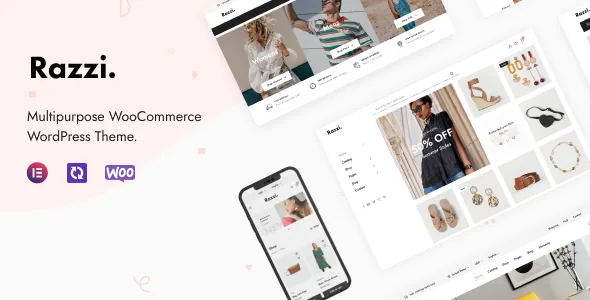
Razzi is sold as a multipurpose WooCommerce theme for marketplaces, fashion stores, electronics shops and similar catalogues, and the vendor describes it as powered by Elementor. The most informative part of the listing, though, is not the demo count. It is the version 2.4.3 changelog, dated 27 August 2026: nearly every entry concerns how a single product page loads.
That distinction matters when you are judging a shop theme. Screenshots show composition; this release list shows what the vendor was repairing — variation galleries, image requests, a shipping bar, a cookie that interfered with caching. Those are vendor statements about what changed in each release, not the results of an independent test, and they do not predict how your own plugins and hosting will behave. They do tell you where to look during evaluation.
Variation galleries now arrive with the page
The headline change reads: product pages render the default variation's gallery directly instead of replacing it over AJAX on load. For a shopper on a variable product, that means the gallery is part of the initial document rather than a second request that swaps the images after they appear.
The changelog shows this is a long-running area rather than a one-off tidy. Version 2.0.5 fixed thumbnails that were not displaying, 2.0.8 fixed a variation gallery that did not work, 1.3 records a thumbnail that would not change when a variation was selected, and 2.4.3 adds that variation thumbnails now change correctly with the selection. Read that sequence as a reason to test variation switching on your own attribute combinations — sizes with several colours, for instance — rather than assuming the area is settled.
Version 2.2.8 also fixed broken thumbnail styles in the product gallery, so if you are evaluating an older copy of the theme, the gallery is where the difference between releases shows up first.
Image weight on high-density screens and below the fold
Several entries in 2.4.3 are about which image file gets downloaded and when. Product images were being downloaded twice on high-DPR screens. Gallery thumbnails only became the carousel once every full-size image had loaded. AJAX search results, the product video thumbnail and the Frequently Bought Together section pulled full-size files where a smaller one would do, and the Frequently Bought Together images loaded before that section was scrolled into view.
Together these describe a shop that was carrying more image bytes than its layout required. On a catalogue where visitors open several product pages, that is the kind of overhead that compounds. It is still worth testing the sizes your own product images are registered at, because the fix concerns the theme's requests, not the dimensions WooCommerce generates from your uploads.
One related behaviour is easier to miss: the frequently bought section now defers its images until it approaches the viewport. If you build product pages where that block sits high on the page, the saving shrinks accordingly. The vendor's release does not document a setting for that.
Recently Viewed, cookies and full-page caching
The entry with the widest consequences for site owners is the one that reads least like a design change: Recently Viewed kept tracking product views and setting its cookie while the feature was disabled, which stopped page caches from serving product pages.
A cookie written on every product view is precisely what a full-page cache uses to classify a response as personal. So the switch for Recently Viewed is a caching decision, not just a widget decision. With the block switched on, product pages carry per-visitor behaviour by design, and your cache configuration has to account for that. With it off, version 2.4.3 says the cookie should no longer be written.
Caching behaviour varies by plugin and by host, so verify on your own stack instead of trusting the changelog line. The same release also fixed the free shipping bar, which had been ignoring WooCommerce's own free shipping settings; if you display that bar, its threshold should now follow the shipping zone configuration rather than a separate theme value.
Filtering, live search and SKU lookup
The marketplace description sets out the discovery layer: AJAX filtering by size, colour, brands and categories, advanced live search, and search by SKU. Those are the tools a visitor uses before reaching any product page, and the changelog shows they have needed attention.
Search by SKU was recorded as broken in 2.2.1 and appears again in 2.1.4's fix list; sorting on the product search results page was repaired in 2.2.6; numeric attribute filtering had a bug fixed in 2.2.1; and filters that could not be applied to an empty result set were addressed in 2.0.9. Version 2.1.4 also added a search setting to weight results by title, excerpt or content.
For the product page itself, the vendor lists colour, label and image swatches, a featured product video, quick view, image zoom and a gallery lightbox, a Buy Now button, a size guide, AJAX add-to-cart, a newsletter popup and Catalog Mode for shops that present products without selling online. Several of these only prove themselves with real content: the size guide needs your measurements, swatches need attributes defined consistently across the catalogue, and Catalog Mode is named without a specification of whether it hides prices, cart buttons or checkout.
Building in Elementor, configuring in the Customizer
Layout and storefront settings live in different places. The vendor lists compatibility with Elementor and Elementor Pro, and describes the theme as powered by Elementor, with Elementor widgets such as Product Listing, Product Listing 2, Product Brands and Product Deals 3 added over time. It does not separate which features require the free plugin and which need Pro; version 2.3.1 fixed JavaScript errors that appeared when Pro was active, so the Pro path has been exercised, but the split is undocumented.
Storefront behaviour sits in the WordPress Customizer. The changelog names Appearance → Customize → Mobile → Product Catalog for filter display settings, and version 2.2.1 added controls there for opening all product tabs on mobile and for switching blog navigation to numeric. Version 2.4.0 was a fix for loading WordPress's colour picker assets so Kirki controls render correctly in the Customizer — a reminder that theme options are rendered by a third-party framework rather than core settings alone.
One-click demo import brings templates and sample content together, so budget time for replacing content rather than treating the import as launch-ready. A child theme is included in the vendor's feature list, which is the practical place for CSS and template overrides given how often the changelog records WooCommerce template updates.
What the compatibility declarations cover
Marketplace attributes observed on 3 November 2026 list WordPress 6.0.x through 6.9.x, WooCommerce 6.x through 9.x, plus Elementor, Elementor Pro, WPML and the Underscores framework. The marketplace's latest recorded release is 2.4.3.
The vendor's own header for that release goes further, naming WordPress 7.0.x and WooCommerce 11.0.x, and the changelog shows repeated WooCommerce compatibility updates across 9.x, 10.x and 11.x releases. That gap between the attribute list and the vendor's release notes reflects how fast WooCommerce has moved, and it explains why the attributes should be read as a declaration rather than a boundary. Neither source substitutes for checking your exact WordPress, WooCommerce, Elementor and plugin combination.
Further integrations are listed as WPML, Dokan for multivendor marketplaces, YITH WooCommerce Wishlist, MailChimp for WordPress, WooCommerce Currency Switcher and Contact Form 7. A listed integration is not a claim that the plugin ships with the theme, and the marketplace file list here names PHP, CSS and JS files only. Dokan first appeared in the changelog with version 2.0, which also added a marketplace demo; the vendor lists that plugin as compatible, not bundled.
Questions & answers
Does Razzi work with multivendor marketplaces?
Dokan is listed as compatible, and version 2.0 of the theme added a marketplace-oriented demo alongside Dokan support. The listing does not say Dokan is bundled, and it says nothing about vendor dashboards, commissions or payout flows. Test vendor registration and product submission on a staging copy with Dokan installed before you commit.
Will Razzi's storefront features interfere with my page cache?
Version 2.4.3 fixed one documented case: Recently Viewed was setting its cookie and tracking views even with the feature disabled, which prevented page caches from serving product pages. If you keep Recently Viewed enabled, product pages stay per-visitor by design and your cache rules need to account for them. Confirm the behaviour with your own caching setup.
Can I use Razzi without selling online?
Catalog Mode is listed in the vendor's feature set for shops that present products without running a cart. The description does not say whether it removes prices, add-to-cart buttons or checkout, so confirm the exact result in the demo or on a staging install.
Do I need Elementor Pro to build Razzi pages?
The theme is described as powered by Elementor, and both Elementor and Elementor Pro are listed as compatible. The listing does not separate which features need the free plugin and which need Pro. Build with the free version first, and note that version 2.3.1 fixed JavaScript errors that occurred when Elementor Pro was active.