Four custom post types carry the site's repeated content
Pulse's feature list starts with content structures, not styling, and the order is worth taking seriously. The vendor describes four custom post types: Portfolio Items with unlimited entries and skills, Slides for building unlimited sliders, Members for people and teams, and Testimonials with unlimited testimonials and sets.
These are things you create once and place in several spots. A studio's finished work, a team roster and a set of client quotes live outside individual pages, so a homepage feed and a dedicated page can draw on the same records. The skills field on portfolio entries is the detail that matters most for studios and freelancers: it labels work by discipline without hand-typing tags into every entry.
The model also shows what Pulse expects you to publish. A site with no portfolio, no team and no testimonials will use less of the theme than one that has all three.
Sixty-one WPBakery elements, and the ones that reuse your content
Editing happens in WPBakery, which the vendor says contributes 61 elements you can drop onto a page. The named examples cover Accordion, Blockquote, Button, Image, Image Galleries, Latest Comments, Latest Portfolio, Latest Posts, Layout, Message, Pricing Tables, Progress Bars, Separators, Services, Tabs, Team Members, Theme Slider, Titles, Toggle, Tour Section, Widgetised Sidebar, a Twitter feed and an Instagram feed.
Latest Portfolio and Team Members are the elements that connect the builder to the post types above, which is where the theme does more than offer rectangles. Pricing Tables and Progress Bars suit the corporate and agency demos; Image Galleries and Theme Slider fit the photography and adventure ones.
The changelog backs the builder's role in upkeep: bundled WPBakery updates appear in entry after entry, including version 8.5 moving to WPBakery 9.0.1 in September 2026. WPBakery is a plugin the theme works with, so how it is installed and licensed is a separate question from the theme itself.
Eighteen demos, and imported pages that won't match the preview
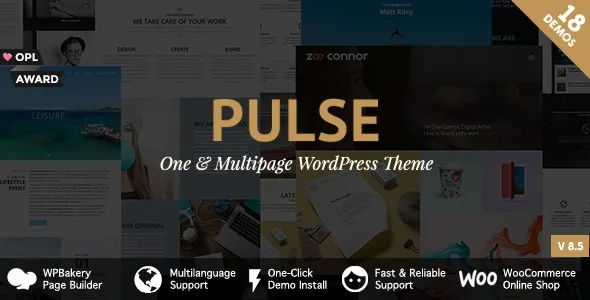
The catalogue spans Business, Restaurant, Agency, Adventure, Personal, Photography, Lawyer, App, Artist, Kindergarten, Event, Wedding and Coming soon, with Business, Agency, Personal and Photography each offering more than one demo. That range reads as a menu of briefs rather than a gallery; a kindergarten and a law practice need very different pages.
One-click import can bring in all the demos or just some of them. The vendor states directly that the images used during import differ from the preview images for copyright reasons. What you are choosing is a set of layouts and page structures, not the exact look of the live demo, so line up your own photography before importing rather than after.
Header, footer and sidebar controls that let one install hold several looks
The vendor describes multiple header display options and a footer that is genuinely configurable: switch it on or off, insert a page before or after it, and add or remove sidebar content inside it. For landing pages that should end without a trail of navigation, the on/off switch is a working tool rather than a nicety.
Sidebars follow a similar logic. Four sidebars are included by default, one more appears with WooCommerce active, and the theme can generate additional sidebars that you attach to specific pages. Several service areas or campaign pages each needing their own related-links column is exactly the case this handles.
All of it sits inside a theme options section divided into 13 panels, with a 14th when WooCommerce is enabled. The font selector lives there too; the vendor says unlimited fonts can be added using its documented method.
Where the record needs reading carefully: builders and block editing
The marketplace compatibility attributes, recorded on 4 November 2026, list Elementor and Elementor Pro alongside Easy Digital Downloads, Events Calendar, Events Calendar Pro, Gravity Forms, WPML and Foundation 6. The theme's own feature list and its changelog, however, are built around WPBakery, the plugin formerly called Visual Composer.
A compatibility attribute is not a statement that the demos or the theme's elements were built in that builder. If Elementor is central to how you work, check the vendor's own documentation on how it is meant to be used here before committing; the feature list and the changelog are stronger evidence of the intended workflow than the attribute line.
The same care applies to block editing. The record marks Gutenberg Optimized as No, which is an attribute about optimisation and not proof that the block editor is unavailable.
WooCommerce, icon sets and the images you supply yourself
WooCommerce is described as fully supported, with the extra sidebar and options panel appearing once it is active, and the changelog records compatibility work against named WooCommerce releases, including 9.9.5 in July 2025. The vendor also names MailChimp for WordPress, Revolution Slider and Contact Form 7 as plugins the theme was optimised for.
Icons come from two sets rather than one: Google Material Design icons, described as more than 1,000 ready to use, plus Font Awesome at more than 400. If your design leans on an icon family already, know that you are choosing between those two rather than importing your own.
The image credits are the practical footnote. The vendor states plainly that the preview images appear only on the theme preview and are not included in the theme file package, crediting Bigstockphoto, Gratisography, Graphicburger, Pexels and Unsplash. Since import substitutes different images anyway, treat demo photography as composition reference only.
A long changelog, read for what it signals
The release history runs from the theme's September 2015 release to version 8.5 in September 2026, and most of it is routine: bundled plugin bumps, WordPress and PHP compatibility entries, and small fixes such as the social networks widget display in 8.3 and the X/Twitter logo in 8.0.
Two entries are more informative than the rest. In 2019, version 4.3 added row backgrounds and thumbnails with video support, a theme dashboard and mobile layout options for portfolio single posts. And version 3.5 in December 2017 records that the demo import feature "now includes original images" — the opposite of what the current feature list says about import images. Resolve that by testing an import on a staging site rather than trusting either line.
What the changelog does show is a theme still being attended to, with bundled plugin versions aging faster than the theme itself. It says nothing about what any particular copy contains.
Questions & answers
Can I import only some of Pulse's demos instead of all 18?
Yes. The vendor describes one-click import as offering all the demos or just some of them. The images used during import differ from the preview images for copyright reasons, so imported pages will not look identical to the live demo.
Does Pulse include the photography shown in its demos?
No. The vendor states the preview images are used only on the theme preview and are not part of the theme file package. Plan to supply your own photography for portfolio, team and hero areas.
Is Elementor the page builder for Pulse?
The marketplace compatibility attributes list Elementor and Elementor Pro, but the feature list and changelog centre on WPBakery. Treat the Elementor entry as a compatibility claim and confirm the intended workflow in the vendor documentation.