Demos named after the client, not the layout
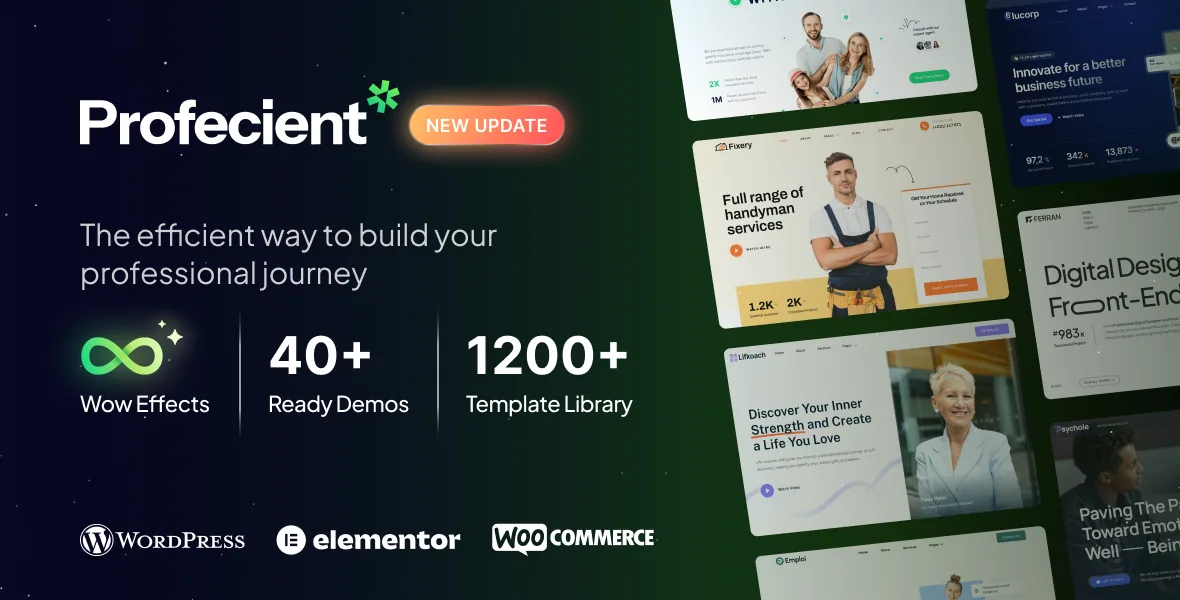
The vendor's demo list is the least generic thing about Profecient. It reads Proinvest, Protherapy, Procorp, Prosnap, Prohandy, Procoach, Prolegal, Proarchitect, Procreator, Proresume, Prohr, Proadvisor, Pronutritionist, Prodentist, Proinsurance, Profinance, Prowriter, Proyoga, Proartist, Protailor, Profashion, Prochef, Protax, Prosalon, Proplumber, Proseo, Proanalyst, Provet, Pronotary, Proaccounting, then ten marked New: Protrainer, Probike, Proinfluencer, Proclean, Prostylist, Profirm, Prodancer, Promusic, Promua and Probuilder.
That is forty named demos in the description, and the premium feature list separately states "20 Include Ready To Use Demo Website". The two figures are not reconciled in the source, so check which demos you actually need against the live demo site rather than trusting either count.
The names are the practical part. A plumber's site and a law practice's site need different photography, different page inventories and a different reason for someone to fill in a form. Picking a profession demo settles tone and page set before any element work starts, and gives a client something recognisable to react to instead of a neutral business skeleton.
Because the theme is multipurpose, nothing forces you to stay inside one profession. You can take a legal header and a fitness-style services grid. The names just make the intended pairing obvious.
One-click import, then the builders take over
The vendor pairs the demo catalogue with a one-click import and a Favorite Demo Manager in the admin panel, and also lists a System Status Report and a help centre. Importing gives you content and layout to edit rather than an empty site.
Where the editing then happens is described precisely in the feature list. Profecient names separate builders for the header, footer, single post, post category, post tag, archive page, shop page, single product and archive product, plus a manager for the Not Found 404 page. There are also sticky section and column settings and Elementor global style options.
That division is worth internalising before you import anything. The site frame is designed once and applies sitewide; a post layout designed once sets the rhythm for category and tag archives as well; a wrong URL still renders inside the theme's own 404 design. The caution is symmetrical — a spacing problem on a single post belongs in the single post builder, not on the page you happened to notice it on, and typography belongs in global styles rather than in each template.
A product page built from product parts
The WooCommerce element list is unusually granular for a business theme. Rather than one product-page template, Profecient lists standalone elements for the single product's title, breadcrumb, images, price, rating, description, content, related products, add to cart, stock, additional information, meta and data tabs. Cart, checkout, account and menu-cart elements sit alongside them, with custom add-to-cart, Ajax load pagination and shopping cart features named separately.
If you have ever fought a shop template to get the price above the gallery, this is the part that matters. A product page becomes a composition you arrange in the single product template builder, so the order of gallery, price, rating and add-to-cart is your decision rather than a filter workaround.
The boundary is WooCommerce. These elements control presentation and placement. Product types, tax, shipping rules and payment gateways stay WooCommerce's job, and the vendor's compatibility field lists WooCommerce 7.x.x, 6.x.x and 5.x.x as the declared ranges.
Animation, type and the elements that carry them
Presentation tools are grouped under WOW Effects: parallax images, scrolling effects, mouse effects, a custom cursor, smooth scroll and blend modes. The element list covers the section-level versions — text marquee, animated text, hotspot, timeline, horizontal accordion and charts among the more distinctive ones, next to the everyday icon box, testimonial, team, countdown, portfolio gallery and product carousel.
Custom cursor and smooth scroll change how the whole page responds to input, so treat them as global decisions rather than per-section flourishes. Charts and timelines only earn their space when you have the numbers or the history to fill them.
Fonts come from Google Fonts, Typekit or self-hosted files. Self-hosting is the option to reach for when third-party font requests are a constraint on the project.
Languages, forms and the plugins you add yourself
The marketplace compatibility field names WPML. The vendor description adds Polylang with WPML for multilingual sites and Loco Translate for string translation, and names Contact Form 7, Metform and MailChimp for forms and email capture.
WPML and Polylang are two different answers to the same problem, and the choice affects how much header, footer and archive template work repeats per language. Loco Translate is the lighter route when you only need one language pair and want theme strings editable in the admin. None of these ship installed; they are plugins your project adds, and the header and footer templates you build should be checked in the second language on staging.
Forms follow the same rule. A Metform or Contact Form 7 element inside a Profecient section looks identical wherever it appears, but where submissions land and how notifications are styled are plugin-side decisions.
What the declared versions do and do not cover
As observed on the marketplace in November 2026, the compatibility field lists Elementor, Elementor Pro, WooCommerce 5.x through 7.x and WPML, with WordPress versions from 4.9.x up to 6.9.x. Included files are PHP, CSS and JS, and the package lists a child theme. Gutenberg Optimized is recorded as No, which describes the theme's block-editor styling rather than whether the block editor can be used.
The changelog for marketplace version 1.2.0, dated 26 May 2026, records a WordPress 7.0 compatibility update and Jeg Kit for Elementor v3 compatibility. That reaches further than the attribute list, so the two records are not kept in lockstep — and neither is a test against your plugin set or server. Treat the declared ranges as the starting point for a staging install.
Profecient's value sits in the demo catalogue and the template builders. Judge it by whether the profession demo closest to your client, plus the specific builders you will actually edit, match the project in front of you.
Questions & answers
Do I have to keep the profession shown in a demo?
No. Importing a demo gives you its page set, layouts and placeholder content as a starting point. The demo names describe intended audiences and the closest starting layout, not a restriction on what the site becomes.
Can I rearrange a WooCommerce product page without template overrides?
The theme supplies a single product template builder plus separate elements for the title, images, price, rating, stock, tabs, related products and add to cart. You order those in Elementor. Cart rules, payment and shipping remain WooCommerce configuration.
How many demos does Profecient actually include?
The description names forty demos, thirty of them before the ten marked New, while the premium feature list says "20 Include Ready To Use Demo Website". The source does not reconcile the figures, so confirm the demos you need against the live demo site.