Pricing a print job was treated as the headline change
Most shop themes announce new demos. PrintSpace's changelog entry for version 1.4.9 announces three things under one label: "WCDP AI POD Addon: Mask Converter, Price based on Sides, Price based on Elements." The theme's marketplace description links to a demo of each pricing mode and to a video tutorial on the Mask Converter.
Read those names as pricing models rather than switches. Pricing by sides changes what a product costs according to how many printable faces are used, so a single-sided flyer and a double-sided one need not share a base price. Pricing by elements lets individual parts of the artwork carry their own charge, so the total moves as the customer adds items. The Mask Converter tutorial points at artwork setup: preparing templates so an uploaded design lands in the correct printable area.
The "WCDP" prefix is evidence about the supplier, not proof. The same changelog updates WC Designer Pro in several releases, so the abbreviation most plausibly refers to that plugin, but the marketplace never states it outright. Ask the author which plugin ships these addons before you commit to a workflow around them.
The configurator belongs to a plugin, not to PrintSpace
The feature list names WooCommerce Product Designer and NBDesigner as compatible, and the changelog tracks WC Designer Pro along with Drag and Drop Multiple File Upload (Pro) in an earlier release. Those are separate products, and each is a purchase and setup job of its own.
That division decides where problems get fixed. How many sides a product permits, how masks behave, how element prices attach to a selection — all of this lives in the designer plugin's settings, not in the theme's stylesheets. If a customer configures a job and the price comes out wrong, the plugin is the first place to look. PrintSpace's contribution is the storefront around the configurator: layout, product presentation and the surrounding store pages.
The changelog also shows the two products being kept in step. Several releases are little more than a WC Designer Pro version bump plus CSS fixes. That is a useful signal for a shop that will keep selling for years, though it says nothing about how the current plugin build behaves on your own server.
Two demo paths for two different customer jobs
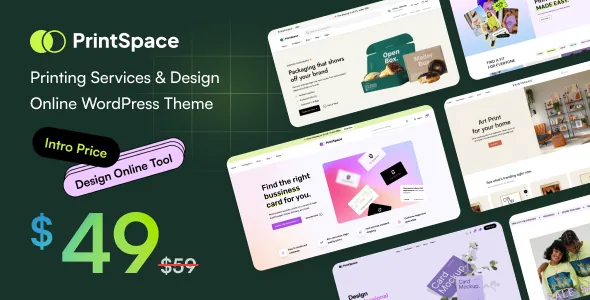
The description splits its demos into "Design Online Tools" and "Print Your Own Feature," each behind its own banner. The distinction is worth settling before you import anything, because the demo you start from becomes the structure you edit.
Design Online Tools describes the classic canvas flow: the visitor arranges artwork or text on a blank product and watches the price respond — custom t-shirts, posters, mugs. Print Your Own reads as a more upload-centred path, where the customer brings their own file for a chosen product and the page concentrates on getting that file onto the item correctly rather than on free-form editing.
Those two flows ask different things of your templates and your product options, and the vendor does not break down which of its 05+ homepages belongs to which. Compare the demos for both paths before choosing, rather than picking the first layout you like.
Fulfilment and marketplace integrations answer separate questions
Three compatibility declarations sit in the feature list, and they belong to different business shapes.
Printful Integration for WooCommerce and Printify for WooCommerce connect a catalogue and its orders to a print-on-demand provider, so goods are produced elsewhere and shipped from there. Dokan is a multivendor marketplace plugin, which supports several sellers listing and managing their own products under one site. A single shop printing in-house uses the POD integrations only for items it does not produce itself; a marketplace of independent print sellers needs Dokan instead.
The marketplace lists these as compatibility. It does not present them as bundled licences, preconfigured or tested setups, so each remains a plugin you buy, install and configure to its own documentation. A demo also has one changelog entry adding a Print on Demand homepage (version 1.0.6), which is a fourth demo subject worth checking against the Printful and Printify path.
Catalogue and chrome are both Elementor jobs
Elementor is the editing surface, and the vendor extends it past page content: 05+ header styles built with an Elementor header builder, 05+ footer styles built with a footer builder, and a mega menu builder, also in Elementor. Sticky header or sticky menu behaviour is included.
For a print shop, the practical gain is that the band carrying category links, a cart and any quote request is edited the same way as a landing page, so a seasonal push on banners or apparel does not need a developer. The 06+ single-product layout styles matter more here than the count suggests: a poster, a mug and a bulk print run need different amounts of space for options, images and specification text, and you can assign layouts accordingly.
Gutenberg Optimized is marked "No." Treat that as a statement about which editor the theme's design work targets, not as evidence that the block editor is switched off. If your team already works in blocks, this theme asks them to work in Elementor instead.
Two reliability signals that pull in different directions
One reassuring detail sits in the changelog: version 1.1.7 records removal of a header sticky slide-in-down effect specifically to fix a sticky cart — a real storefront annoyance addressed at the theme level.
The more awkward detail is version numbering. The description text in one place still names 1.5.0 as the current version, the marketplace records 1.5.1, and the changelog's newest entries claim WordPress 7.1.x and WooCommerce 11.1.x. The compatibility attributes observed on 4 November 2026 stop at WordPress 7.0.x and WooCommerce 10.x.x, below what the latest changelog claims. Attributes are often left stale after a release, so the changelog is the fresher statement of what the author says was tested; neither source describes your PHP version, caching layer or chosen designer plugin build. For that last combination, the plugin vendor is the party who can answer.
Questions & answers
Do I need a separate plugin for customers to design products in PrintSpace?
Yes. The theme declares compatibility with WooCommerce Product Designer and NBDesigner and tracks WC Designer Pro releases in its changelog, but the canvas, mask handling and price rules live in one of those plugins. PrintSpace supplies the storefront around it.
Can PrintSpace be used with Printful or Printify instead of in-house printing?
The feature list declares compatibility with both Printful Integration for WooCommerce and Printify for WooCommerce, and a later changelog entry adds a Print on Demand demo. Each integration is a separate plugin you install and configure; compatibility is a vendor declaration, not a tested package.
Does PrintSpace work with the block editor?
The marketplace marks Gutenberg Optimized as No. Headers, footers, the mega menu and pages are built with Elementor, so that is the workflow the theme is designed around. The attribute describes the design focus rather than proving the block editor cannot be used.


