A changelog that keeps returning to the cart
Most printing-shop themes sell themselves on homepage count and design adjectives. Printec's vendor copy does that too, but the release notes underneath are more useful than the marketing above them, because they show where a print storefront actually breaks.
The 1.4.2 entry, dated 5 September 2026, records three fixes: improved WooCommerce 11.1 compatibility to prevent potential cart and session fatal errors, a corrected Elementor Products carousel when WooCommerce's list layout is active, and an Elementor PHP 8.4 deprecation notice. None of those read like features. All three describe failure modes that either block an order or leave a product grid displaying the wrong way.
If your catalogue is priced per print run and configured by the customer, the cart path is the business. A changelog that names it is worth reading before the demo screenshots.
What the maintenance record covers
The older entries keep the same focus. Version 1.2.9 refreshed the WooCommerce 9.3.1 templates, 1.2.5 refreshed 8.8.3, and single-issue releases resolved problems against 9.4 through 9.9, then 10.0, 10.2, 10.5 and 11.1. Elementor gets similar treatment: widget bugs under 3.22, compatibility notes for 3.24 and 3.26, and the PHP 8.4 notice in the current release.
In practice the shop layer is tracked against named WooCommerce versions instead of being left to drift. That is a record of intent and follow-through, not a promise about the release you install, and it says nothing about how fast the next WooCommerce change gets picked up. Still, for a store that has to keep taking orders, this kind of history tells you more than another homepage layout.
One entry sits outside the shop plumbing. Version 1.4.0 fixed is_404() not firing on Dokan store "not found" pages and adjusted header rendering there. Dokan is a multivendor plugin, so the theme has evidently been run on marketplace-style print sites where sellers have their own stores. Nothing in the vendor material claims Dokan support is guaranteed for every build.
The page that matches a print business
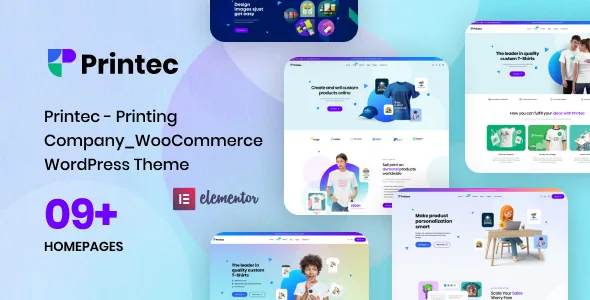
The vendor's feature list counts "07+ Supplements Store Demo Homepages" — odd wording, clear meaning: homepage layouts aimed at printing businesses. Alongside them are an Advanced Search System, various company About pages, 04+ prebuilt blog layouts, a WooCommerce shop page and "many other inner pages."
The page closest to a print-services workflow is easy to miss because it appears only in the changelog. Version 1.2.5 recorded adding the sample Contact Form 7 form to a page called "Request A Quote." That is the shape a printing business usually needs: not only an add-to-cart path, but a way to send specifications and receive a price. It arrives as demo content wrapped around a form plugin, so treat it as scaffolding for your own fields rather than a quoting engine.
The Advanced Search System deserves similar planning. Print catalogues get browsed by product type, material or format rather than by name, so how search behaves under filtering matters more than the hero design. The vendor names the feature without describing its mechanics, which makes the live demo the place to confirm what it searches and how results are presented.
Where the editing happens
Elementor is the declared builder, and the vendor adds "premade widgets to build content easier," "different sidebars variations" and parallax effects on rows and content. That combination describes a conventional Elementor setup: sections assembled from widgets, sidebar layouts picked per template, and background movement applied at section level. If you already build in Elementor, there is little to relearn.
The marketplace attribute marks Gutenberg Optimized as No. That grades how deeply the theme is built around the block editor; it does not prove blocks are unusable. Expect to compose page content in Elementor, let WordPress's editor handle posts, and keep the theme's editorial layouts as delivered.
The theme's own Elementor elements are the ones to watch after a plugin update — the Products carousel and the breadcrumb widget both needed fixes in earlier releases.
Declared versions against the release notes
The marketplace attributes, observed on 5 November 2026, declare compatibility with Elementor and WooCommerce 5.x through 9.x, across WordPress 5.0.x to 6.8.x. Widget Ready and High Resolution are both marked Yes, and the included files are PHP, CSS and JavaScript.
Those attributes and the changelog don't line up exactly. The changelog records fixes for WooCommerce 10.0, 10.2, 10.5 and 11.1, all above the highest declared line, which suggests the attribute list lags the vendor's releases. Both sources can be accurate in their own terms, but if your store runs a recent WooCommerce version, ask the vendor to confirm the exact combination you plan to use instead of trusting either number on its own.
Colour and type changes happen in the builder
The file list names PHP, CSS and JavaScript, with no design source files recorded. Colour, type and spacing adjustments therefore go through Elementor's controls, the theme's options and custom CSS, not a layered design file. If a designer works in Figma or Photoshop, plan on translating those decisions into the builder rather than handing over a source file.
Demo homepages and the Request A Quote page are sample data, which gives you structure to rebuild on. For a print store the hard part is rarely the homepage; it is product options, quote requests and the cart — and that last part is where this theme's clearest evidence of attention sits.
Questions & answers
Does Printec work with the block editor?
The marketplace marks Gutenberg Optimized as No, which grades how thoroughly the theme is designed for the block editor. It does not establish that blocks are unavailable. The vendor names Elementor as the page builder, so expect to compose pages there.
Is there a built-in quote-request feature?
The changelog records adding a Contact Form 7 form to a demo page called "Request A Quote" in version 1.2.5. That is sample content built on a form plugin, not a dedicated quoting or pricing engine, so you will need to adapt the fields to how you price print jobs.
Which WooCommerce version should I run with it?
The marketplace attributes list 5.x through 9.x, while the changelog names fixes for 10.0, 10.2, 10.5 and 11.1 compatibility. The two records disagree at the upper end, so confirm the specific WooCommerce version with the vendor before committing a production store.


