The frame comes first
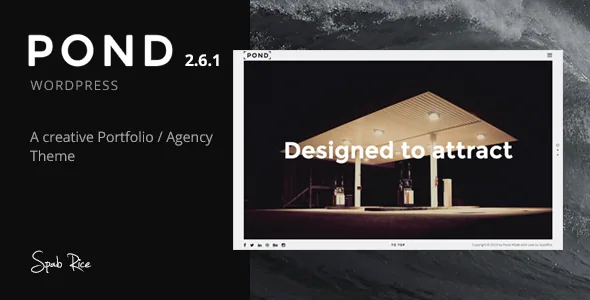
Pond's feature list names a "Viewport Border" as a headline item, and the version 2.0 changelog explains what that means in practice: a main border colour option plus individual border colour options, added alongside the split screen option in the same release.
That is a layout system rather than a decorative line. A border that runs around the viewport separates the site's content from the edges of the window, which suits a portfolio site where images are meant to sit inside a defined field. Per-element colour control means the frame can change between sections or pages, so a dark project page and a light about page don't have to share the same edge treatment.
Split screens extend the same instinct. Sections can be divided so content sits beside an image, a video or a map rather than stacked underneath it. The changelog records repeated work on this area across releases — a footer fix for split screen, a video background fix for split screen, a choice of which side appears on mobile devices. That history suggests split layout is a real part of the theme, not a single demo arrangement.
One page or many, and how pages get built
The vendor describes Pond as usable either as a one-page site or a multi-page site. One-page use is built on scroll-down anchors and section navigation; multi-page use relies on ordinary WordPress pages assembled in the theme's page builder. Choosing early matters, because a one-page site concentrates content into a handful of long pages while a multi-page site spreads it across navigation.
Page content is assembled with the bundled page builder and its shortcodes rather than with blocks. Sliders come from Revolution Slider, which the feature list names and the changelog shows being updated alongside the theme. Parallax background images and background parallax video are both listed, with the changelog addressing a background poster image for video and a mute button.
This is an older authoring model. Shortcodes and builder rows are configured through the theme's own interface, and the release history includes a builder restore function and fixes for edits made while the HTML tab is active — details that tell you where the editing happens and where it has historically needed repair.
The portfolio grid, sorting and what you supply
The project grid is sortable, so visitors can filter a body of work by category rather than scrolling a single ordered list. Version 2.0 added a portfolio sort option and a portfolio carousel option with fullscreen and autoplay settings; version 2.1 added a loop option for the carousel shortcode and for the portfolio.
Project entries carry more than a thumbnail. The changelog records a custom portfolio URL — useful when a project lives somewhere other than its own post — along with portfolio comments, a separator and big-letter option for portfolio items, and a back-to-works button. A looped carousel makes a different demand on your content than a grid: you need enough projects that repetition reads as rhythm, and images that hold up when cropped to the slide shape.
The vendor states explicitly that media — images, video and audio — is not part of the download. The ThemeForest files field lists PHP, CSS and JavaScript files. Plan on supplying your own photography or licensing stock; the demo imagery is there to show layout.
No widget areas, and where the block editor fits
The listing records Widget Ready as No. That removes a familiar habit: there are no sidebar or footer widget areas to fill through Appearance → Widgets with a text block, a recent-posts list or a third-party widget. Content that would normally live in a widget area has to come from theme options, shortcodes or the page builder instead. If your plans depend on a specific plugin widget, check what equivalent the theme offers before you commit.
The block editor question needs care. The attribute for Gutenberg optimisation is No, which describes how thoroughly the theme's design options are exposed as block patterns and block styles. The version 2.6 changelog separately records "UPDATE: Ready for Gutenberg / WordPress 5.0", which is a compatibility statement added in December 2018. Neither entry means the block editor is switched off, and neither means the demo pages are block-built — they are assembled from the theme's own builder. If you write in blocks, expect to use them inside builder sections rather than as the main layout tool.
One further consequence of the same era: version 2.6 lists PHP 7.2 compatibility, and that release was the last update the vendor published, dated 21 December 2018.
What the compatibility claims cover
The stored attributes, observed on 4 November 2026, list WordPress 4.7.x through 5.8.x and browsers from IE9 through Chrome, Firefox, Safari and Opera, with the marketplace's latest version recorded as 2.6.1. These are vendor and marketplace claims, not the result of running the theme on a current install, and the upper bound stops several major WordPress releases behind what many hosts now run.
If you are building for a client on a current WordPress version, treat that gap as your first test, not an assumption in either direction. The relevant risk is not the theme's visual ideas, which still hold up, but the PHP and WordPress environment it was written against.
That leaves a fairly specific fit. Pond suits a small studio, photographer or designer with a defined body of work, an image library of its own, and a preference for a framed, split-layout site over a block-based one. It is a weaker match for projects that depend on widgetised sidebars, a plugin ecosystem built around blocks, or a maintenance agreement covering the latest WordPress releases.
Questions & answers
Does Pond include the images and video shown in its demos?
No. The vendor states that media — images, video and audio — is not part of the download, and the files field lists PHP, CSS and JavaScript. You need your own photography or a stock licence for the imagery on your site.
Can I use Pond with widget areas?
The listing records Widget Ready as No, so there are no registered sidebar or footer widget areas. Content that would go in a widget has to come from the theme options, shortcodes or the page builder.
Does the theme work with the block editor?
The version 2.6 changelog records readiness for Gutenberg and WordPress 5.0, while the listing's Gutenberg Optimized attribute is No. The attribute reflects how far the theme's design options are exposed to blocks; it does not mean the block editor is unavailable. Demo layouts come from the theme's own page builder.