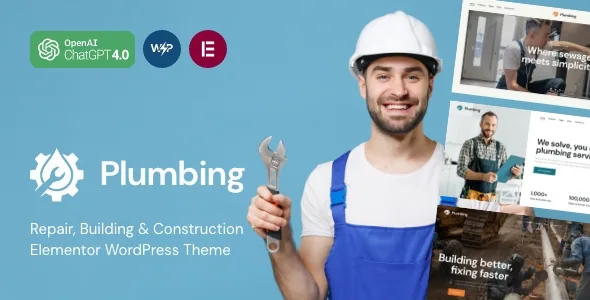
One site, different settings for different sections
Plumbing does not sell itself on a page builder or a demo count. The vendor's feature list leads its framework section with a "Setting Inheritance and Override System," and the theme description in the marketplace metadata describes it as a unique system of inheritance and override options that allows setting individual parameters for different sections of your site and supported plugins.
Read that as a claim about configuration scope. A plumbing company usually runs several kinds of page through one install: a residential service page, a commercial contracts page, an emergency callout landing page, and possibly a shop. Without a propagation layer, each of those either shares one global setting or gets hand-tuned separately, and later changes have to be repeated. An inheritance-and-override model is meant to let a section inherit the site's baseline and then diverge only where you say so.
That is the practical trade-off to weigh. Control lives in the options layer rather than in duplicated templates, which suits multi-branch or multi-service sites but makes the work configuration rather than pure visual composition.
What the options layer contains
The vendor pairs the inheritance system with a count of 750+ Customizer options and a custom theme options panel. Custom post types, custom widget sets and custom shortcodes are listed in the same framework block.
The numbers matter less than the division of labour. Custom post types and widget sets mean services, team members and testimonials can be content entries rather than page sections you rebuild. The Customizer and options panel inherit down to those entries, so a service page template can carry site-wide styling while individual entries adjust within it. If you plan to publish forty service pages, that structure is the reason to consider this theme; if you plan five, the same framework is more machinery than you need.
A shortcode-based layer also means the theme's own components sit alongside whatever the builder produces. Expect to check how the two interact when you edit a page.
Elementor handles pages, headers and footers
Elementor is the declared builder, and the vendor's layout list goes further than page content: it states that header and footer layouts are customised in Elementor too. That matters for a trade business, where the header typically carries a phone number, a service-area hint and a request-a-quote button, and those need to differ between a corporate page and a callout page.
Recent plugin changelog entries, which the vendor publishes inside the theme's description, show where that layer has been extended. Version 4.12 added the ability to save and load custom style presets for widgets, sections, columns and containers. Version 4.18 added responsive sizing and styling for the Layouts widget's panel, overlay and close button, plus a button in the Slider widget's info block and extra alignment controls.
Those are signs of an actively maintained builder integration rather than a one-time port. They are release notes, not a demonstration of how any specific page will look.
WooCommerce as a supplies shop, not a booking desk
The vendor describes the commerce side concretely: the theme can become an online tools and equipment store, a plumbing supplies shop, or a seller of bathroom fittings, water pipes, baths, showers, kitchen and hardware items. Marketplace attributes declare compatibility with WooCommerce 5.x.x through 8.x.x.
Take that description at face value and a useful boundary appears. Plumbing is set up to style a product catalogue built on WooCommerce. It is not described as a job-scheduling, appointment or quote-approval system, so a plumber who wants online booking should look for that in a dedicated plugin rather than in the theme.
The changelog also records commerce-specific work: version 4.17 added filters that let third-party plugins disable selected TrxAddons components such as custom attribute types and the Product Filters widget, and version 4.18 added a search field for long attribute lists and scrollable sidebar lists in the product filter. Both are the kind of fix that only appears on stores with real catalogue depth.
Quote forms, pricing tables and the service page furniture
The feature list names a specific set of business modules: advanced contact forms, contact and quote forms, pricing tables, a team member single page, and premade services and testimonials modules.
The quote form is the one that defines the workflow. A repair business's visitor usually arrives with a problem, not a product, so the useful conversion is a description of the fault plus a way to reach the person. Pricing tables and testimonials support that same page pattern: what it costs, who vouches for the work. A team member single page lets the person who turns up at the door have a profile.
Contact Form 7 appears in the vendor's compatibility list, with Mailchimp for WordPress alongside it. Treat these as declared integrations between existing plugins and the theme's styling, not as a bundled form engine of the theme's own.
Declaration mismatches to resolve before you build
The vendor's key features block still reads "WordPress 4.5+ Tested and Approved," while the marketplace software-version attribute lists WordPress 4.9.x through 7.0.x. Those two statements do not describe the same support range, and the first is best read as inherited boilerplate. Check which declaration your own copy matches rather than assuming the wider one applies.
The same care applies to the line about Slider Revolution and Swiper Slider being included. The changelog tracks slider behaviour in the theme's own TrxAddons widgets, but whether a slider plugin ships in a given copy is a package question, not a design one.
The changelog is also where the maintenance picture lives. Version 4.18 lists security fixes covering potential SSRF, stored XSS, PHP object injection and unsafe attributes in TrxAddons, and version 4.15 records a PHP 8.5 compatibility fix. A theme that publishes this kind of detail is signalling active development, and it also tells you that staying behind on releases carries real risk for a site taking customer enquiries. The marketplace version recorded when this listing was observed is a separate figure from whatever copy you end up running.
Translation, editor and file expectations
WPML appears in the compatibility attributes, which is the relevant fact if the company serves more than one language area. The marketplace listing marks the theme Gutenberg Optimized as Yes, and a recent changelog entry adds an option for how styles load into the block editor, choosing between add_editor_style and enqueue_style. Neither point makes this a block-first theme: the composition surface described throughout the vendor's material is Elementor, with shortcodes and custom post types beneath it.
Files listed in the marketplace attributes are PHP, HTML and CSS, and documentation is marked as well documented. Demo images are described by the vendor as copyrighted preview material that is not included, so plan on your own photography of vans, staff and completed jobs.
Nothing here substitutes for installing a copy on a staging site and testing the configuration layers you intend to rely on.
Questions & answers
Does the inheritance and override system replace Elementor, or work alongside it?
Alongside it. The vendor positions Elementor as the tool for editing page content and for customising header and footer layouts, while the inheritance and override options govern parameters across sections and supported plugins. The settings layer decides how things are configured; Elementor decides how a page is composed.
Can I run a plumbing supplies shop on this theme?
The vendor describes WooCommerce as suitable for a tools and equipment store or a plumbing supplies shop, including bathroom fittings, pipes, showers and hardware, and the marketplace attributes declare WooCommerce 5.x.x through 8.x.x compatibility. It is a catalogue shop setup, not an appointment or job-booking system.
What should I do about the contradictory WordPress version claims?
The feature list still says WordPress 4.5+ while the marketplace attribute declares 4.9.x to 7.0.x. Check the version reported by the copy you actually have, test it on a staging install with your PHP and plugin versions, and prefer the narrower, more recent declaration when planning.


