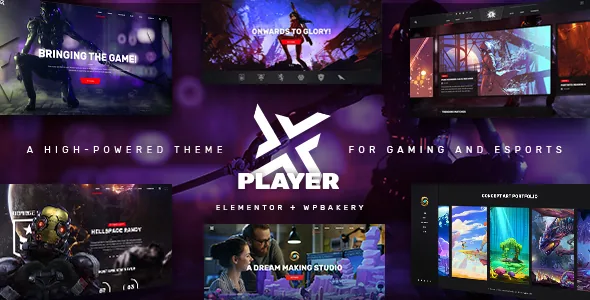
Matches is a content type, not a page template
Most gaming themes give you a homepage and let you pour match information into text blocks. PlayerX instead defines a Matches custom post type, according to the vendor's feature list. That single decision changes how an esports site gets maintained: a fixture or result is an entry with its own category and status, and the pages that show fixtures are views onto those entries.
The fan-out is the interesting part. The same post type is rendered by the Match List, Match List Small and Match Featured Items shortcodes, and again by a Match List widget and a Match Featured List widget. A single schedule can appear as a full upcoming-fixtures page, as a compact sidebar block, and as a highlighted card near the top of a homepage without retyping anything.
The changelog suggests the categories and statuses are doing real filtering work: version 2.3 fixed one-category, one-status and selected-match options not working properly for the Elementor match small list. If you plan to split fixtures by game title or by completed versus upcoming, those are the controls the theme exposes.
Stream Box and the roster modules around the schedule
The vendor lists a Stream Box shortcode alongside Team and Team Carousel shortcodes. Read together, they form an announcement layer above a match schedule: which squad is playing, who is on the roster, and where to watch.
Be careful about what the wording promises. The description says you can announce your streams; it does not say which streaming platform is embedded or whether a live status comes from anything. Treat Stream Box as a styled placement for stream promotion and check the embed behaviour in the demo before you build a page around it.
Team Carousel is the more conventional piece, useful for a clan or studio site that rotates a roster on the homepage. Because it is a shortcode, it can go on any page built with the supported builders rather than only a pre-made team template.
Bundled WPBakery and Slider Revolution, with Elementor added later
PlayerX ships WPBakery Page Builder and Slider Revolution in the package, per the vendor's feature list, and the changelog tracks both plugin versions with each release. That matters if your homepage depends on a full-screen slider rather than builder rows, since the slider is part of the package rather than a separate arrangement.
Elementor support is a different kind of claim. The changelog records it as added in version 2.0 in November 2021, and the marketplace attributes list Elementor among compatible items. What you get is compatibility, not an Elementor-first theme: the custom shortcodes and options panel are built around the Edge framework, and the Elementor-specific fixes in the changelog concern match list filtering rather than the whole shortcode set.
If your team already works in Elementor, that is workable, but expect the theme's own elements to define the page vocabulary. If you are choosing a builder for this project rather than inheriting one, the bundled WPBakery route is the one the theme was designed around.
The header is where the design gets decided
Three header types are listed: Standard, Vertical and Divided. These are structurally different layouts rather than colour variants, so the choice shapes how much of the first screen the navigation takes and where the logo sits.
The detail that stands out is the per-state logo handling. The vendor lists an optional separate logo for the mobile header, separate styles for the mobile header, separate logos for light and dark header versions, and a separate logo for the sticky header. A gaming brand with a wide wordmark usually needs a standalone icon for mobile and sticky states, and this saves the custom CSS that workaround normally costs.
Header Top and Header Bottom widget areas give you places for a small announcement, social links or a cart without pushing content down the page. A customizable mega menu, fullscreen menu, side area and integrated search round out navigation, and anchor functionality supports one-page layouts linked from a single scrolling page.
Where the social widgets stand now
The vendor's feature list still carries a Twitter feed widget and an Instagram feed widget. The changelog tells a different story: the Twitter plugin was removed in version 2.2 in December 2024, and the PlayerX Instagram Feed plugin was removed in version 2.3 in October 2025, both cited as responses to API changes.
That gap is worth planning around rather than discovering later. Building a social strip into a header or sidebar widget area on the assumption that those feeds still ship invites rework. A separate feed plugin, or a hand-built block of links and clips, is the realistic starting point for new builds.
The same recent window added a WPML config file, WooCommerce 10.x compatibility and what the changelog calls an improvement to the theme's security, so the maintenance pattern is pruning broken integrations and updating bundled plugins rather than leaving them untouched.
Version declarations and what they cover
Observed on 4 November 2026, the marketplace listing declares compatibility with WordPress 6.5.x through 7.0.x, WooCommerce 9.x and 10.x, WPML and Elementor, with WPBakery Page Builder also named. Browsers listed include Chrome, Firefox, Safari, Edge and Opera. These are listing declarations, not the results of running the theme on a particular stack.
One inconsistency is worth knowing before you plan an upgrade path: the marketplace's recorded latest version is 2.2, while the vendor's changelog carries a 2.3 entry dated 13 October 2025. The changelog is the more specific guide to what changed and when, so check the version number in whatever copy you install rather than assuming the marketplace field is current.
Nothing in the listing describes how the Matches queries behave with a large fixture list or behind a page cache. If the schedule is the centre of your site, that is the behaviour to test with realistic data.
Questions & answers
Can I enter a match once and show it in several places?
That is the design intent of the Matches custom post type. It is rendered by the Match List, Match List Small and Match Featured Items shortcodes and by two widgets, so the same entry can appear in a full schedule, a sidebar and a featured block. The query and caching behaviour of those elements is not described in the vendor's material, so test a populated fixture list.
Do the Twitter and Instagram feed widgets still work?
The vendor feature list includes them, but the changelog records the Twitter plugin being removed in version 2.2 (December 2024) and the PlayerX Instagram Feed plugin removed in version 2.3 (October 2025), both citing API changes. Plan on a separate feed solution for new builds.
Is PlayerX an Elementor theme or a WPBakery theme?
Both are supported, but unevenly. WPBakery Page Builder and Slider Revolution are bundled with the theme and updated in each release, while Elementor compatibility was added later, in version 2.0. Either way, the theme's own shortcodes and options panel define most page elements.