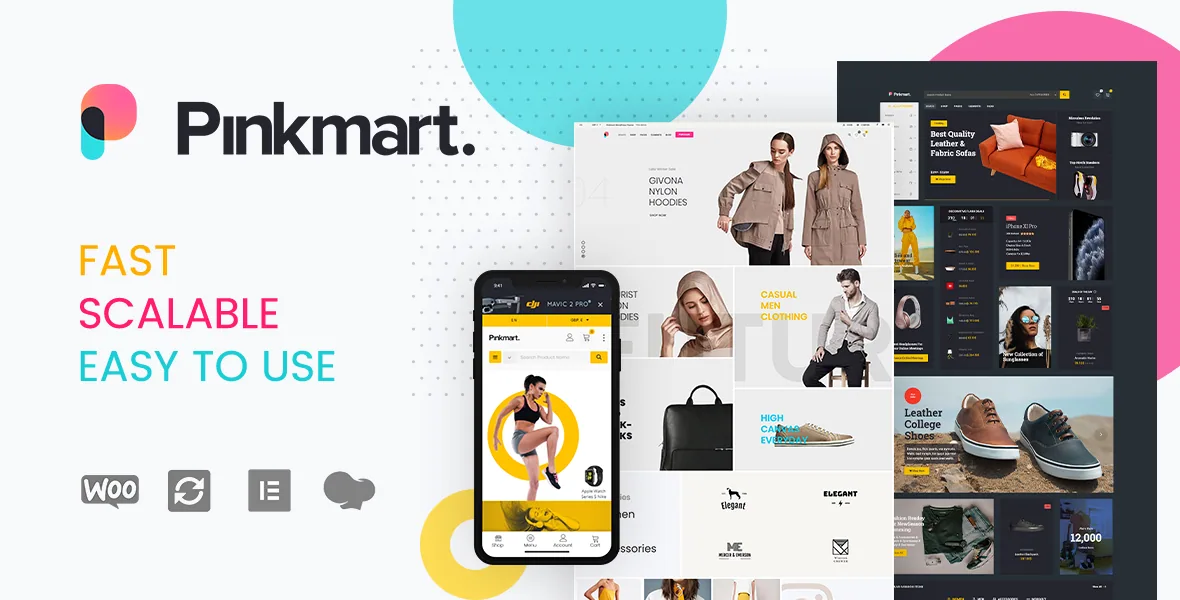
The shop runs without page reloads
Pinkmart's vendor description leads, in its shop section, with "one of a kind Ajaxified filtering" and repeats the word across the buying path: Ajaxified add to cart, Ajaxified wishlist, Ajaxified WooCommerce pagination, and an Ajax remove plus undo pair on the cart page. Product quick view and compare sit in the same block. That grouping, rather than a page builder or a demo roster, is what the theme is selling.
Practically, it changes where a shopper's attention goes. Narrowing a catalogue by attribute, price, colour, image, stock or sale status happens inside the listing, so the results stay in view while the filters change. Adding a variation to the cart, removing a line and reversing that removal all happen on the same screen. Compare and quick view let someone look before committing to a product page. None of this removes the need for sensible filter counts on a large catalogue, but it keeps a browsing session unbroken.
The listing also offers three ways to control what the shopper sees next: Ajaxified pagination, an infinite-scroll option, and a load-more button. Infinite scrolling in particular pushes the footer out of reach, so a theme that sells it as an option rather than a default is leaving that trade-off to you.
Seven product-detail layouts are the structural choice
The vendor names seven single-product configurations: Classic, Image focused, Background, Horizontal, fixed content, and a widgetized layout with left and right widget bars. The names describe arrangement, not styling detail, and the marketplace description does not explain what each one displays or in what order. Treat them as starting points to compare on a staging site rather than as documented specifications.
What the same feature block adds around those layouts is more concrete. Product detail pages can carry a featured video, a zoom effect, a pop-up gallery and a 360-degree product view. Variable products get image, colour and text swatches, and the listing states unlimited tabs for product features. A fixed add-to-cart button is available on detail pages, so a long description does not push the buy action off screen.
Shop and category headers get their own three named styles: categories by icon, categories by image, and extended categories. The products page also has a widgetized top bar and side bar that can be toggled. If you plan a category-led homepage rather than a flat product grid, the icon and image header variants decide how much of the category identity is visual.
Merchandising controls you configure, not code
Several entries in the shop list are settings a shop manager flips rather than templates a developer edits. Sale price percentage can be shown on cards. A free shipping threshold can be calculated and displayed. Product deals include a countdown and a stock availability bar. Catalog mode is available with an option to still show variations.
Display behaviour has its own switches: one to five columns for shop grids, full-width, boxed, masonry and fitrow arrangements, product borders and gutters on or off, four hover styles including a flip effect, and one or two columns for the shop on mobile. Recently viewed products and Ajax product tabs round out the on-page roster.
The filters match that same pattern, covering attributes, price range, colour, image, on-sale status and stock. Worth confirming before you commit: how each of these interacts with your product count, and whether the filter set stays responsive with a catalogue in the thousands. The vendor lists the capabilities; it does not publish limits.
Marketplace plugins are compatible, not required
The description names four multivendor routes: Dokan Multivendor Marketplace, WC Vendors, WCFM Marketplace and WC Marketplace. They appear in both the opening compatibility lines and the built-in and compatible plugins list.
That is a compatibility statement, not a dependency. A theme listing Dokan does not mean a standard single-seller shop needs Dokan installed, and it does not tell you how deeply vendor dashboards, vendor pages or commission reporting are styled. If multivendor is your plan, the plugin's own documentation for its front-end templates will matter more than the theme's inclusion of its name.
The same caution applies to the other plugins in that list. Elementor, Elementor Pro, WPML, YITH Wishlist and Compare, Contact Form 7, Mailchimp options, Yoast SEO and W3 Total Cache are declared compatible. Naming them says the theme has been built to coexist with them, not that every combination has been exercised in your configuration.
What the version record says, and what it leaves open
The opening lines of the vendor description claim WordPress 7+ and WooCommerce 10+ compatibility. The marketplace attribute record observed on 4 November 2026 lists a different range: WordPress 6.8.x back to 5.7.x, and WooCommerce 9.x back to 5.x. The two are not reconciled in the listing.
The changelog supports the newer reading. Version 4.7.9 records compatibility checks against WordPress 7, WooCommerce 10.6.2 and Elementor 4.0.1, alongside performance work in the Kitestudio Core plugin, which the entry says is available from the WordPress repository. Earlier entries read as upkeep on exactly the surfaces this theme advertises: a mini-cart widget fix in 4.6.1, off-canvas filter bar scrolling and a variation add-to-cart bug that could clear the cart in 4.5.3, a double compare button in 4.5.2 and again in 4.2, and RTL swatch corrections in 4.6.2.
That history is the relevant signal for a WooCommerce theme with this much shop customisation: fixes shipped to the interactive layer, release after release. It also means the theme's own version matters more than usual when you set up caching or a performance plugin. Confirm the current theme version against the changelog before you plan around a specific behaviour.
Translation, files and the imagery you must supply
For a multilingual store, the manufacturer lists WPML readiness, RTL language support, a POT file, and compatibility with Polylang, Loco Translate and Transposh. A POT file means the theme's strings are extractable for translation rather than hard-coded; it does not translate them for you. RTL support is a stated feature, and the 4.6.2 changelog entry about swatches in RTL languages suggests it has been a live area of work.
The marketplace file list names PHP, CSS and JS files. The vendor's general feature list separately claims a child theme for advanced customisation, which does not appear in that file list. If you plan template overrides, confirm the child theme's presence in the package you receive before relying on it.
Finally, the description states plainly that images are not included. The demo set covers fashion, electronics, cosmetic and beauty, and furniture subjects, so the photography that makes those layouts look finished is your own purchase or shoot. Budget for product imagery and category header artwork alongside the build, and let the header style you choose — icon, image or extended categories — decide how much of it you need.
Questions & answers
Does Pinkmart work with the block editor?
The marketplace attribute record marks Gutenberg Optimized as Yes, and the description also lists Elementor compatibility and WPBakery element counts. Those describe support for several editing environments, not a preference among them. The listing does not describe a block pattern library or say which route the demos use.
Can I run a multivendor marketplace with this theme?
The vendor names Dokan, WC Vendors, WCFM Marketplace and WC Marketplace as compatible. Whether vendor dashboards, store pages and vendor product templates look finished on your site depends on how far that compatibility extends, which the description does not specify. Verify with the plugin's own template documentation and a staging install.
Which WooCommerce version should I match the theme to?
The vendor description opens with a WooCommerce 10+ claim while the marketplace attributes, observed on 4 November 2026, list 9.x down to 5.x. The 4.7.9 changelog records a check against WooCommerce 10.6.2. Compare the changelog of the theme version you install with your WooCommerce version rather than relying on either headline.


