Widget areas that follow the page type, not the whole site
Version 5.5, dated 11 May 2021, is the entry worth starting with: it added a widget area for the shop and product listing page and a second one for the product details page, and removed the WooSidebars plugin in the same release.
Before that, showing a size guide or a shipping note beside a single product but not beside a category grid meant adding a plugin to manage conditional sidebars. Now those are theme regions, and you place a widget once in the region that matches the page. That is a smaller claim than a page builder, but it is the kind of control a store actually uses week to week: swap a promotional block on the product page without touching the catalogue.
The same release added a custom class field to widgets, which gives you a hook for styling individual widgets rather than the whole sidebar.
Three shop layouts and what each one costs
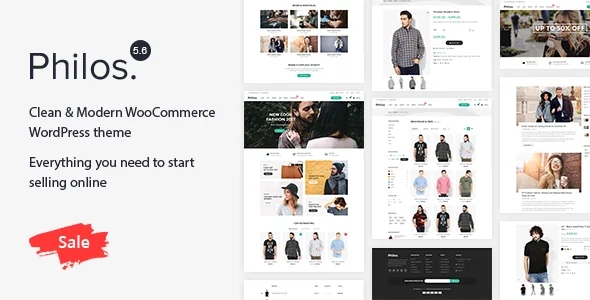
The vendor's feature list names a shop page setting with three choices: left sidebar, full width and right sidebar. They are not variations of the same view; each changes the width available to the product grid and what sits alongside it.
Full width gives the catalogue the whole content area, which suits apparel photography where the product image carries the decision. A sidebar layout narrows the grid to fit filters, categories or a promotional column. The difference is measurable in products per row and in how much appears before a visitor scrolls.
Because Philos also lists a product filter and a grid/list switch, the sidebar is where those controls would sit in the two sidebar variants. Settle the choice before you upload images, since switching later changes crops and grid density.
The merchandising pieces the vendor names
The marketplace description is written for fashion and accessories, and the concrete items in it sit at different levels. Star ratings and crossed-out pricing are WooCommerce's own output for reviews and sale prices; the theme's part is presenting them. Product badges are theme-level and, in the vendor's framing, come in varieties — useful when a catalogue is organised around seasons and new arrivals.
The products carousel is the piece that changes a homepage rather than a product page, letting you rotate a collection or a short promotion in place of a static grid. Quick view, grid/list switching, wishlist and compare are listed alongside it.
That is the level of detail available: named elements, with no statement of how many badge types ship or how the carousel is configured. Judge those on the vendor's demo rather than from the feature list.
A changelog that spends its time on WooCommerce templates
The release history runs from 1.0.0 in March 2018 to 5.5 in May 2021, and one line recurs: WooCommerce templates updated to the latest version. It appears in 5.3, 5.4 and 5.5, while earlier releases name specific WooCommerce numbers — 3.4.4, 3.5.6, 3.6.2, 3.9, 4.0, 4.2.2.
That recurrence tells you how the theme works. When a theme carries its own copies of WooCommerce templates, WooCommerce markup changes force those copies to be re-cut. The log shows the vendor doing this regularly through 2021, which is also why an older copy can look correct while behaving oddly in the cart or checkout.
Other entries are smaller storefront work: a pagination fix in shortcode output (4.6.0), a logo resize fix (4.5.0), a new blog layout (4.2.0), and a switch from MailPoet 2 to MailChimp for WordPress (3.0.0) — relevant because a newsletter signup and popup are both listed as features.
What the declarations do and do not say
Two compatibility attributes are listed: WPML and Bootstrap 4.x. WPML matters in a store because product titles, attributes and checkout strings all multiply; the changelog separately records language-file updates across several releases, which is the theme's own translation file being maintained.
The declared software versions span WordPress 4.9.x to 5.7.x, and the marketplace marks Gutenberg Optimized as No. That flag means the vendor has not declared block-level optimisation — not that the block editor is unavailable. The editing model the description implies is theme options, predefined shortcodes and widgets, with an admin panel offering unlimited colour options and predefined Google font families.
One gap is worth knowing: the marketplace lists a later version than the changelog supplied here covers, so the notes for that release are not visible. That is a reason to check what the release you use targets, not evidence of anything else.
Questions & answers
Can the shop listing and single product pages use different widgets?
Yes, according to the changelog. Version 5.5 added a widget area for the shop and product listing page and a separate one for the product details page, and removed WooSidebars in the same release, so widgets stay scoped to the page type where you place them.
Does Philos support the block editor?
The marketplace marks Gutenberg Optimized as No, which means no block-level optimisation has been declared. It is not a statement that the block editor is unavailable. The workflow the vendor describes is theme options, shortcodes and widgets.
Why does the changelog keep repeating WooCommerce template updates?
The theme ships its own WooCommerce template files, so changes to WooCommerce markup require them to be updated. The entries for 5.3, 5.4 and 5.5 each record that work, alongside earlier entries naming specific WooCommerce versions.


