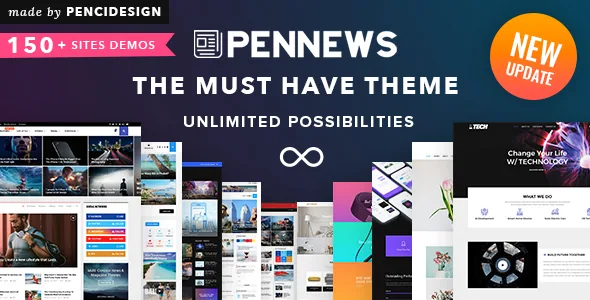
A homepage built from blocks, not from one-off layouts
PenNews is aimed at the part of a news site that repeats: the front page that has to be refilled every morning, the category archive that has to keep showing the newest five stories in the lead slot, and the section page that needs a different rhythm from the homepage. The vendor's feature list treats those as modular problems. It advertises 40+ content blocks, 28+ featured slider styles and 10+ big grids, each described as configurable through WPBakery Page Builder and the theme options rather than through code.
The counts are vendor claims about variety, not a measure of speed or editorial quality. What they do tell you is the shape of the workflow: you pick a block type, point it at a category or a set of posts, and the layout repeats automatically as new articles publish. A single story page can still be hand-designed, but the index pages are the ones this theme is organised around.
Slider variety deserves separate attention in a news build, because a lead carousel is the first thing readers see and the hardest element to keep from looking shop-bought. Twenty-eight styles is a lot of supplied options, and the practical question is whether one of them matches how your desk wants to present the top story — a full-bleed image with headline overlay reads very differently from a narrow grid of four thumbnails.
Post styles, infinite loading and review output
The vendor lists 10+ post styles, which is a claim about how individual articles and cards are rendered: image above headline, text over image, and a set of named parallax styles 1 through 6. Parallax on a post header is a presentation choice for feature pieces; it is worth deciding early whether the whole site uses it or only the long-form section, since the setting exists per element as well as globally.
Infinite Load More Posts is listed alongside those styles. For a site with a deep archive, that changes the reading experience on archives and category pages, and it also changes how you think about the footer and about ad slots that would otherwise appear once at the bottom. It is a display behaviour the theme advertises, not something to assume about performance.
Reviews are a first-class content type here. The vendor states support for three review formats — star, percent and point — which is useful if you run product tests, restaurant write-ups or scored cultural coverage where half the value of the article is the verdict box. Changelog entries also reference schema work for the theme's review and recipe elements, so the theme knows about those content types rather than treating them as ordinary posts with a shortcode.
Ad placement as a built-in surface
The vendor describes unlimited ad spaces and in-feed ads supported across all layouts, placed by drag and drop rather than by editing template files. In-feed placement is the detail that matters for a magazine site: an ad injected between story cards in a feed is a different product from a banner in a sidebar, and a theme that treats it as a layout option saves you from maintaining a separate injection plugin.
Treat the word "unlimited" as a description of the mechanism — you can add ad slots as elements — rather than a statement about how many you should run. Ad density is an editorial and commercial decision, and heavy in-feed placement has consequences for both reading experience and page weight.
The theme also lists affiliate support and a set of custom widgets with obvious publishing uses: popular categories, an author box, a video playlist, a social counter, a weather widget and several numbered block widgets. Those widgets matter most in the sidebar slots, where news sites often run out of purpose-built options and end up with generic text widgets.
AMP and Instant Articles: vendor claims to verify yourself
PenNews separates itself from most magazine themes mainly by advertising Google AMP and Facebook Instant Article output as built into the theme and validated. The changelog refers to a PenNews AMP plugin updated alongside the theme, and to an option for showing AMP to mobile visitors.
The vendor also states speed multipliers for AMP and Instant Articles. Those figures are marketing claims, not measurements you can plan a strategy on, and AMP's actual benefit depends on your traffic mix, your caching setup and how much third-party script your pages carry. If mobile search traffic is central to your plan, test the AMP output on a staging install and run the validator on real article URLs before you commit — AMP templates that pass on demo content can still break on your embeds and ad tags.
A further caveat belongs here rather than in a footnote: the vendor says the theme is compatible with caching plugins and includes lazyload, and the changelog records repeated performance and compatibility fixes over many releases. None of that has been benchmarked independently in this article.
Schema you can switch off
Older news themes often hard-code structured data, which creates duplicate markup once you install a dedicated SEO plugin. PenNews addresses that directly. A recent release added options to manage the theme's schema markup from the Customizer, letting you disable it and rely only on your SEO plugin's output.
That is a smaller feature than AMP in the headline, but it is the one that decides whether the theme plays nicely with the SEO stack you already trust. The vendor separately claims schema coverage for articles, breadcrumbs, reviews, recipes and tags, and compatibility with SEO plugins generally. If you keep the theme's markup, check it with Google's testing tools on a few real URLs; if you turn it off, confirm your SEO plugin covers the review and recipe types the theme creates.
A related toggle exists for post view counts, which can be disabled across blocks, single posts and the admin screen. On a site with caching, view counters are a common source of write load and of inflated numbers, so having a single switch for them is practical.
Layout controls around the content
Sidebar handling goes further than the usual left, right or none. The vendor lists six sidebar arrangements, including a two-sidebar-with-content layout and three full-width variants at different container widths, plus unlimited custom sidebars assignable without touching template files. On a busy news site, that means the lifestyle section can have a different sidebar to the markets section without duplicating templates.
Header and navigation options are similarly granular: 10+ header styles each with its own container, sticky navigation, a sticky sidebar, mega menu columns and two category mega menu styles, and Ajax live search. There is also an Ajax login and register form and a white-label tool, the last being relevant if you build sites for clients.
Between those controls and the block library, the theme is clearly built to be configured through the Customizer — the vendor quotes 600+ options — rather than edited in files. The risk with a settings surface that large is inconsistency: the more you configure per element, the more places a site's look can drift.
What the listing declares, and the plugin bundle question
Marketplace attributes observed on 3 November 2026 declare compatibility with WordPress 5.0.x through 6.9.x, WooCommerce 5.x and 6.x, bbPress 2.5.x and 2.6.x, Events Calendar, WPML and WPBakery Page Builder, with IE10 through Edge as the listed browsers and Gutenberg Optimized recorded as Yes. The latest marketplace release recorded at observation was 6.7.5. Those are declarations from the vendor and the marketplace, not results of installing the theme here, and the WooCommerce ceiling in particular is worth confirming against the version you actually run.
The vendor states that a set of premium plugins is included in its package, naming WPBakery Page Builder, Slider Revolution, Advanced Custom Fields Pro, several slider plugins, Convert Plug and Ninja Popups, with changelog entries for releases that update those bundled plugins. Treat that as the seller's bundle claim about the theme's own distribution; whether a given package you obtain elsewhere carries the same plugins and updates is a separate question, and third-party plugin licences may still need their own keys. Files listed in the ThemeForest attributes are PHP, CSS and JS.
Questions & answers
Does PenNews require WPBakery Page Builder to build pages?
The vendor's feature list names WPBakery Page Builder as the drag-and-drop builder the theme's blocks and elements are configured through, and lists it among the bundled plugins. The marketplace also records Gutenberg Optimized as Yes, which is a separate declaration about block editor support rather than a promise that every demo is reproduced in it.
Can I keep my SEO plugin's schema instead of the theme's?
Yes, as far as the vendor's changelog describes it. A recent release added options under Customize > Manage Schema Markup that let you disable all of the theme's markup and rely on your SEO plugin. If you do that, confirm the plugin covers the review and recipe types the theme produces.
Is the AMP output already validated for my site?
No — validation applies to URLs, not to themes. The vendor describes AMP as supported and validated, and the changelog shows ongoing work on the theme's AMP plugin, but your embeds, ad tags and custom blocks are what typically break AMP compliance. Run the validator on real article URLs on your own hosting before relying on it.