The changelog is the most useful thing on the listing
Plenty of store themes sell themselves on a demo count. PeakShops instead leaves a long public record of what gets serviced, and for anyone running a shop that record is the more telling document.
The most recent marketplace entry, version 1.5.14 dated 28 October 2026, covers a WooCommerce template update and a CSS icon fix. The entry before it, 1.5.12 from September 2026, updates WooCommerce templates as well as WPBakery. Earlier releases return to the same ground. This is a theme whose recurring work is keeping its shop templates aligned with WooCommerce releases, which is exactly the maintenance a store owner inherits when they adopt it.
A second thread is PHP. Version 1.5.7, released 7 October 2025, records PHP 8.4 and latest WooCommerce compatibility, following an earlier PHP 8.0 pass in 1.5.5. The vendor staged that work over time rather than claiming it in one line, and that sequencing is easy to read and easy to check.
WooCommerce and WordPress versions the vendor declares
As observed on the marketplace on 4 November 2026, the compatibility attributes name WooCommerce 6.x.x through 10.x.x and WordPress 5.5.x through 7.1.x. Those are the seller's declarations, not the result of an independent test on your server with your plugins.
Read the WooCommerce range as breadth rather than a recommendation. A store on an older WooCommerce branch is not locked out by the declaration, but the changelog's template updates have concentrated on recent releases, so the newest shop templates are where the upkeep has gone. Whichever branch you run, a staging install with a real product import will tell you more than a version string can.
The attribute also lists Contact Form 7, Gravity Forms, The Events Calendar and Events Calendar Pro, Visual Composer, WPBakery Page Builder and Foundation 6. Treat that list as what the theme has been built alongside; a listed form plugin does not mean forms are wired into every demo out of the box.
Shop-page controls a merchandiser will actually touch
Beyond compatibility, the changelog documents layout levers that sit in the shop rather than in a page builder. Version 1.3.9 added a full-width option to the shop listing; 1.3.9.3 extended a full-width option to product pages and fixed the Out of Stock badge colour controls. Version 1.5.0 added top and bottom content areas for product categories, which is where you would put a seasonal banner or buying guidance above a grid. Version 1.2.1 enabled custom shop layouts for product tag pages.
Smaller settings are documented just as concretely. Sale badges can show a percentage or a discount amount, chosen under the shop's misc settings. A custom payment icon can be uploaded, and the duration of on-screen notifications is adjustable. Version 1.3.0 added a sizing guide option to product settings, and 1.4.8.1 added a toggle button for filter widgets — useful when a sidebar of filters would otherwise dominate a category page.
None of these are headline features. Together they describe a theme that assumes someone will be tuning category pages and product templates repeatedly.
Where the add-to-cart attention went
Two changelog entries address the same complaint from different angles. Version 1.4.4 improved touch sensitivity on add-to-cart buttons; version 1.5.0 fixed a double-tap issue on the add-to-cart button on mobile. A cart button that needs two taps is a specific, costly kind of bug on a phone, and the fact that it was revisited suggests feedback from real stores rather than internal polish.
Nearby entries point the same direction: horizontal thumbnail scrolling on mobile devices, quantity input spinners in Firefox, and wishlist page fixes. The pattern is a mature theme working through the edges of a shopping flow, not a fresh one adding features. That is worth knowing before you buy, but it is not evidence that any particular archive behaves correctly on your device.
Builder declarations, and the Elementor mentions
The theme is marked Gutenberg optimized, and WPBakery Page Builder appears in the compatibility attributes with repeated plugin updates in the changelog. Elementor is mentioned only in older entries — compatibility fixes in 1.3.3 and 1.4.0 — and does not appear in the current compatibility list, so do not read those historical notes as a standing integration.
If your team standardises on one builder, the safer reading is that WPBakery is the documented path and the block editor is declared supported. If you build with Elementor today, verify your layout needs against the current demo before committing.
What ships, and which stores the demos target
The file bundle lists PHP, CSS, JavaScript, Sass and layered PSD files. Sass matters if you intend to compile style changes instead of overriding them; the PSDs matter if your design work needs to start from the source comps. The theme is marked responsive, widget-ready and high resolution, with documentation described as well documented.
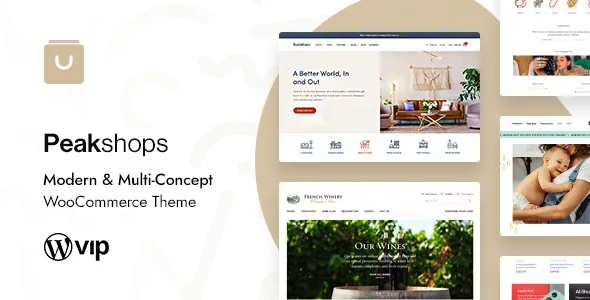
Marketplace highlight tags name the store types the demo library is aimed at: apparel, clothing, fashion, sneakers, furniture, home decor, lighting, beauty and skincare, plus fitness. That is a lifestyle-retail frame with niche demos layered onto it, so a shop outside those subjects will lean on the shop layout options above rather than on a ready-made demo.
One practical note from the vendor's own disclaimer: the images used in the demos are licensed to the vendor and are not yours to reuse. Budget for product photography or licensed stock before a launch date is set.
Questions & answers
Does PeakShops keep its WooCommerce templates current?
The marketplace changelog shows repeated WooCommerce template updates, including in versions 1.5.14, 1.5.12 and 1.5.10. That is a public record of upkeep, not a guarantee that the copy you install matches the newest release.
Can I use Elementor with PeakShops?
Elementor appears only in older changelog entries and is absent from the current compatibility attribute, which names WPBakery Page Builder. Treat WPBakery as the documented builder path and the block editor as declared supported.
Are the demo photos included with the theme?
No. The vendor's disclaimer states that images shown in the demos require your own licence or are used at your own risk, so plan for separate photography or stock licensing.


