Pricing a printed job is the problem Pangja is built around
A normal WooCommerce product has a price and a quantity. A print job usually has neither in that form. A poster costs more on two sides than one; a flyer with three colours and a logo costs differently from the same flyer with a single line of type. Pangja's vendor description points at exactly those two models: it links a demo of print pricing based on sides and a separate demo of print pricing based on elements.
The theme is not sold as a general store skin that happens to look like a print shop. The vendor's feature list is organised around getting a configuration into the cart, and the changelog shows that configuration layer being extended rather than fixed once. That is the part worth evaluating before you look at any homepage layout.
What the WCDP AI POD addon adds
Version 1.9.3 of the changelog adds three things under one heading: "WCDP AI POD Addon: Mask Converter, Price based on Sides, Price based on Elements." The vendor also publishes a video tutorial specifically for the Mask Converter, separate from the two pricing demos.
Read that as a configuration surface the theme claims to support, not as pricing logic that lives in the theme's own templates. The features sit in an addon, and a mask converter is a design-side utility — it prepares artwork shapes for a print-on-demand flow. Whether the price rules in your shop match what the addon expects depends on how your print products are structured, so the demos are the thing to study: build one sample poster and one sample multi-element flyer in the demo before assuming your catalogue maps onto it.
The designer tools are integrations, not included software
The vendor's overall feature list claims compatibility with WooCommerce Product Designer and NBDesigner, and the description points to a separate set of "Design Online Examples." In practice that means the theme is written to sit alongside a product-designer plugin so a customer can upload or compose artwork and add it to the order.
Compatibility is not the same as a bundled dependency. The theme package file list is Layered PNG, PHP, HTML, CSS and JavaScript — no designer plugin in that list — so you bring the designer extension yourself and pay for it if it is a paid product. Confirm the specific designer plugin version you intend to use against the theme before committing, because a theme that declares compatibility with a plugin family is not making a promise about every release of it.
Building pages in WPBakery, with presets to start from
Editing runs through WPBakery Page Builder, with Slider Revolution for hero and promotional sliders. Neither is unusual for a theme of this vintage, and the marketplace lists WPBakery in the compatible-with column but leaves Gutenberg Optimized marked as No — which tells you the vendor's own editing path is the WPBakery canvas, not block templates.
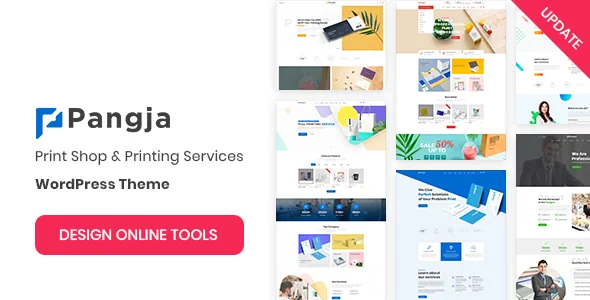
The vendor counts 06+ homepages, 06+ header styles, 04+ footer styles and 04+ blog styles, installed through a one-click demo importer. For a print business, the header variants and the homepage set are the useful part: a quotation-led service page, a shop-first front page and a company-introduction page do not share a layout. The sticky header and built-in mega menu matter more than they sound on a catalogue with many paper stocks, sizes and finishes to expose in navigation. A newsletter popup is included as well.
Declared platform range, and what it does not tell you
Marketplace attributes observed on 5 November 2026 list WordPress versions from 5.0.x through 7.0.x and WooCommerce from 6.x.x through 10.x.x. The changelog's most recent entry, version 1.9.4 dated 5 August 2026, records compatibility updates for WordPress 7.0.x and WooCommerce 10.9.x along with a Revolution Slider bump. Those are vendor declarations and a maintenance record, not the result of running the theme on your stack.
Two practical caveats follow. The theme is described as Bootstrap 3 based, which is an old front-end foundation and worth knowing if you plan to add your own components. And because the print-pricing workflow depends on a designer plugin and an addon that update on their own schedule, the versions that matter most are those plugins', not just WordPress's. Test the combination you will actually run.
Where Pangja stops
Pangja is a reasonable candidate when your print sales are configuration-driven — the customer picks sides, sizes, quantities or design elements and the price follows. The vendor's demos for sides-based and element-based pricing, and the changelog entry that added them, are the evidence to weigh.
It is a weaker match if you sell print as a plain catalogue of fixed-price items, because the theme's distinguishing machinery then sits unused and you are paying in complexity for layouts you could get elsewhere. It is also the wrong choice if you need a block-editor or full-site-editing workflow; the declared editing path here is the classic builder. Neither of these is a defect in the theme — they are the two boundaries its own feature list draws.
Questions & answers
Does Pangja include the designer plugin needed for online design orders?
The package file list is Layered PNG, PHP, HTML, CSS and JavaScript files. The vendor describes compatibility with WooCommerce Product Designer and NBDesigner rather than listing them as included, so plan on obtaining the designer plugin separately.
Can I price a product by the number of printed sides?
The vendor links a demo of print pricing based on sides and records that model being added in version 1.9.3 through the WCDP AI POD Addon. Test that behaviour with your own product structure in the demo before relying on it.