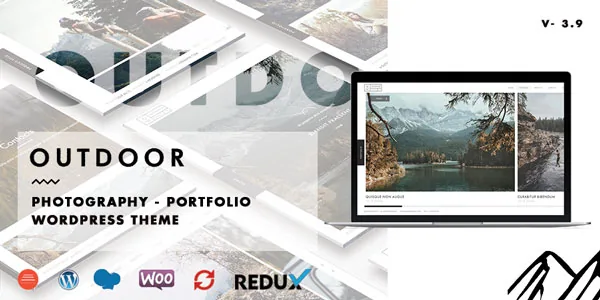
A photography site is a sequence, and Outdoor exposes several
The vendor's package overview puts three separate counts in front of you: six homepage styles (Slider, Slideshow, Horizontal Carousel, Multi Slideshow, Static Image, Video background), five portfolio archive layouts, and nine single-project styles. Each count answers a different question — how a visitor lands, how you list work, and how one project reads — and none of them is interchangeable with another.
That is the useful way to read a theme with this many modes. A count is only worth paying for if the modes map onto decisions you actually face. If you have one body of work and one obvious way to show it, extra layouts mostly create permission to be inconsistent between project pages.
WPBakery Page Builder is bundled and is how the pages are assembled; the vendor also says it adds its own advanced elements on top of the builder. Slider Revolution is included as well, with video and animation support. Those two are the tools behind many of the six homepage modes rather than a separate feature to evaluate.
One project page, nine ways to structure it
The nine single-project styles are described as built with WPBakery and customisable per project. In practice that means the project page is not a fixed template you fill in — it is a page you compose, and the style you choose sets how the images, text and navigation sit relative to each other.
A related setting sits at the item level rather than the page level: the vendor lists external link and popup gallery options per portfolio item. That distinction is practical. A popup gallery keeps a visitor on your site, opening images in an overlay — the vendor bundles Magnific Popup and Intense among its JavaScript libraries, and galleries are part of the theme's own feature list. An external link sends that portfolio card somewhere else entirely: a client site, a publication, a film page. If part of your catalogue lives elsewhere, having that decided per item rather than per template is the difference between a coherent index and a set of workarounds.
Decide this before you commission imagery. The layout you settle on determines the crop ratios and the number of frames you need per project.
How the horizontal gallery behaves
Horizontal gallery is the interaction most likely to sell or sink this theme for you. The vendor describes mousewheel and touch scroll on the horizontal gallery, plus touch and swipe support more broadly.
Mousewheel scrolling through a horizontal strip changes the feeling of a portfolio from browsing a list to moving along an exhibition wall, and on desktop it removes the vertical-scroll hesitation people have when they meet a sideways element. Touch scroll is the part that has to work on phones and tablets, where a horizontal strip competes with the browser's own swipe gestures. The vendor's changelog shows the theme has been maintained against this area specifically: an entry for version 3.6 records a fix for the horizontal gallery not scrolling on tablet, and version 2.9 records a fix for portfolio horizontal not clickable on mobile.
Those are historical entries, not a guarantee about the current build. Treat the demo as the place to test a horizontal strip with your own finger and trackpad.
The video background is the other mode that changes how a first screen feels. The vendor says YouTube and Vimeo backgrounds fall back to an image on mobile. That fallback is the right behaviour — an autoplaying video on a phone costs data and attention — but it also means your mobile hero is a still image, so pick that still deliberately rather than letting the theme choose.
Infinite scroll changes how much work sits on one page
The vendor lists infinite scroll as loading more portfolios and gallery images without a page reload. There is also a horizontal gallery element and, from the changelog history, a load-more button route that appeared earlier than the infinite behaviour.
Infinite scroll is a content-volume decision disguised as a setting. It suits a large, ongoing body of work where the point is to keep a visitor moving, and it suits a gallery where the images are the argument. It suits a small site less: if you have twelve projects, a page that loads everything at once with no pagination is simply a long page, and the visitor loses the sense of arriving somewhere.
There is also a practical consequence for how you organise categories. When a list keeps extending, the filter — which the vendor references through portfolio filters in the changelog — does more of the navigation work than the menu does. Make sure your categories are ones a visitor would actually choose between.
Video, translation and the child theme
The audience the vendor names includes filmmakers and videographers, and the video background plus Slider Revolution's animation support are the features aimed at them. If your homepage is a video reel, the six homepage modes include a dedicated Video option; if your work is stills with occasional clips, the popup gallery handles a clip inside a project without turning the whole page over to it.
For multilingual sites the vendor states WPML compatibility, described as tested and certified, and lists WPML among the compatibility attributes. Separate from that, the theme is described as translation-ready with a .pot file included. Those two are not the same thing: WPML handles running parallel language versions of the site, while the .pot file gives a translator the theme's own strings. You likely want both if the site sells internationally.
A child theme is included, which matters more than it sounds for a theme assembled in WPBakery — it gives structural edits somewhere to live that a theme update will not overwrite. The marketplace attributes mark this theme as not Gutenberg optimized. Read that narrowly: it describes how the theme is tuned, not a statement that the block editor is unavailable.
Maintenance record and declared versions
The changelog is long, running back to a first release in December 2015, and the latest marketplace version observed on 3 November 2026 is 4.2.3 with a May 2026 date. That entry lists fixes for translation loading compatibility with WordPress 6.7+, WPBakery compatibility improvements, and minor CSS and JavaScript issues.
The longer history is worth skimming for the pattern rather than the individual lines. Entries in 2020 and 2023 record fixes to page templates, plugin versions and a reflected XSS vulnerability, which tells you the vendor has shipped security-related corrections rather than only visual ones. It does not tell you what the theme's security posture is today.
The compatibility attributes observed on the same date declare WordPress 6.0 through 6.9 and WooCommerce 6.x through 9.x, plus WPBakery, WPML and Bootstrap 4.x and 5.x. The vendor's own text also claims PHP 8.4 support and WooCommerce 9.x and 10.x. Those are vendor declarations, not results from running the theme against your PHP build, caching layer or plugin set. The ThemeForest file list names PHP, CSS and JS files.
One note on imagery: the demo photographs are credited to Jan Eric Euler and Behance, so they are demonstration content rather than assets you can ship on a client site.
Where the decision settles
Outdoor earns its place when the work itself is the site and you want to vary how it is traversed: a full-screen slideshow to open, a horizontal strip for a series, a masonry index for a mixed catalogue, and project pages that are composed rather than filled in. The per-item choice between popup gallery and external link is the small feature that most often decides whether a portfolio index stays coherent.
The cost is consistency. Nine single-project styles and six homepage modes are only useful if you decide, in advance, which two or three you will use and why — otherwise each new project becomes a fresh design decision. The theme is also builder work through and through, so a project that expects to be handed off to someone editing in the block editor will need a different arrangement. Test the horizontal gallery on a phone and the infinite scroll with your real project count before committing.
Questions & answers
Does Outdoor require WPBakery Page Builder to build project pages?
The vendor describes the nine portfolio single-page styles as built with WPBakery Page Builder, which is bundled, and lists advanced custom elements for the builder. The demo content is assembled that way, so plan on working inside WPBakery for page layout.
Can a portfolio item link to another site instead of opening an internal page?
Yes, according to the vendor: external link and popup gallery options are set per portfolio item, so an individual card can send visitors off-site while another opens images in an overlay on your own site.
Is the demo photography included with the theme?
The vendor credits the demo images to Jan Eric Euler and Behance, which indicates demonstration imagery rather than files licensed for use on your site. Source your own photographs.