The parallax signature: per-section video and pattern layers
The marketplace description sells OrganicFood on immersion — full-screen imagery, parallax video backgrounds, animation — rather than on shop mechanics. The feature that carries that promise is a Section Video Background option: you add full-width video behind a section and set a different pattern image for each section. A separate Parallax Scrolling Section is listed among the template features, with unlimited parallax sections added per page from the admin interface.
Because both settings are per section, a long homepage can change treatment as it scrolls: a video-led opening, a patterned content band, a parallax break before the products. That variation is what separates the theme from a flat produce catalogue, and it is also where the weight sits. Full-width video plus large parallax imagery is the heaviest combination you can put on a food site.
The vendor is explicit that the Shutterstock, iStock and Unsplash images and videos used in the demo are for display only and are not supplied with the package. Every hero and every pattern backdrop is yours to shoot or license. High-resolution and retina support are stated features, so the files you supply need to hold up at that size rather than being upscaled.
Three plugins decide how you actually build pages
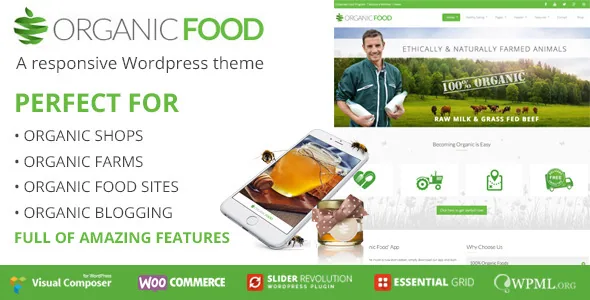
Slider Revolution, Visual Composer and Essential Grid are all described as included, with the vendor attaching savings values to each. Read them as one packaging claim rather than as a set of versions: the description prices Visual Composer at $30 in the feature list and at $34 in a later section, and the marketplace attributes name WPBakery Page Builder — the same product under its newer name. The changelog is the reliable indicator that the bundle gets refreshed, recording plugin updates in version 3.6.4.
The consequence is straightforward. Heroes are slider modules, product and project walls are grid items, and page bodies are composed in the page builder on top of a Bootstrap grid. If that describes the workflow you already like, the packaged tools save you assembling them. If you would rather choose your own slider and grid plugin, you are carrying three tools you will not use.
Contact Form 7 styling and a translation-ready setup with WPML support appear on the same list, alongside translated strings in mo/po files. The listing also marks Gutenberg Optimized as Yes, though the vendor's own changelog records "Not support wp-editor-block" back in version 3.6.1 — treat the flag as a listing attribute and plan on the builder, not blocks.
Boxed or fullwidth, sidebars, and a header trigger that follows the slider
Layout breadth is handled by switches rather than separate templates. Boxed or fullwidth can be set globally or per page, according to the vendor. Sidebars follow the same logic: unlimited sidebars movable left or right, or hidden for a fullwidth page or post, set globally or per page and post, with left and right blog sidebar layouts also listed. A recipe blog can keep a narrow right-hand column of categories while the shop archive takes the full width.
Custom backgrounds extend that per-item control to blog pages, posts, portfolio pages and single portfolio items, so a specific page can carry its own backdrop without a new template.
The sticky header deserves a plan of its own. You set the scroll amount at which the header appears, and the vendor notes that when a slider is on the page, the slider's height becomes the default trigger. On a site whose opening module is a tall full-bleed slider, that default means the header stays away until the hero has passed. Decide whether that is the entrance you want.
The mega menu mixes wide and normal sub-menus, takes widgets in one of the wide columns, toggles icons, and supports anchor links for a one-page site. Anchor navigation is a real option here given how much of the design is section-based.
Bootstrap, shortcodes and what the file list implies for customisation
The theme is described as built on Twitter Bootstrap, with Bootstrap 5.x and 4.x both named in the compatibility attributes. The vendor's argument is that a Bootstrap base means shortcode support comes with it, and suggests Visual Composer, an Easy Bootstrap Shortcode plugin, or another plugin for adding visuals. Rows and grids therefore inherit column classes rather than block patterns, which matters once you add sections the demo does not cover.
The packaged files include PHP, HTML, CSS, SCSS and JS along with layered PSDs and PSDs. LESS and SCSS sources are both mentioned, and the description credits a PHP compiler that merges styles into a single generated file. For a designer adapting the demo, the PSDs do the visual work; for anyone changing base styling, the SCSS is the place to start rather than patching compiled CSS. Child theme support is listed as well, so customisations can survive theme updates.
One assumption to test early: how the three bundled tools interact with the Bootstrap column classes on your own layouts. The declarations say nothing about that, and it is only visible once you build a page.
Shop and editorial tools, beyond the parallax
WooCommerce compatibility is declared from 5.x through 9.x, and a WooCommerce Shop layout is part of the feature overview — the entry point for selling produce online. The blog side is unusually developed for a food theme: standard, grid and list layouts, post sliders, full-width and sidebar post variants, and post formats running from standard and video through audio, slideshow, music, images, quote, link and gallery.
Two other listed pieces are worth flagging because they are the ones most often replaced. There is an Instagram full-width footer area and a newsletter subscription box; both are the kinds of element a business usually ends up running through a dedicated plugin for reach and consent handling. The changelog also shows WooCommerce layouts being adjusted over time — version 3.6.3 updates an outdated WooCommerce layout — which is a reasonable sign of upkeep rather than a guarantee about the shop templates you receive.
Interactive elements, a styled 404 page, Font Awesome icons, a custom CSS field in the options panel and Google Maps support round out the vendor's list.
Reading the version 3.7 record honestly
The marketplace listing was observed on 4 November 2026, carrying version 3.7, last updated by the vendor on 24 September 2025. The changelog for that release lists minor bug fixes and WordPress 6.8.x compatibility. Declared WordPress support runs from 5.9.x to 6.8.x, and the browser list runs from IE10 and IE11 through Firefox, Safari, Opera, Chrome and Edge.
Two entries need a plain reading. The same 3.7 changelog line names "Compatible PHP 6.8.x", which is not a PHP version that exists — treat it as a typo and confirm your PHP version against the vendor's support rather than that line. The IE10 and IE11 entries show the support matrix was written years ago; their presence tells you nothing about behaviour in a current browser.
A second gap is visible in the changelog itself: there is a jump from the 3.6.4 release in May 2022 to 3.7 in September 2025, so intermediate releases are not documented in the excerpt. That does not prove nothing changed in those years, but it does mean the visible changelog is not a full account of the theme's maintenance.
These are listing declarations, not results from a test install. The plugin versions inside the archive are the ones that matter for your build, and they can lag the current standalone releases.
Questions & answers
Do I need to buy the page builder, slider and grid plugins separately?
The description states that Slider Revolution, Visual Composer and Essential Grid are included with the theme. That is a vendor packaging claim; check the versions inside the archive before relying on features from the newest standalone releases, since a bundled copy can lag.
Can boxed and fullwidth layouts differ from page to page?
Yes, per the vendor: the boxed-or-fullwidth setting works globally or per page, and sidebars can be moved left, right or hidden globally or per page and post. Custom backgrounds can also be set per page, post and portfolio item.
Why does the sticky header appear so late on the homepage?
Because on pages with a slider, the slider's height becomes the default scroll amount for the sticky header to appear. If your opening slider is tall, the header is delayed by design — reduce the configured scroll amount if you want it earlier.
Is the video and imagery from the demo included?
No. The vendor states that demo images and videos come from Shutterstock, iStock and Unsplash and are for display only, not supplied in the final package. Every full-width video and parallax backdrop needs your own footage or licensed stock.


