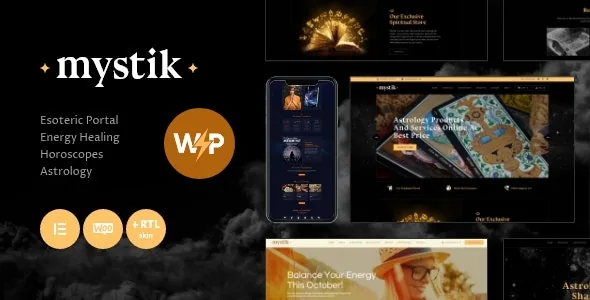
What the two skins actually cover
ThemeREX sells Mystik as a "two skin astrology & esoteric" theme. The subject matter is specific and unusually narrow for a general wellness template: horoscope making, numerology, meditation, fortune telling, tarot, energy healing and natal chart reading are all named in the vendor description. The marketplace also tags it under health and beauty retail, which fits a site that sells sessions as much as it publishes articles.
What the description does not explain is how the two skins are switched, or which of the vendor's demo layouts pairs with which palette. The changelog adds context: version 1.2.0 introduced a "new color scheme" and a "Home 5 Dark Purple" layout, and 1.2.2 added "Home 6 Crystal Ball". Read the two skins as two demo directions — one presumably lighter, one darker — rather than as a single toggle you flip after setup. If the exact palette matters to you, the demo is the only reliable place to compare them.
One phrase in the vendor copy is worth flagging as boilerplate rather than positioning: the description claims the theme suits "extreme sports or tourist activities". Nothing else in the listing supports that. Judge the theme on the esoteric use case it was clearly designed for.
The event path: date, place and fee
The vendor singles out one integration in its own narrative rather than in a compatibility list, which usually means it is load-bearing. Mystik is described as compatible with "the most popular events calendar" so you can display what's coming up and tell visitors the time, place and fee of a workshop, class or event. That is the sentence to read if your site's job is filling seats in a room.
The phrasing stays vague about which calendar product that means. The compatibility attributes, recorded on 4 November 2026, name Events Calendar, and elsewhere in the same description the plugin list spells out The Events Calendar alongside Quickcal. Mystik is also described as suited to showcasing classes, lessons, workshops and seminars, so treat the calendar as the booking-adjacent layer and the page content as the sales pitch around it. Whether a fee displayed by The Events Calendar can be paid through the theme is not stated; the calendar shows the price, and the store (below) is what handles money.
No plugin is described as bundled with the theme in the compatibility list itself. Plan on installing the calendar plugin separately.
Selling a reading, a gift card or a certificate
WooCommerce appears in two places with two different framings. In the compatibility attributes it is listed as WooCommerce 5.x through 8.x. In the vendor's prose it is a business decision: Mystik is made WooCommerce compatible "to give you a chance to sell your service or products online", and the description separately names "selling gift cards and certificates" as a fit.
That second detail is the more interesting one for an esoteric practice. A gift card or a certificate is a product you can sell without a calendar entry, which makes it a way to take money before a date exists — useful for a tarot reader or energy healer who works by appointment. A scheduled workshop, by contrast, needs the calendar listing so people know when to show up.
Nothing in the listing says a demo ships with product pages pre-built for gift cards, or how a service is configured as a WooCommerce product. Those are things you set up, not things that arrive configured.
Elementor beyond the page body
Mystik is built with Elementor, and the vendor's layout section is more specific than the usual "page builder support" line: header and footer layouts are customised in Elementor too. For a practitioner site, that changes how much of the chrome you control without touching theme files. A booking banner above the header, a contact strip in the footer, or a workshop call-out that repeats across the site can all be built the same way you build a page.
The vendor also lists Swiper slider, Retina image support, boxed and fullwidth page layouts, RTL support and an Ajax search in the feature set. These are ordinary tools for a content-heavy site, but two are worth naming here because they interact with the esoteric imagery the genre depends on: Retina support matters if you use large, detailed illustration, and the Swiper slider gives you a touch-swipeable carousel.
Separately, the marketplace records "Gutenberg Optimized: No" as an attribute. That is a statement about block-editor optimisation, not a claim that the block editor is unavailable to you. Elementor is what the vendor describes the theme as built with.
Inheritance and override: the settings layer under it all
The most substantive technical claim in the description is a framework feature rather than a visual one. ThemeREX describes a "Setting Inheritance and Override System" plus 750+ Customizer options, and the marketplace metadata phrases it as setting up individual parameters for different sections of your site and supported plugins.
In practice, that means you set a site-wide default — typography, colours, a plugin's display rules — and then break from it in specific places without abandoning the global design. For a site that mixes long-form horoscope articles with event listings and a shop, this is the difference between one visual voice across three content types and three separately styled silos.
The number itself, 750+, is a vendor count of options, not a measure of how easy the panel is to navigate. Custom post types, custom widget sets and shortcodes are listed alongside it, and the files included are described as PHP, HTML, CSS and JS.
The blog layer for horoscopes and recurring content
A horoscope site publishes on a schedule, which makes the blog settings more consequential than they sound on a services theme. The vendor lists multiple blog styles, flexible layout options, 20+ post animations, post views, likes and share buttons, a related posts section, and a feed you can filter by post type or category.
The feed filtering is the useful piece. If you publish monthly horoscopes, tarot explainers and event recaps from one site, choosing what appears in which feed keeps the homepage from becoming a chronological dump. The related posts section then connects a natal chart explainer to the reading service you want to sell. Twenty-plus animations, by contrast, is a decorative count; most editorial sites will use none or one.
What you supply yourself, and what the record shows
The vendor states plainly that images used in the live preview are not included in the template and remain copyright of their owners, with Depositphotos, PeopleImages and Flaticon credited as clipart sources. For this genre that is not a footnote. Mood is carried almost entirely by imagery, and a tarot or crystal-ball theme stripped of its demo photography looks like an unstyled blog. Budget for licensed illustration or your own photography before launch.
The changelog is worth a skim for anyone weighing long-term maintenance. Recent entries include a WordPress 6.9.4 compatibility addition in 1.2.13 (April 2026) and a fix for a potential local file inclusion vulnerability during pagination in 1.2.12 (October 2025). Earlier versions track WordPress compatibility releases steadily back to 2020. That pattern describes a theme being maintained, not a guarantee of what any particular copy contains.
Questions & answers
Does Mystik bundle The Events Calendar or WooCommerce?
The listing does not describe either as bundled. Both appear as compatibility entries, with Events Calendar named among the plugins the theme is compatible with and WooCommerce listed by version range in the attributes. Install them separately.
Can I switch between the two skins after building the site?
The vendor does not describe a skin switcher. The two-direction reading comes from the demo layouts and colour schemes added across releases, so compare them in the demo before you commit to one.
Is the theme block-editor based?
The marketplace records Gutenberg Optimized as No, while the vendor describes Mystik as built with Elementor, including header and footer layouts. Plan on building with Elementor.


